- Stick felt tape as shown in the picture (see arrow) onto underside of GPS antenna (25).
 The underside of the GPS antenna (25) does not have any covering foil. The protruding felt tape is used to additionally fasten the GPS antenna (25).
- Wrap felt tape around GPS antenna line (11).
The GPS antenna coupling (12) of the GPS antenna line (11) must not have felt tape wrapped around it.
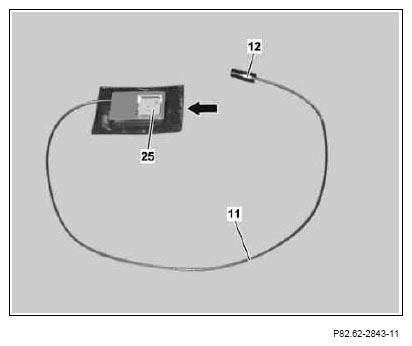 Courtesy of MERCEDES-BENZ OF NORTH AMERICA.
- Remove the covering foil on the upper side of the GPS antenna (25) and stick the GPS antenna (25) into the top left instrument cluster cover opening (see picture) and then additionally fasten in place by wrapping with excess felt tape.
The opening of the GPS antenna (25) must face towards the top side of the dashboard. The antenna line of the GPS antenna (25) faces towards the passenger side.
- Route GPS antenna line (11) of GPS antenna (25) in the instrument panel as per picture and fix in place using felt tape (see arrow).
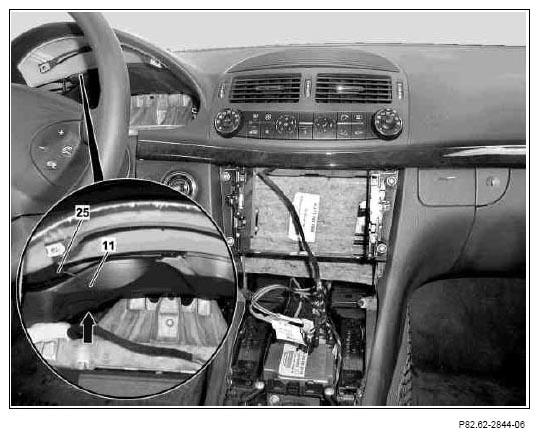 Courtesy of MERCEDES-BENZ OF NORTH AMERICA.
- Continue routing GPS antenna line (11) of GPS antenna (25) along on-board wiring harnesses into driver footwell and fix in place ensuring it does not chafe or make any noise.
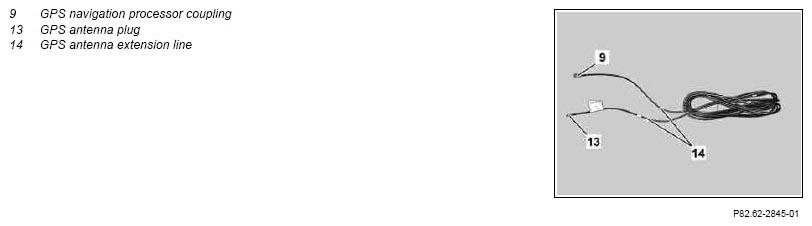 Courtesy of MERCEDES-BENZ OF NORTH AMERICA.
- Insert GPS antenna connector extension line (14) in driver footwell and connect GPS antenna plug (13) to GPS antenna connector (12) of GPS antenna line (11).
- Route GPS antenna extension line (14) in the left cable duct up to the area of the left rear seat and fasten in place such that it does not chafe or make any noise.
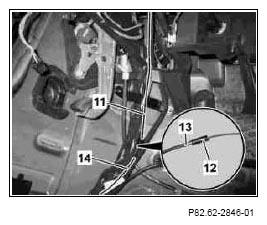 Courtesy of MERCEDES-BENZ OF NORTH AMERICA.
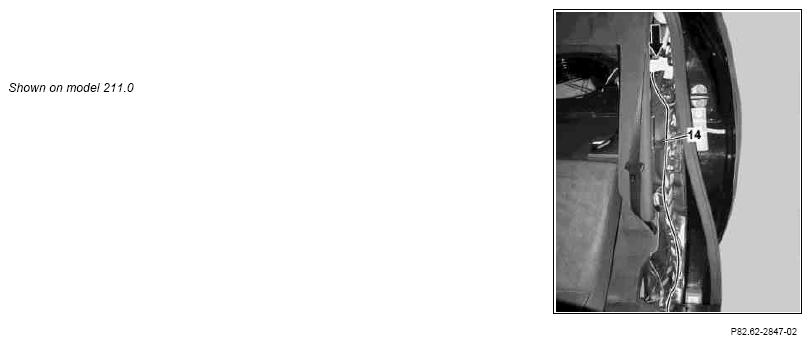
- Route GPS antenna extension line (14) as shown in the picture along on-board wiring harnesses into luggage compartment (see arrow) and fasten in place such that it does not chafe or make any noise.
 Courtesy of MERCEDES-BENZ OF NORTH AMERICA.
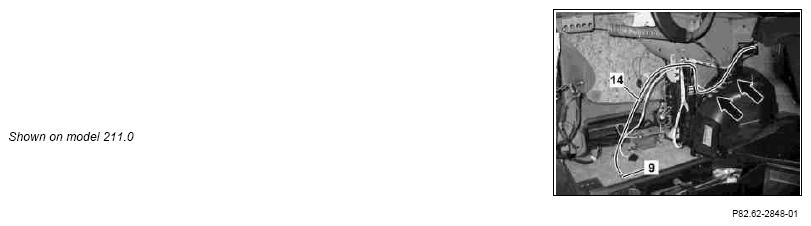
- Route GPS antenna extension line (14) as shown in the picture in the luggage compartment and strap down excess length of GPS antenna extension line (14) to on-board wiring harnesses (see arrows).
The GPS navigation processor coupling (9) of the GPS antenna extension line (14) is connected to the navigation processor later.
 Courtesy of MERCEDES-BENZ OF NORTH AMERICA.