Antenna Feeder No. 2 Removal/Installation
- Disconnect the negative battery terminal. (See NEGATIVE BATTERY TERMINAL DISCONNECTION/CONNECTION
.)
- Remove the liftgate upper trim. (See LIFTGATE UPPER TRIM REMOVAL/INSTALLATION
.)
- Disconnect the connector and remove wiring harness clips A and B.
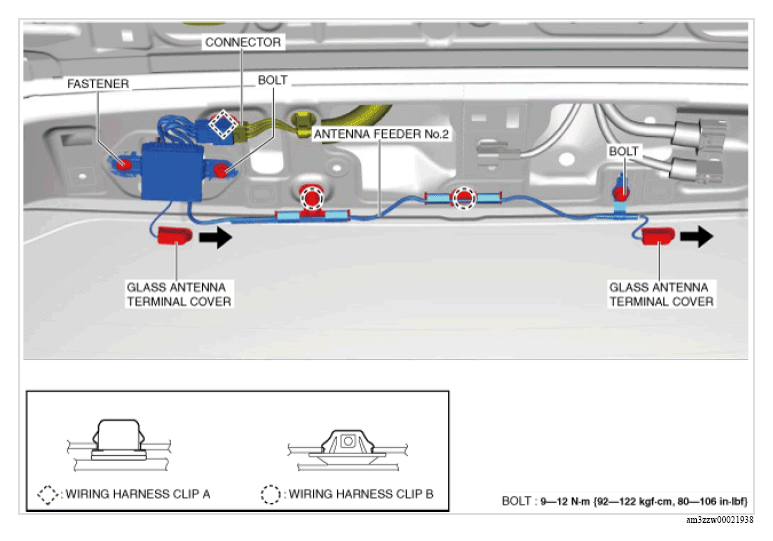 Courtesy of MAZDA MOTORS CORP.
- Remove the glass antenna terminal cover in the direction of the arrow shown in the figure below.
- Remove the bolt.
- Remove the fastener.
- Remove the antenna feeder No. 2.
- Install in the reverse order of removal.