Verify Using the Diagnostic Assist Function
- Switch the ignition to ACC or ON (engine off or on).
- While pressing the POWER/VOLUME button, press PRESET button 5 for 3 s or more.
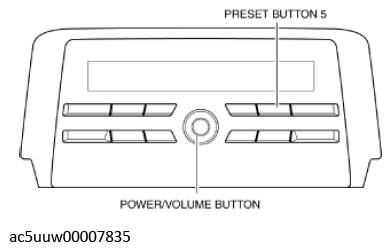 Courtesy of MAZDA MOTORS CORP.
- Identify the supplier code by referring to the display.
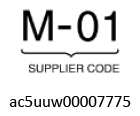 Courtesy of MAZDA MOTORS CORP.
| Supplier code |
Supplier name |
| 01 |
- |
| 02 |
Panasonic |
| 03 |
CLARION |
| 04 |
PIONEER |
| 05 |
Visteon |
| 06 |
DESAY |
NOTE:
- DTCs can also be identified from the DTC displays screen.
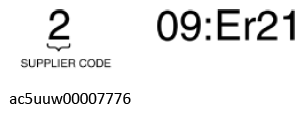 Courtesy of MAZDA MOTORS CORP.
- Switch the ignition off to end the diagnostic assist function.