U2064
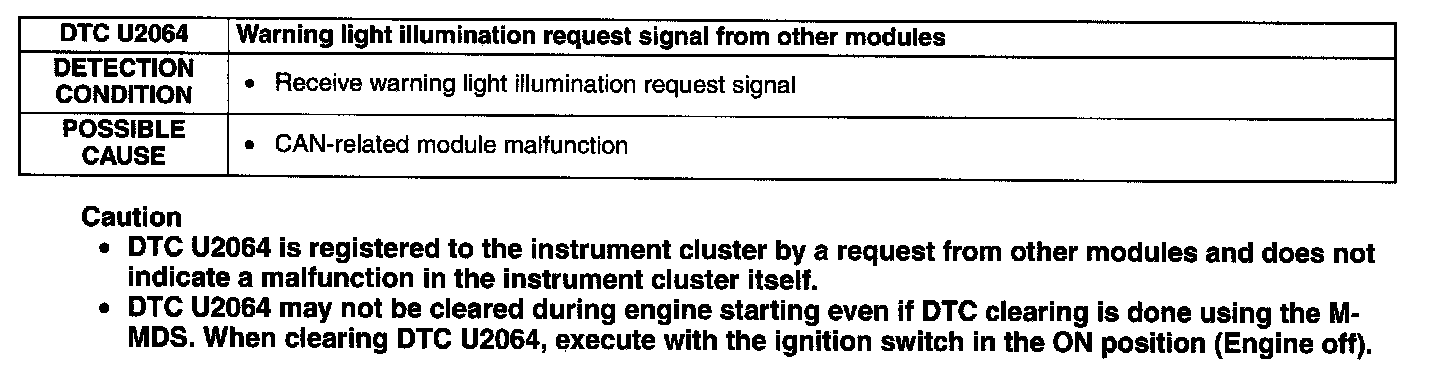
DTC U2064Detection Condition/Possible Cause:
Diagnostic Procedure
1. Verify the freeze frame data as follows.
1. Select the tool box tab.
2. Select "Electrical".
3. Select "IC Service Function".
4. Select "Freeze Frame Data".
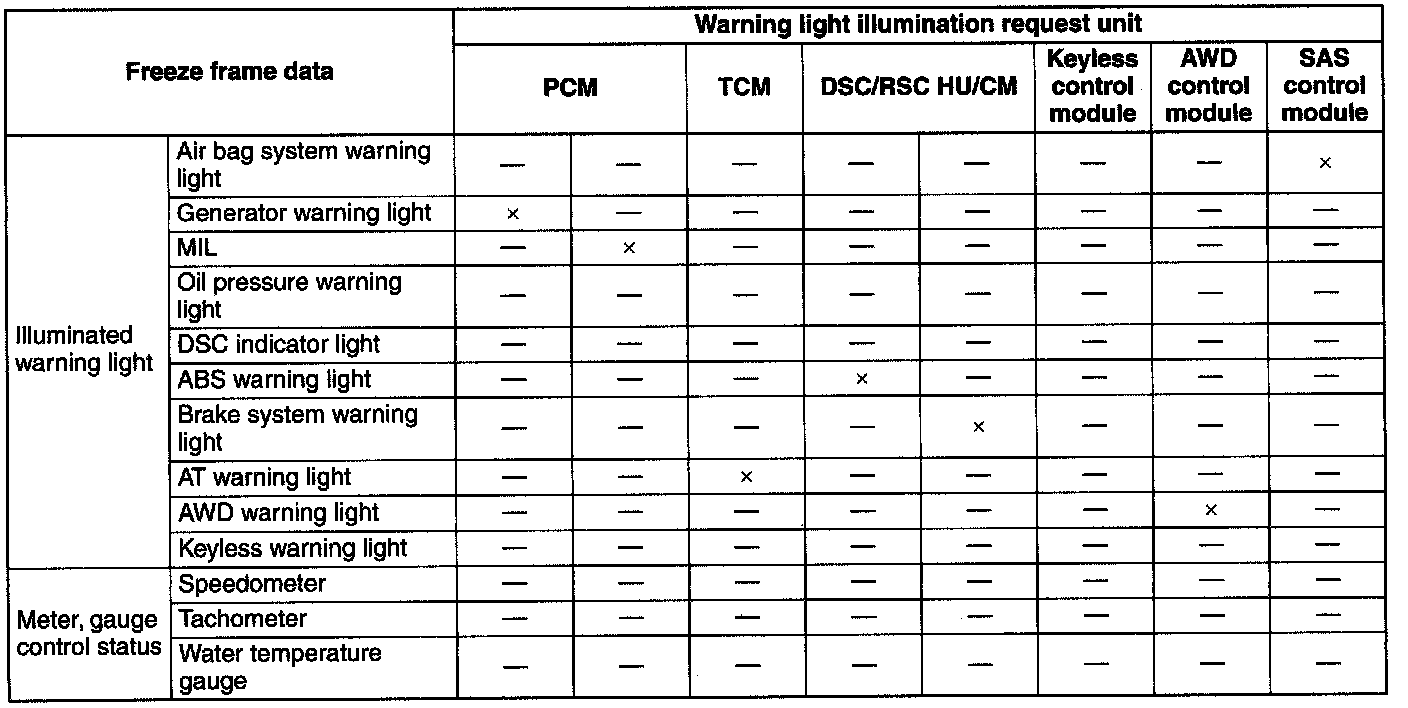
2. Determine which unit is thought to be malfunctioning based on the freeze frame data.
NOTE: If several warning light illumination requests are received, they will be recorded in one freeze frame data.
3. Inspect the malfunctioning part.
- Repair or replace if necessary.
4. Clear the DTC from the memory.
5. Turn the ignition switch to the LOCK position.
6. Turn the ignition switch to the ON position.
7. Verify that the DTC U2064 is displayed using the M-MDS
- If DTC U2064 is displayed, go back to Step 1.