Instrument Cluster
DTC INSPECTION [INSTRUMENT CLUSTER]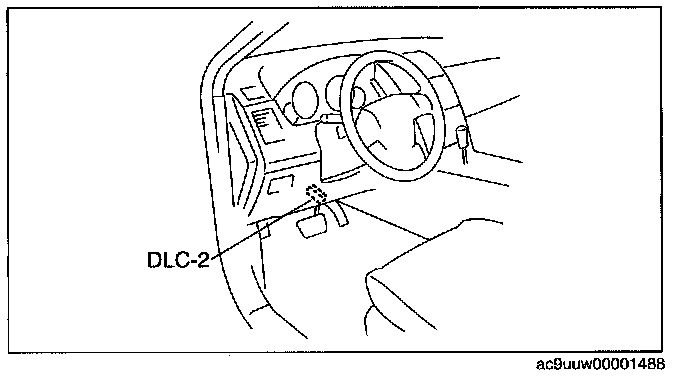
1. Connect the M-MDS to the DLC-2.
2. After the vehicle is identified, select the following items from the initial screen of the M-MDS.
- When using the IDS (laptop PC)
- Select the "Toolbox" tab.
- Select "Self Test".
- Select "Modules".
- Select "IC".
- When using the PDS (Pocket PC)
- Select "Module Tests".
- Select "IC".
- Select "Self Test".
3. Verify the DTC according to the directions on the screen.
- It any DTCs are displayed, perform troubleshooting according to the corresponding DTC inspection.
4. After completion of repairs, clear all DTCs stored in the instrument cluster.