BCM
DTC INSPECTION [BCM]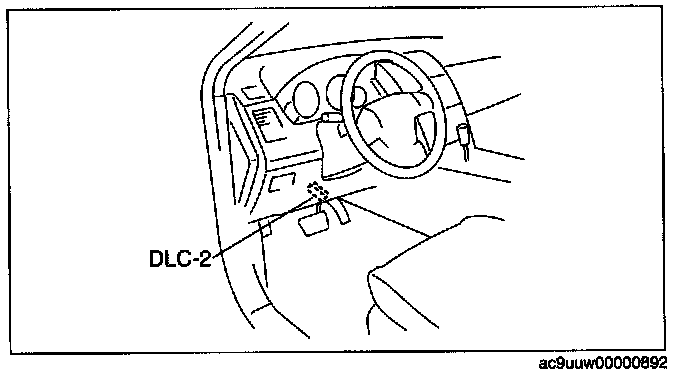
1. Connect the M-MDS to the DLC-2.
2. Verify the following vehicle conditions:
- All the switches are turned off (except the ignition switch).
- All the doors, bonnet, and liftgate are closed
- All the doors, and liftgate are unlocked.
- All the seat belts are unbuckled.
- Parking brake lever is pulled.
3. Start the engine.
NOTE: If the engine is not running, the BCM determines that the oil pressure switch malfunction.
4. After set up the M-MDS (including the vehicle recognition), the following can be selected from the M-MDS screen.
- Using an IDS (laptop PC):
- Select "Self Test".
- Select "Modules".
- Select "GEM".
- Using a PDS (Pocket PC):
- Select "Module Tests".
- Select "GEM".
- Select "Self Test".
5. Verify if any DTCs are displayed.
- If any DTCs are displayed, perform the troubleshooting according to the corresponding DTC inspection.
6. Disconnect the M-MDS.