Inspection and Verification
- Visually inspect for obvious signs of mechanical and electrical damage.
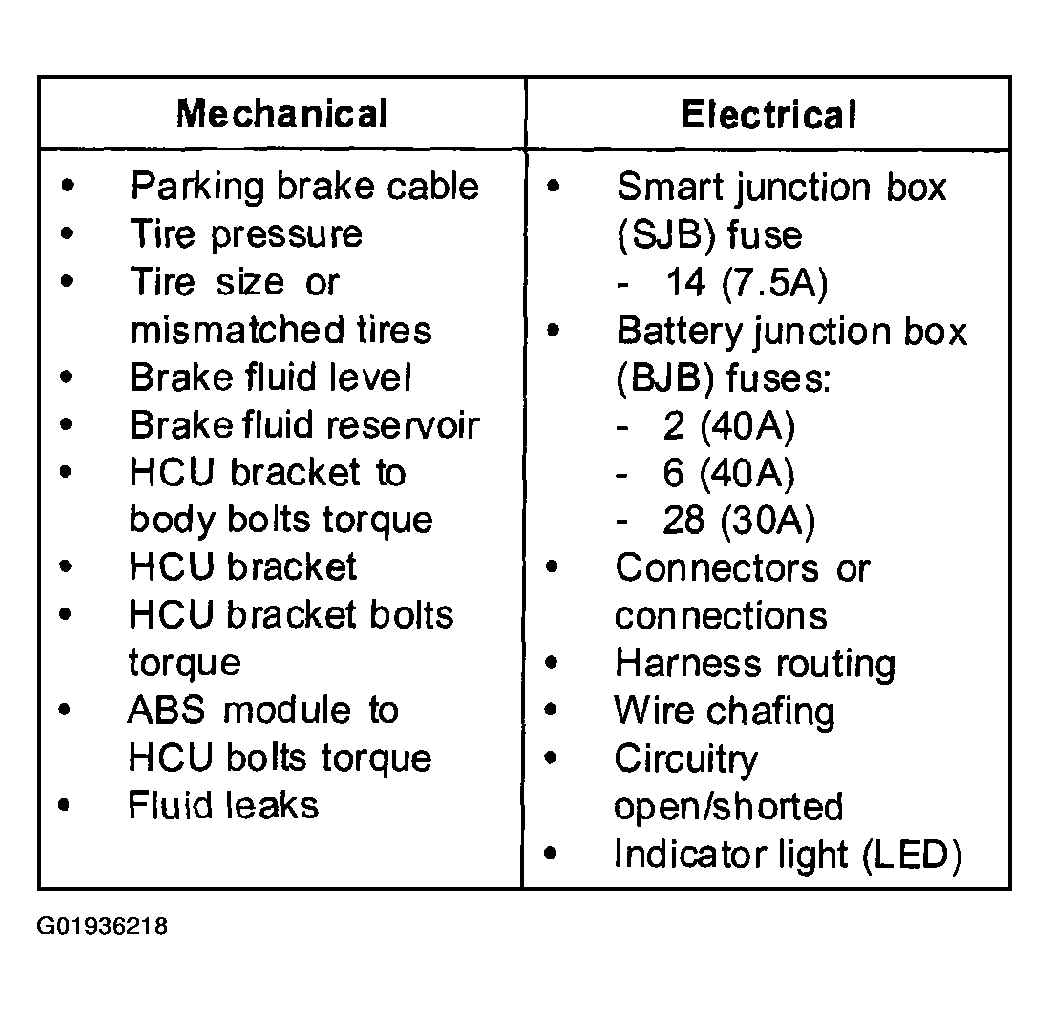 Courtesy of MAZDA MOTORS CORP.
- Road test vehicle to verify the customer concern by applying the brakes under different conditions.
- If the fault is not evident, connect the WDS or equivalent tester to the data link connector (DLC) located beneath the instrument panel and select the vehicle to be tested from the WDS or equivalent tester menu.
- If the WDS or equivalent tester does not communicate with the vehicle:
- Check that the program card is properly installed.
- Check the connections to the vehicle.
- Check the ignition switch position.
- If the WDS or equivalent tester still does not, communicate with the vehicle, see to the WDS or equivalent tester manual.