Brake System Warning Light Does Not Illuminate With Parking Brake Set
- Remove driver's front scuff plate. Remove driver's kick panel. Remove CPU from joint box. Connect ground to joint box terminal 1D. See Fig 1
. Turn ignition to ON position. If BRAKE light illuminates, go to next step. If BRAKE light does not illuminate, go to step 4).
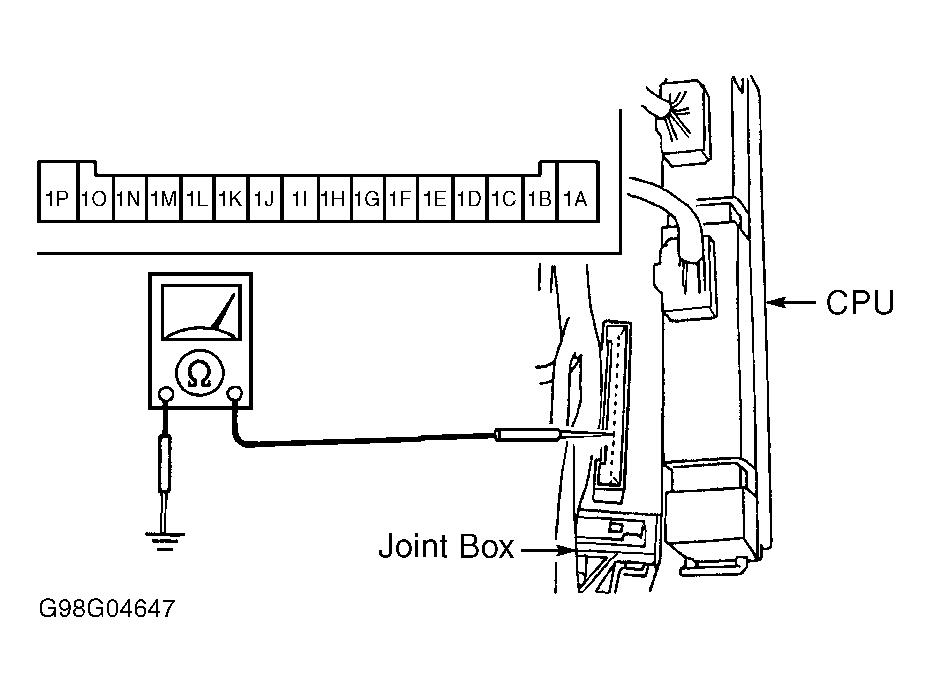 Courtesy of MAZDA MOTORS CORP.
- Remove rear console. Disconnect parking brake switch connector. Engage parking brake. Check for continuity between ground and parking brake switch terminal. If continuity exists, go to next step. If continuity does not exist, replace parking brake switch.
- Connect ground to parking brake switch terminal. Check for continuity between ground and joint box terminal 1P. If continuity exists, replace CPU. If continuity does not exist, repair wiring between CPU and parking brake switch. See WIRING DIAGRAMS.
- Remove instrument cluster. See INSTRUMENT CLUSTER
under REMOVAL & INSTALLATION. Check for continuity between ground and instrument cluster harness connector No. 3 terminal 3L. See Figure
. If continuity exists, go to next step. If continuity does not exist, repair wiring between instrument cluster and CPU. See WIRING DIAGRAMS.
- Remove BRAKE system warning light bulb. Inspect bulb. If bulb is okay, replace instrument cluster. See INSTRUMENT CLUSTER
under REMOVAL & INSTALLATION. If bulb is bad, replace bulb.