English/Metric Test
- Place ignition switch in "ACC" position. Press message center "6 DIST" button. Press message center "MILES km" button several times while observing display. If message center changes from English to Metric and vice versa each time button is pressed, go to next step. If not, replace message center.
- Press "MILES km" button several times. Observe instrument cluster speedometer. If speedometer changes from English to Metric and vice versa each time button is pressed, message center is operating correctly. If not, go to next step.
- Check Red wire for continuity and short from message center (Pin No. 7) to instrument cluster (Pin No. 10). If wiring and connectors indicated continuity and there is no short, go to next step. If not, repair wiring or connectors.
- Using jumper wire, connect Pin No. 10 of instrument cluster connector to ground. Observe miles/km on instrument cluster speedometer. If speedometer displays km/h with Pin No. 10 grounded and MPH with pin not grounded, replace message center. If not, replace instrument cluster.
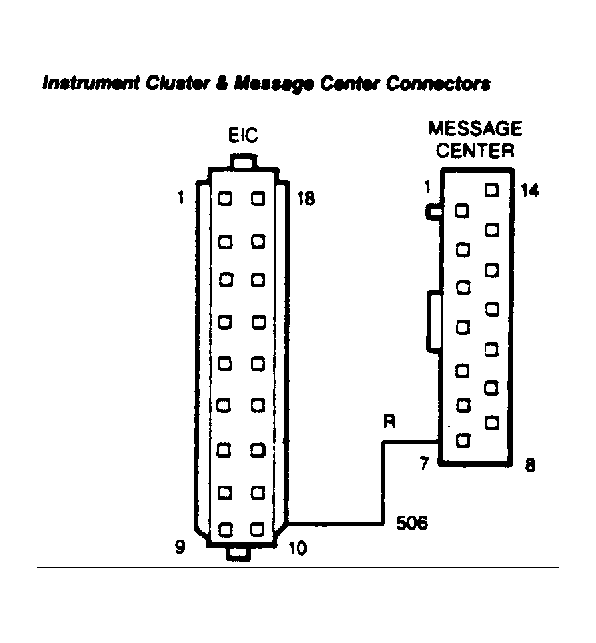 Courtesy of FORD MOTOR CO.