Removal
PARK ASSIST / MONITORING: TELEVISION CAMERA (for Side): REMOVAL
1. REMOVE OUTER REAR VIEW MIRROR ASSEMBLY RH
(a) Remove the outer rear view mirror RH Removal.
2. REMOVE OUTER MIRROR RH Removal
3. REMOVE SIDE TELEVISION CAMERA ASSEMBLY
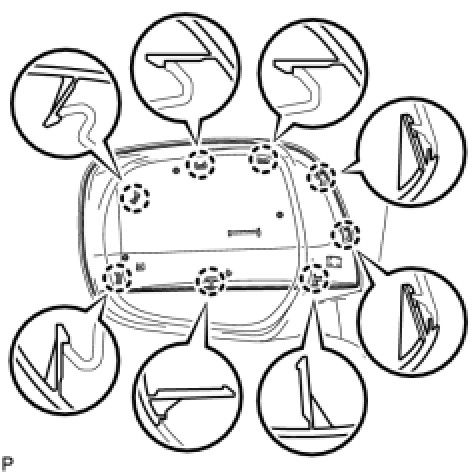
(a) Detach the 8 claws and remove the outer mirror cover RH.
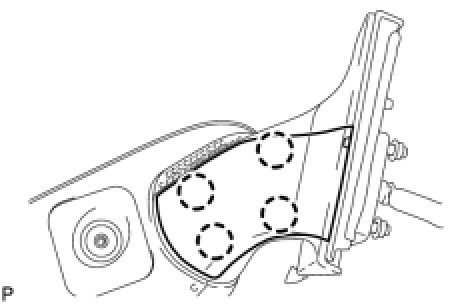
(b) Using a screwdriver, detach the 4 claws and remove the cover.
HINT:
Tape the screwdriver tip before use.
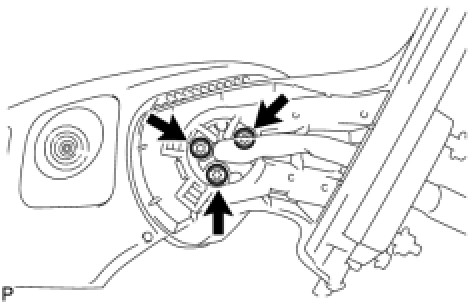
(c) Using a T25 "TORX" socket wrench, remove the 3 screws.
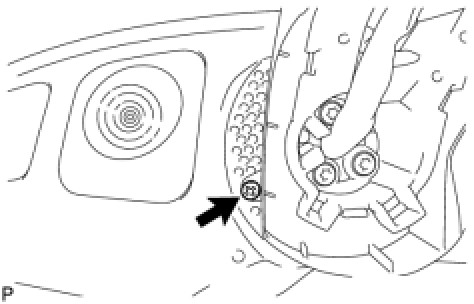
(d) Remove the screw.
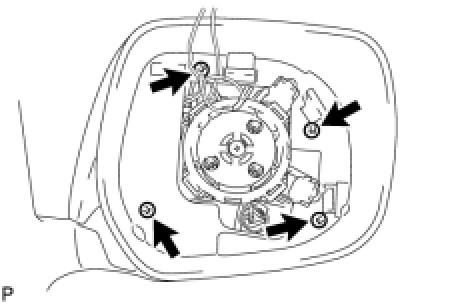
(e) Remove the 4 screws and cover.
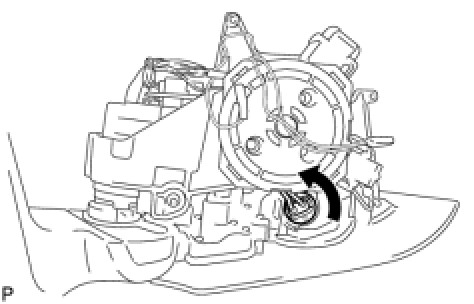
(f) Turn the bulb in the direction shown in the illustration to remove it.
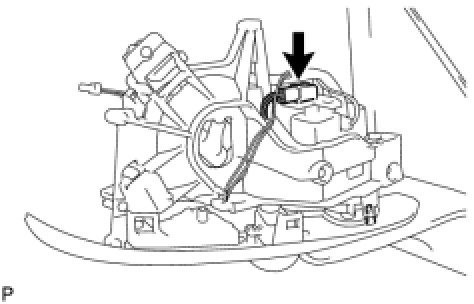
(g) Disconnect the connector and detach the claw.
NOTICE:
Be careful when detaching the claw as it is easily broken.
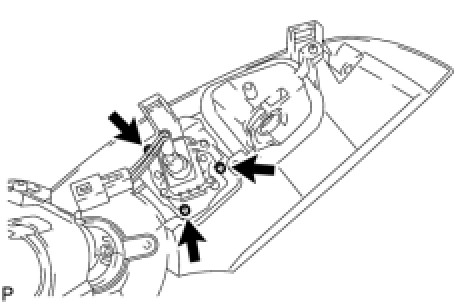
(h) Remove the 3 screws and side television camera.