Navigation System
NAVIGATION / MULTI INFO DISPLAY: NAVIGATION SYSTEM: 5C-40: Camera Picture Error
DTC 5C-40 - Camera Picture Error
DESCRIPTION

WIRING DIAGRAM
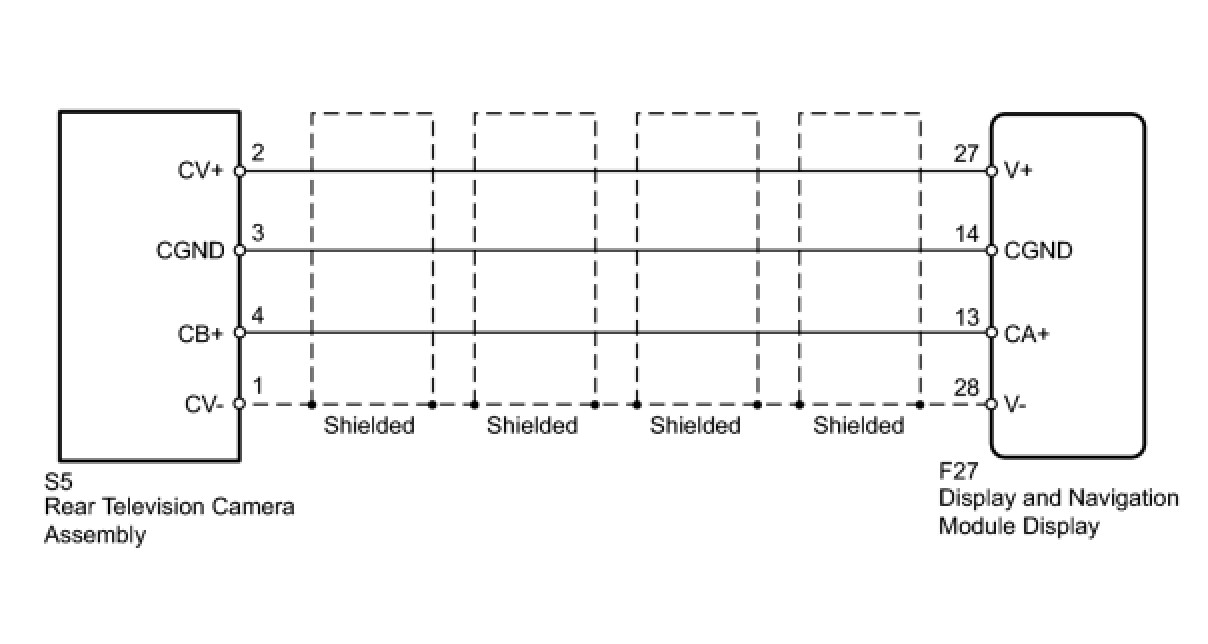
INSPECTION PROCEDURE
HINT:
After the inspection is completed, clear the DTCs Reading and Clearing Diagnostic Trouble Codes.
PROCEDURE
1. CHECK REAR TELEVISION CAMERA ASSEMBLY
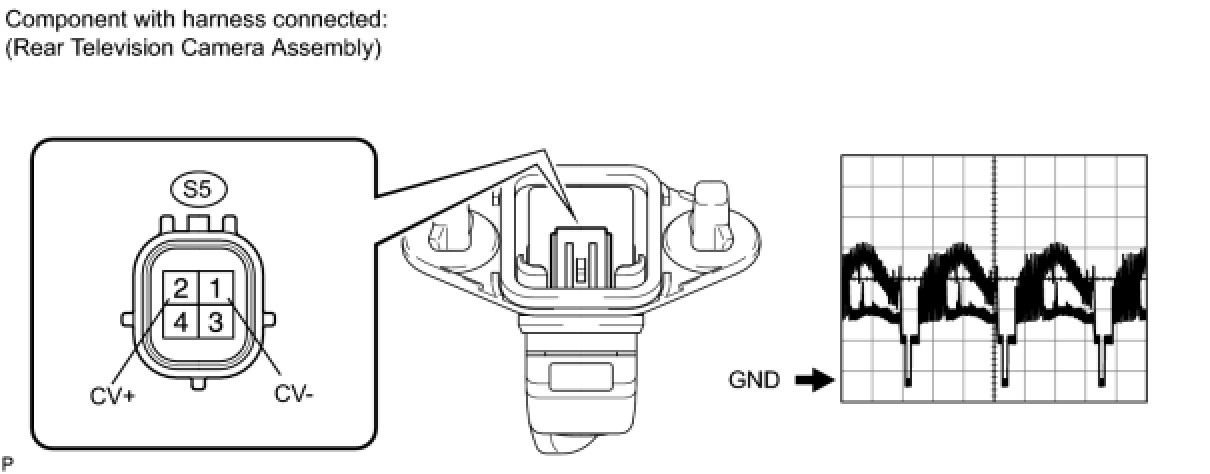
(a) Using an oscilloscope, check the waveform.
Measurement Condition

OK:
Pulse generation
NG -- REPLACE REAR TELEVISION CAMERA ASSEMBLY
OK -- Continue to next step.
2. CHECK DISPLAY AND NAVIGATION MODULE DISPLAY (CA+ VOLTAGE)
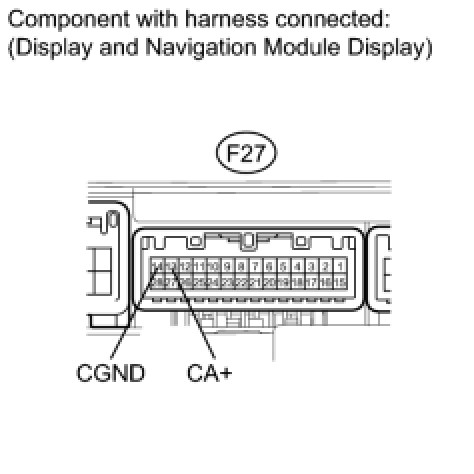
(a) Measure the voltage according to the value(s) in the table below.
Standard Voltage:

NG -- REPLACE DISPLAY AND NAVIGATION MODULE DISPLAY
OK -- Continue to next step.
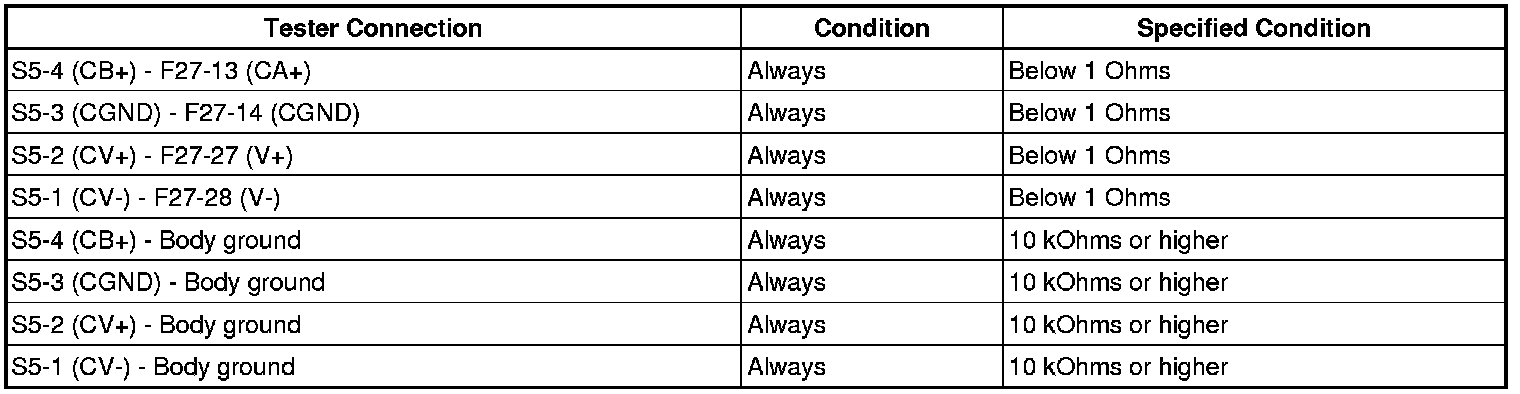
3. CHECK HARNESS AND CONNECTOR (DISPLAY AND NAVIGATION MODULE DISPLAY - REAR TELEVISION CAMERA)
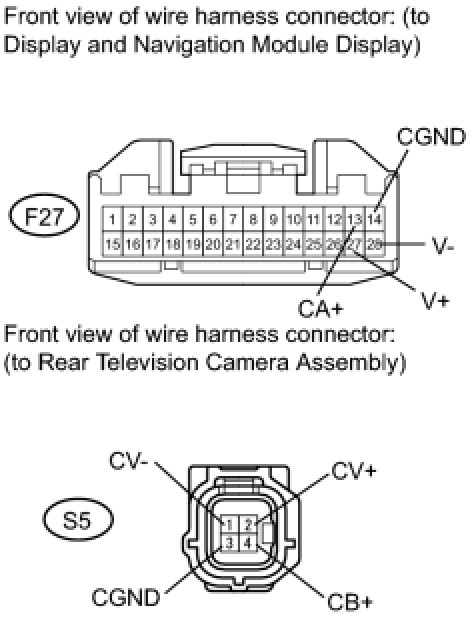
(a) Disconnect the F27 display connector.
(b) Disconnect the S5 camera connector.
(c) Measure the resistance according to the value(s) in the table below.
Standard Resistance:
NG -- REPAIR OR REPLACE HARNESS OR CONNECTOR
OK -- REPLACE DISPLAY AND NAVIGATION MODULE DISPLAY