Component Inspection
- Ignition "OFF".
- Shift lever position "P" & Ignition "ON"/"READY". ("READY" lamp ON in Instrument cluster)
- Connect KDS and select "Diagnostic Trouble Codes (DTC)" mode.
- Using a KDS, Clear DTC.
- Operate the vehicle within DTC Detecting Condition in General Information.
- Select "Diagnostic Trouble Codes (DTC)" mode again.
- Is the same DTC stored in the system?
Good
- Fault might be intermittent and caused either by poor contact in connectors or wiring harness, or it has been repaired and control module memory is not cleared yet. Thoroughly check terminal of battery, all connectors (and connections) for looseness, bending, corrosion, contamination, deterioration, and/or damage.
- Repair or replace as necessary and then go to "VERIFICATION OF REPAIR " procedure.
No Good
CAUTION:
In case of replacing IBAU, perform following procedures.
| Inspection Condition |
Inspection Procedure |
Reference |
- Variant Coding.
- Ignition "ON".
|
- Connect KDS to Data Link Connector (DLC).
- Perform
"Variant Coding" in "Vehicle S/W management" with KDS.
|
Fig.1 to 3 |
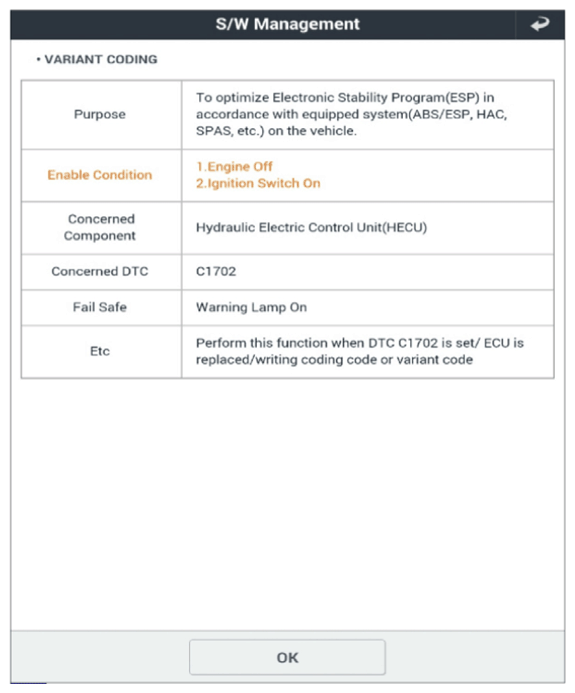 Courtesy of KIA MOTORS AMERICA, INC. Courtesy of KIA MOTORS AMERICA, INC.
|
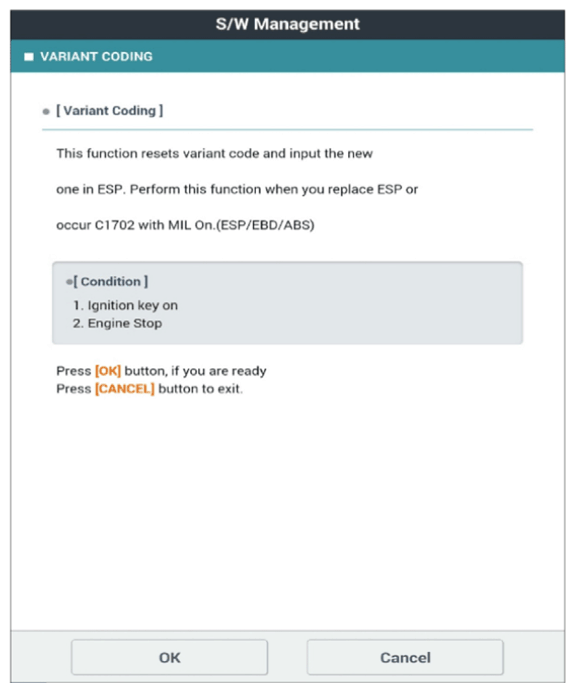 Courtesy of KIA MOTORS AMERICA, INC. Courtesy of KIA MOTORS AMERICA, INC.
|
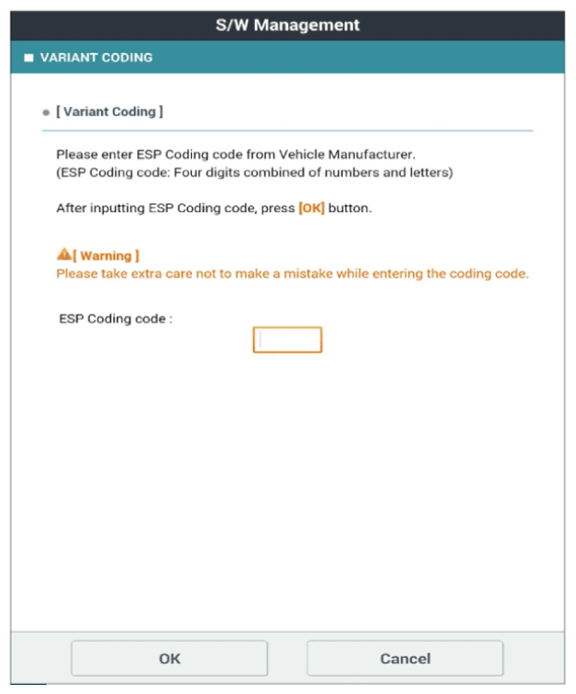 Courtesy of KIA MOTORS AMERICA, INC. Courtesy of KIA MOTORS AMERICA, INC.
|
| Inspection Condition |
Inspection Procedure |
Reference |
- Longitudinal G Sensor Calibration (HAC/DBC Only).
- Ignition "ON".
|
- Connect KDS to Data Link Connector (DLC).
- Perform
"Longitudinal G Sensor Calibration (HAC/DBC Only)" in "Vehicle S/W management" with KDS.
|
Fig.1 to 4 |
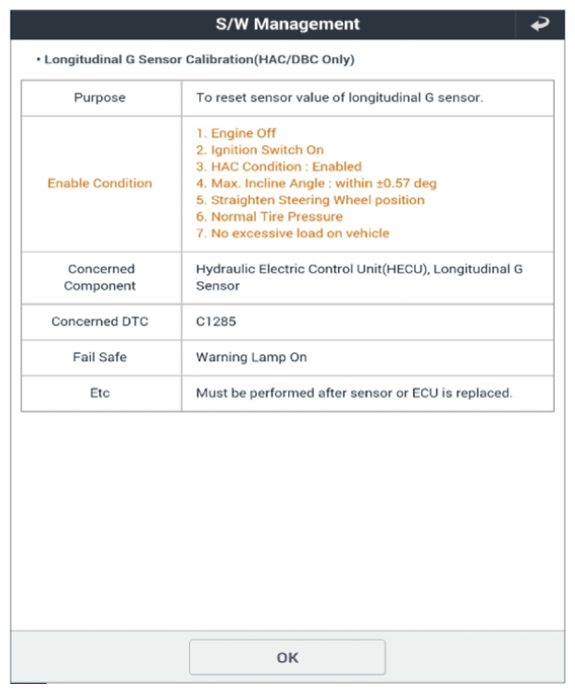 Courtesy of KIA MOTORS AMERICA, INC. Courtesy of KIA MOTORS AMERICA, INC.
|
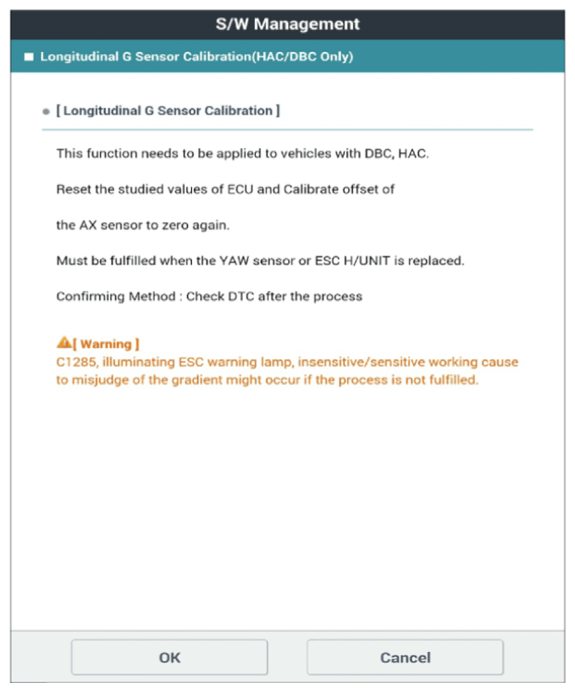 Courtesy of KIA MOTORS AMERICA, INC. Courtesy of KIA MOTORS AMERICA, INC.
|
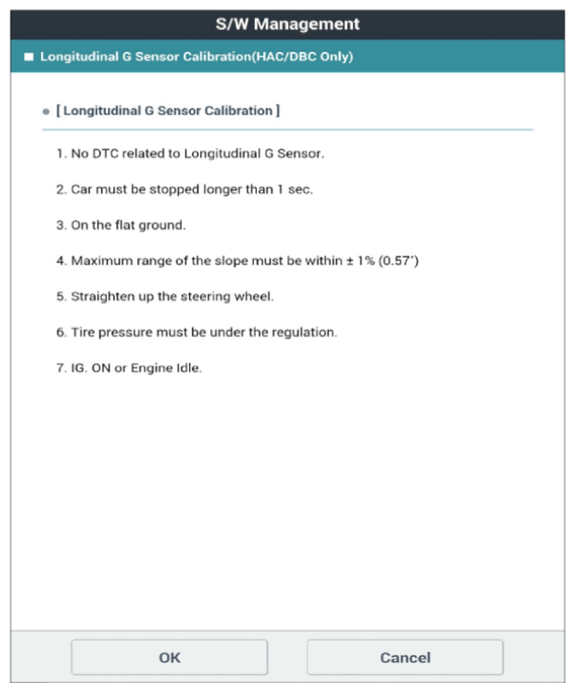 Courtesy of KIA MOTORS AMERICA, INC. Courtesy of KIA MOTORS AMERICA, INC.
|
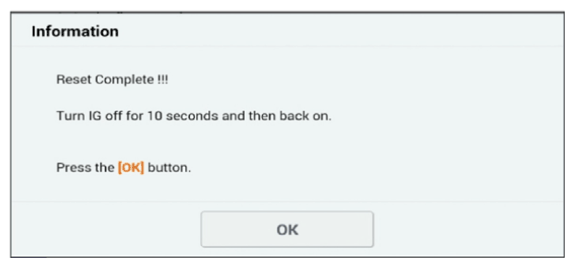 Courtesy of KIA MOTORS AMERICA, INC. Courtesy of KIA MOTORS AMERICA, INC.
|
| Inspection Condition |
Inspection Procedure |
Reference |
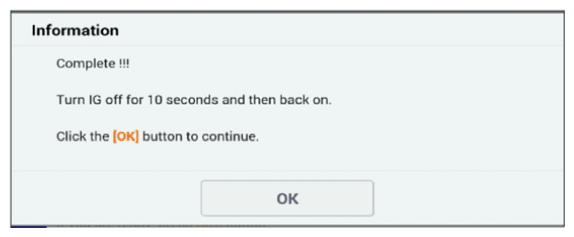
- Pressure Sensor Calibration.
- Ignition "ON".
|
- Connect KDS to Data Link Connector (DLC).
- Perform
"Pressure Sensor Calibration" in "Vehicle S/W management" with KDS.
|
Fig.1 to 2 |
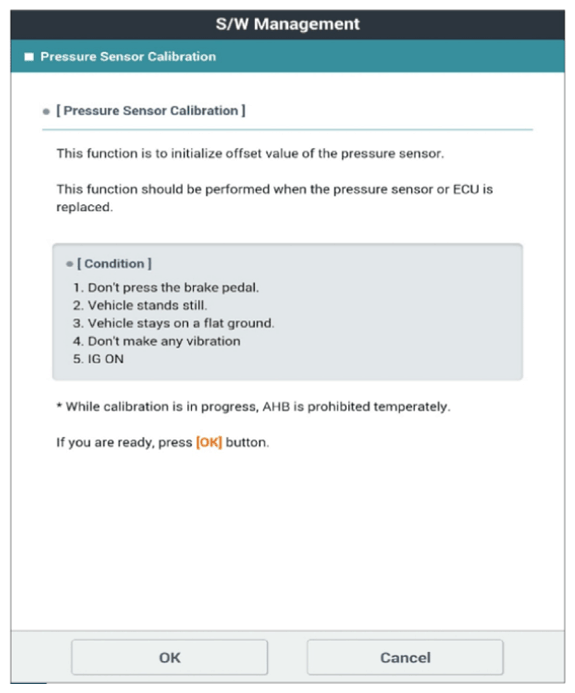 Courtesy of KIA MOTORS AMERICA, INC. Courtesy of KIA MOTORS AMERICA, INC.
|
 Courtesy of KIA MOTORS AMERICA, INC. Courtesy of KIA MOTORS AMERICA, INC.
|
| Inspection Condition |
Inspection Procedure |
Reference |
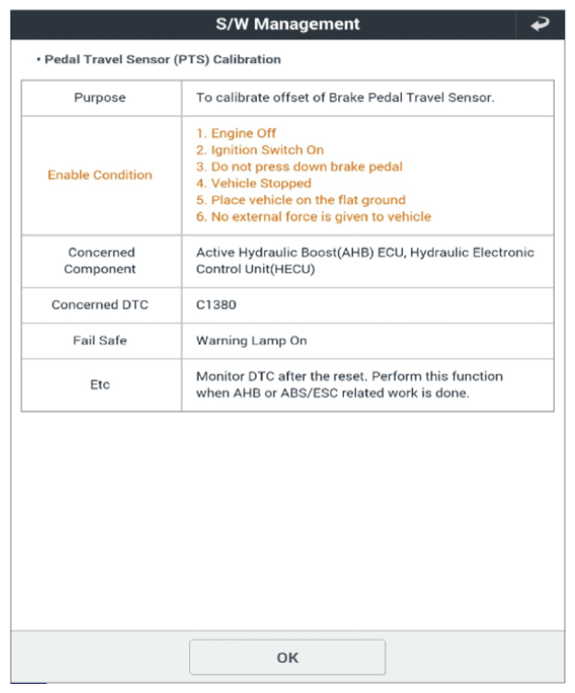
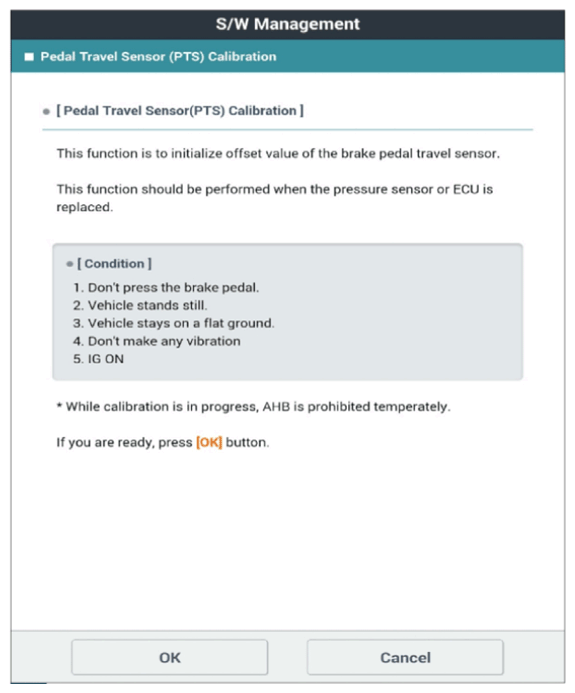
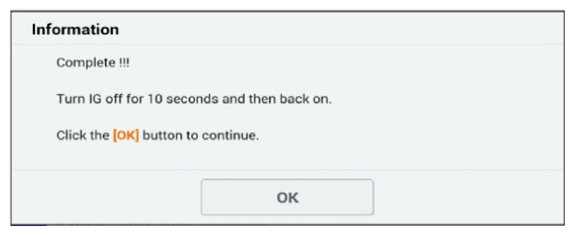
- Pedal Travel Sensor (PTS) Calibration.
- Ignition "ON".
|
- Connect KDS to Data Link Connector (DLC).
- Perform
"Pedal Travel Sensor (PTS) Calibration" in "Vehicle S/W management" with KDS.
|
Fig.1 to 3 |
 Courtesy of KIA MOTORS AMERICA, INC. Courtesy of KIA MOTORS AMERICA, INC.
|
 Courtesy of KIA MOTORS AMERICA, INC. Courtesy of KIA MOTORS AMERICA, INC.
|
 Courtesy of KIA MOTORS AMERICA, INC. Courtesy of KIA MOTORS AMERICA, INC.
|
| Inspection Condition |
Inspection Procedure |
Reference |
- Fluid Circulation Mode.
- Ignition "ON", Engine "ON" or READY mode.
|
- Connect KDS to Data Link Connector (DLC).
- Perform
"Fluid Circulation Mode" in "Vehicle S/W management" with KDS.
|
Fig.1 |
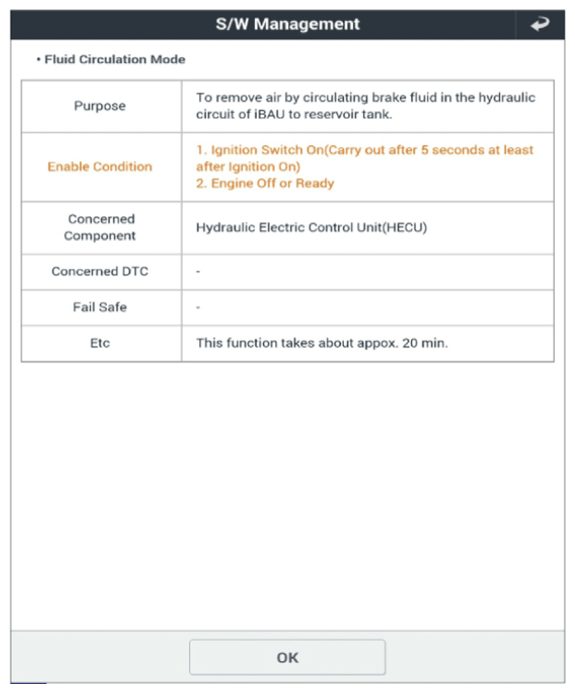 Courtesy of KIA MOTORS AMERICA, INC. Courtesy of KIA MOTORS AMERICA, INC.
|