Instrument Panel - Drivers Side
 Courtesy of CHRYSLER GROUP, LLC
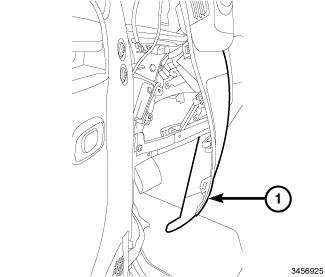
- Install the speaker by carefully pulling the left side of the instrument panel (1) outward until there is sufficient room to install the speaker through the end cap area.
 Courtesy of CHRYSLER GROUP, LLC
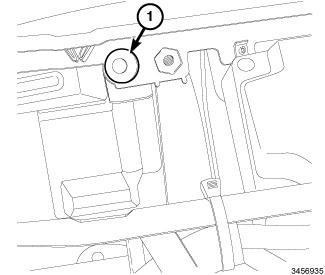
- Connect the speaker electrical connector.
- Install the driver side lower speaker mounting retainer (1).
 Courtesy of CHRYSLER GROUP, LLC
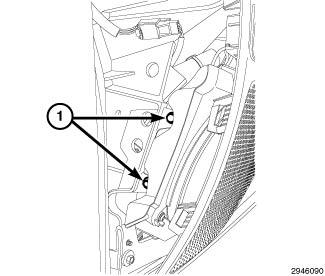
- Install the speaker mounting fasteners (1).
- Connect the electrical connector.
 Courtesy of CHRYSLER GROUP, LLC
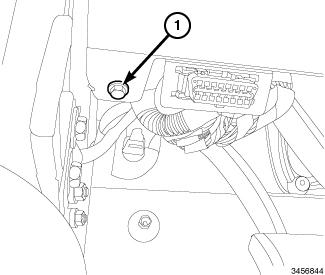
- Install the driver side lower instrument panel retainer (1) next to the DLC connector.
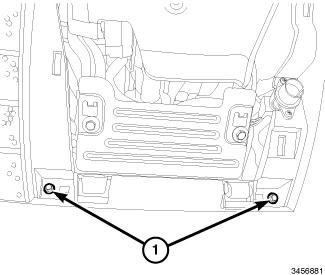 Courtesy of CHRYSLER GROUP, LLC
- Install the instrument panel cover steering column opening cover retainers (1).
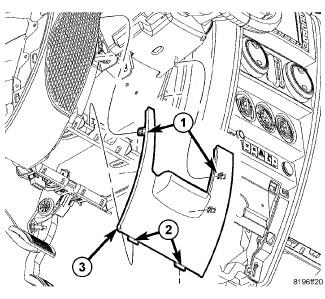 Courtesy of CHRYSLER GROUP, LLC
- Install the reinforcement plate and steering column opening cover. Refer to COVER, STEERING COLUMN OPENING, INSTALLATION
.
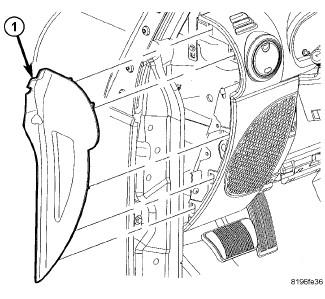 Courtesy of CHRYSLER GROUP, LLC
- Install the instrument panel end cap (1).
- Connect the negative battery cable.