Instrument Panel: Cover: Removal: Cover
 Courtesy of CHRYSLER LLC
- Remove the center console. See REMOVAL .
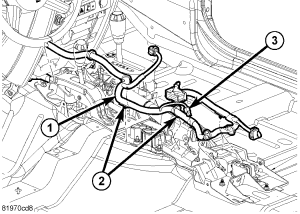
- Disconnect the center harness (1) electrical connectors and position aside.
- Remove the amplifier. Refer to REMOVAL
.
- Remove the steering column as necessary. Refer to REMOVAL
.
 Courtesy of CHRYSLER LLC
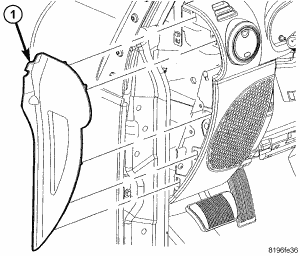
- Using a trim stick C-4755 or equivalent, remove the end caps (1).
- Remove the center trim. See REMOVAL .
- Remove the radio. Refer to REMOVAL
.
- Remove the glove box. See REMOVAL .
- Remove the upper I/P tweeter speakers. Refer to REMOVAL
.
- Remove the cluster bezel. See REMOVAL .
- Remove the passenger air bag. Refer to REMOVAL
.
- Remove the glove box striker.
- Remove the screws securing the cover to the I/P reinforcement and remove the cover.