Installation Procedure
 Courtesy of GENERAL MOTORS CORP.
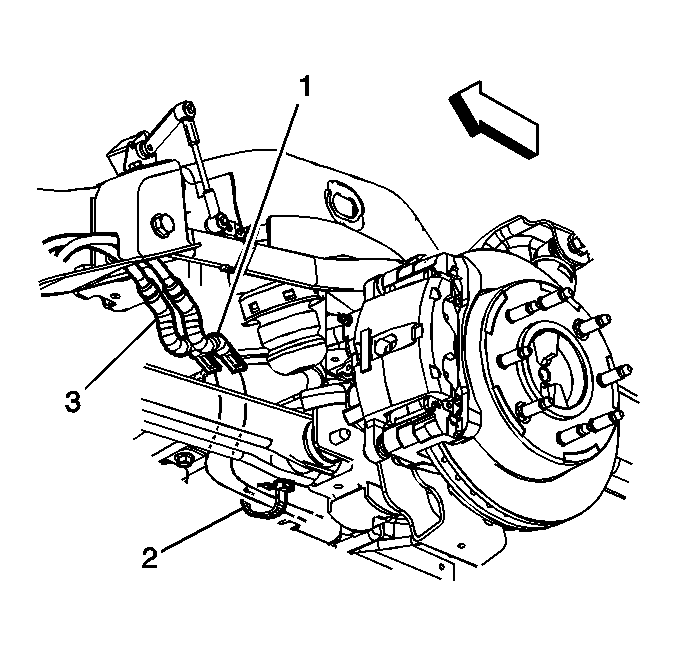
- Install the right rear cable taking care to correctly route the cable (3) through the cable guide (2).
 Courtesy of GENERAL MOTORS CORP.
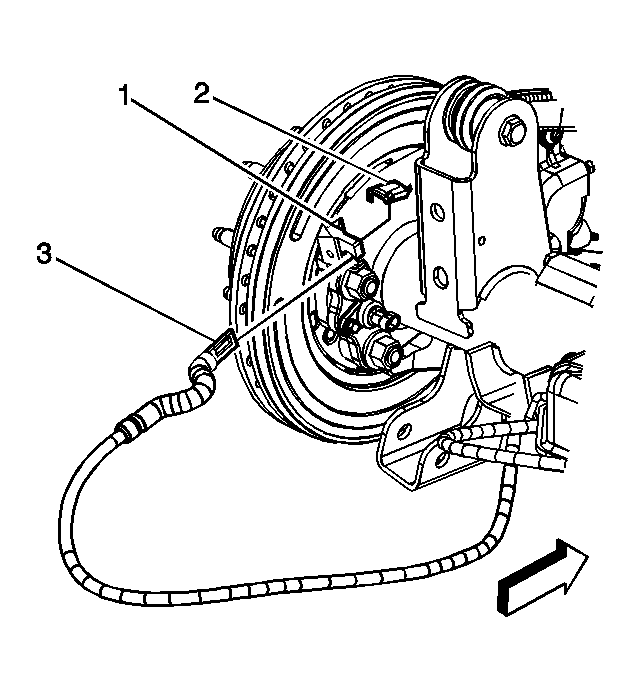
- Install the cable (3) to the lever (2).
- install the cable (3) to the backing plate (1) by compressing the spring, routing the cable through the slot in the backing plate and pressing the cable into the backing plate until the locking tabs snap into place.
 Courtesy of GENERAL MOTORS CORP.
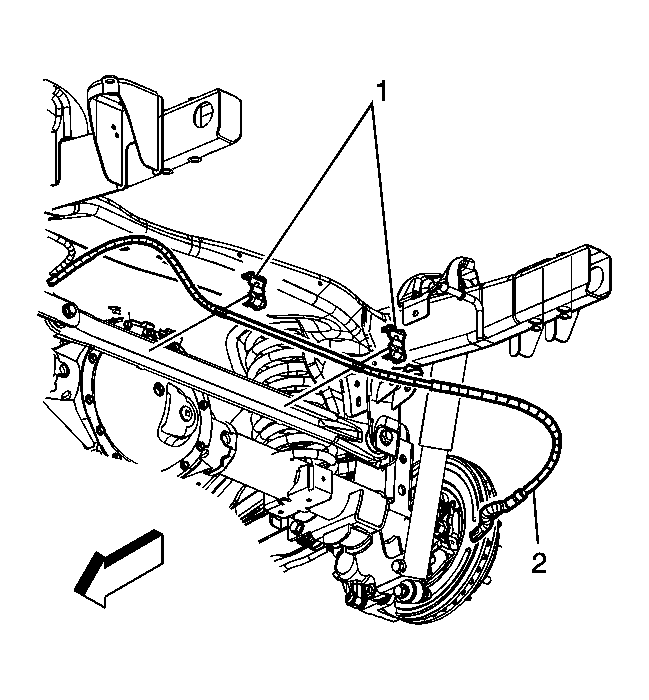
- Position the right rear cable (2) and the clips (1) on the track bar.
 Courtesy of GENERAL MOTORS CORP.
- Install the track bar clips to the locating tabs on the track bar.
 Courtesy of GENERAL MOTORS CORP.
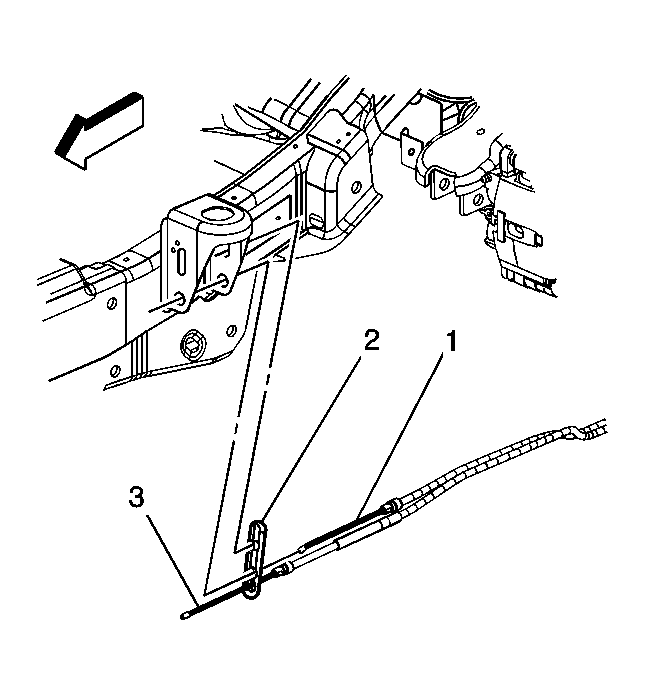
- Install the right rear cable (1) to the cable support (2).
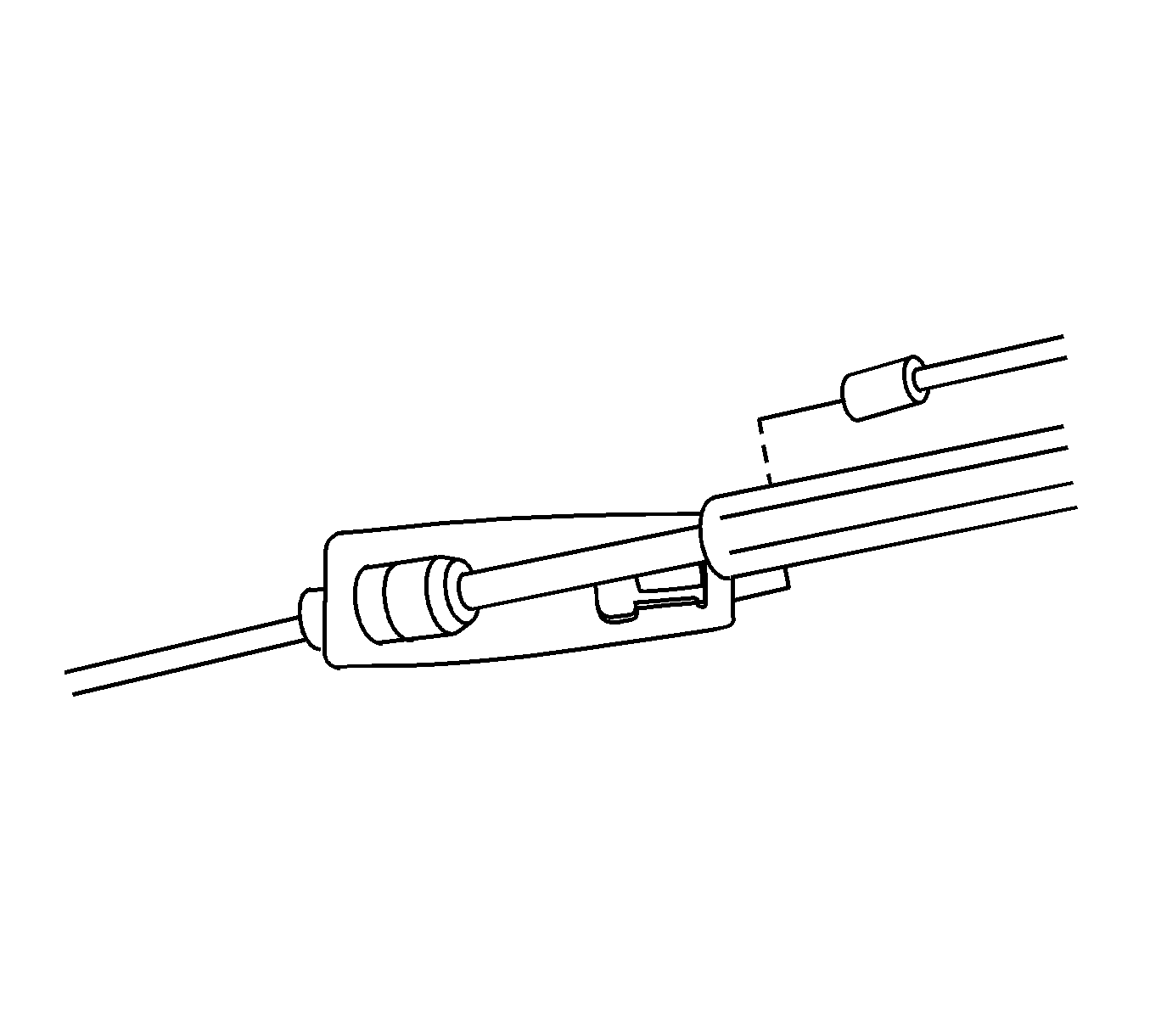 Courtesy of GENERAL MOTORS CORP.
- Install the right rear cable to the equalizer.
- Remove the safety stands.
- Lower the vehicle.
- Enable the park brake cable automatic adjuster. Refer to Parking Brake Cable Adjuster Enabling .