2ND Clutch Transmission Fluid Pressure Switch Replacement
2nd Clutch Transmission Fluid Pressure Switch Replacement1. Remove the air cleaner housing and air intake duct.
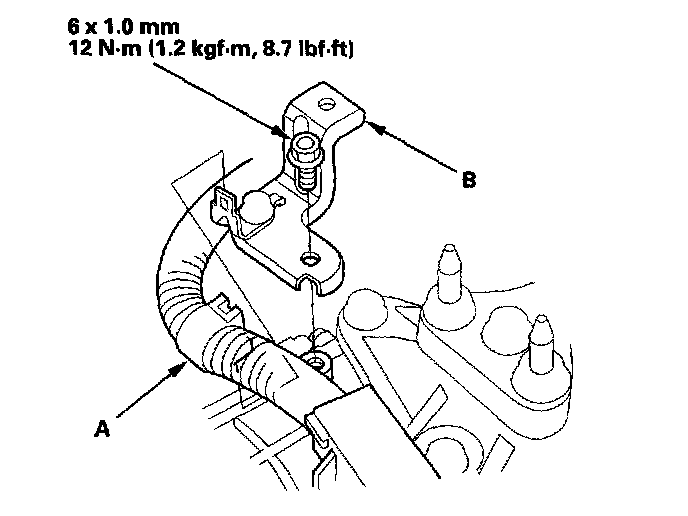
2. Remove the harness clamp (A) from its bracket, and remove the air cleaner housing bracket (B).
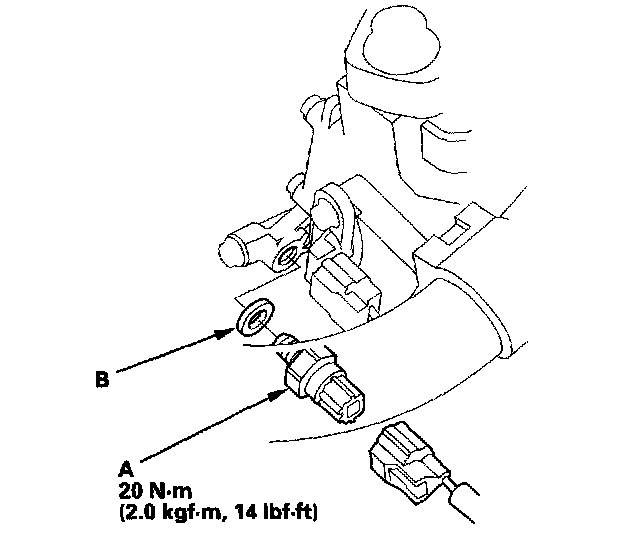
3. Disconnect the 2nd clutch transmission fluid pressure switch connector, and remove the 2nd clutch transmission fluid pressure switch (A).
4. Make sure there is no water, oil, dust, or foreign particles inside the connectors.
5. Install the new 2nd clutch transmission fluid pressure switch with a new sealing washer (B), and tighten the metal part of the switch.
6. Connect the connector securely.
7. Install the air cleaner housing bracket, and install the harness clamp on its bracket.
8. Install the air intake duct and air cleaner housing.