Installation (Si Hatchback)
- Apply Dow Corning Molykote M77 grease to retainers on their mating surfaces against caliper bracket. Install pad retainers. Wipe excess grease off retainers. Contaminated brake discs and pads reduce stopping ability. Keep grease off discs and pads. Apply Dow Corning Molykote M77 grease to both sides of pad shims, and back of pads, and other areas indicated by arrows. See Fig 1.
- Install brake pads and pad shims correctly. Install pads with wear indicators on inside. If you are reusing pads, always reinstall pads in their original positions. Rotate caliper piston clockwise into cylinder, then align the cutout in piston with tab on inner pad by turning piston back so caliper can be installed on pad. See Fig 2. Lubricate the boot with rubber grease to avoid twisting piston boot. If piston boot is twisted, back it out so it is positioned properly.
- Install brake caliper and caliper bolts, and tighten bolts to specified torque. See TORQUE SPECIFICATIONS . Install brake hose. Press brake pedal several times to make sure brake works, then test drive.
NOTE:
Engagement of brake may require a greater pedal stroke immediately after brake pads have been replaced as a set. Several applications of brake pedal will restore normal pedal stroke. Check parking brake adjustment. See PARKING BRAKE under ADJUSTMENTS. Check for leaks at hose line joints or connections, and retighten.
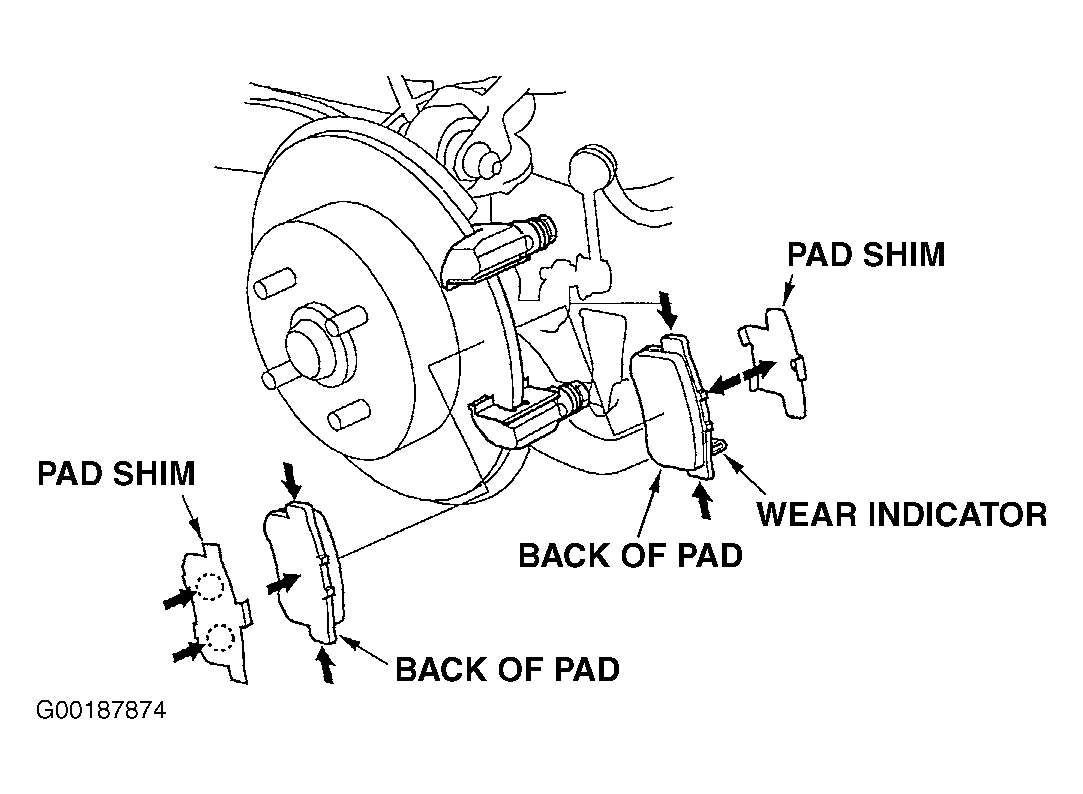 Courtesy of AMERICAN HONDA MOTOR CO., INC.
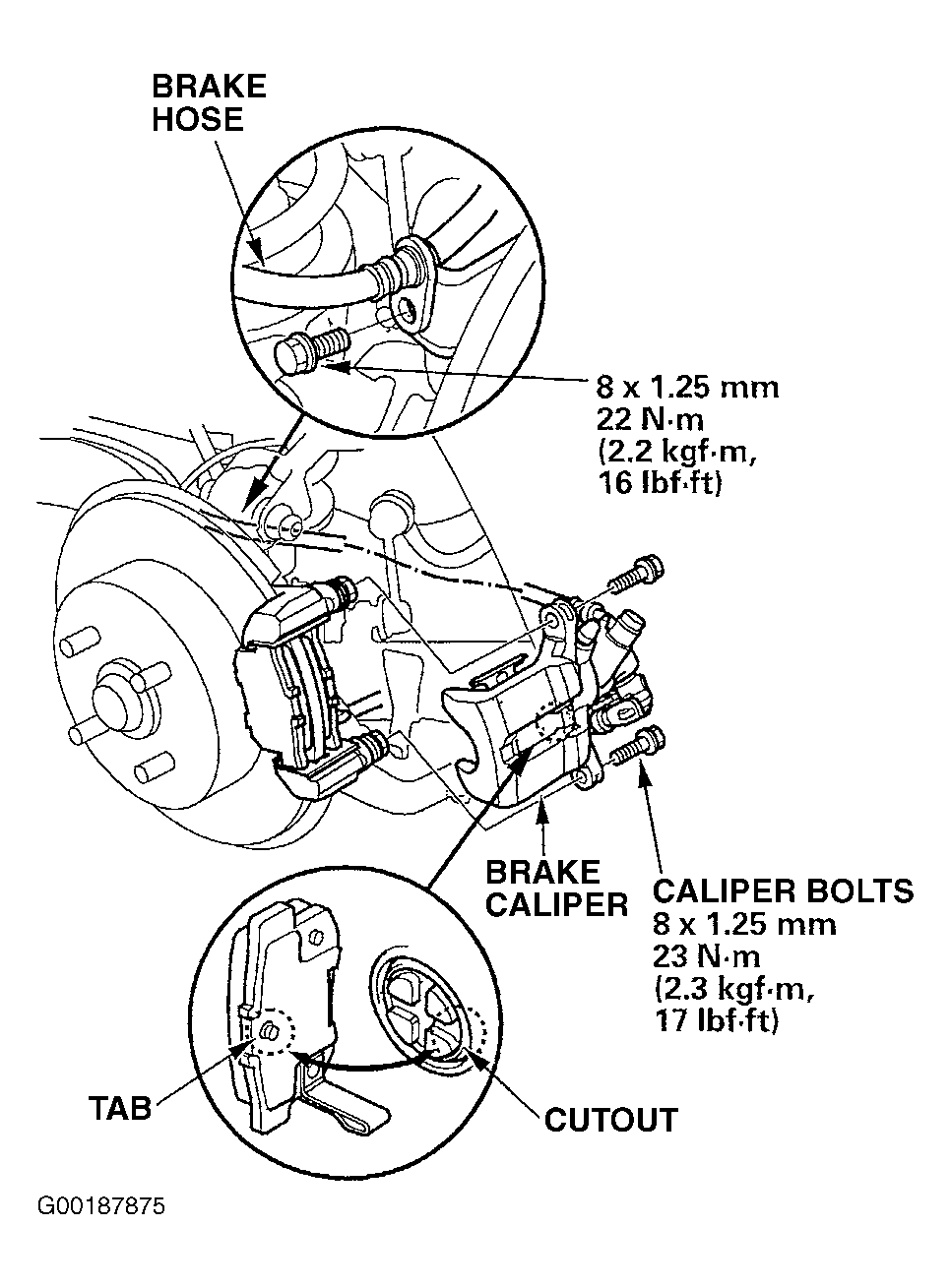 Courtesy of AMERICAN HONDA MOTOR CO., INC.