Removal Procedure
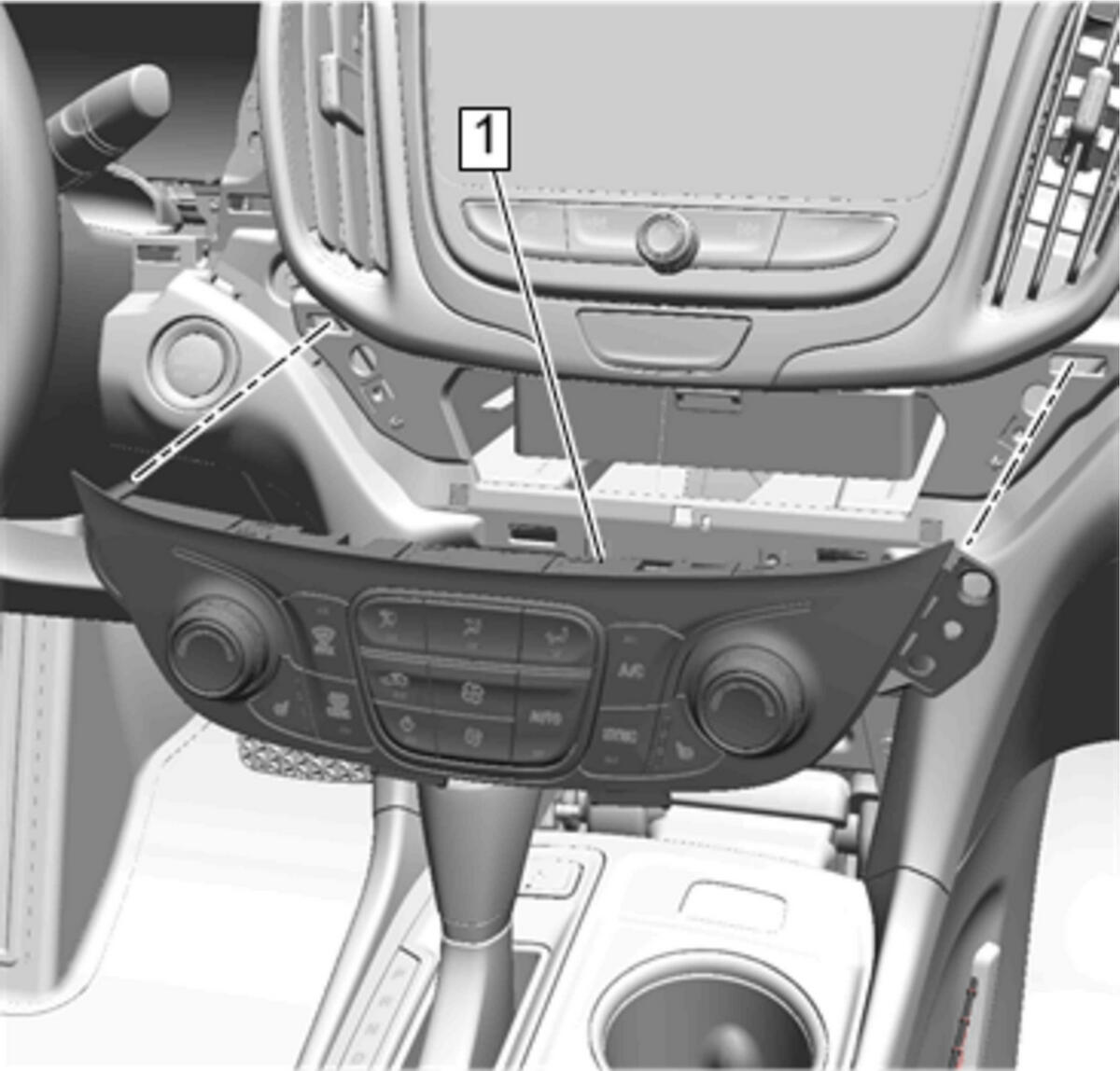 Courtesy of GENERAL MOTORS COMPANY
- Remove Heater and Air Conditioning User Interface Control (1) - Heater and Air Conditioning User Interface Control Replacement (Equinox)
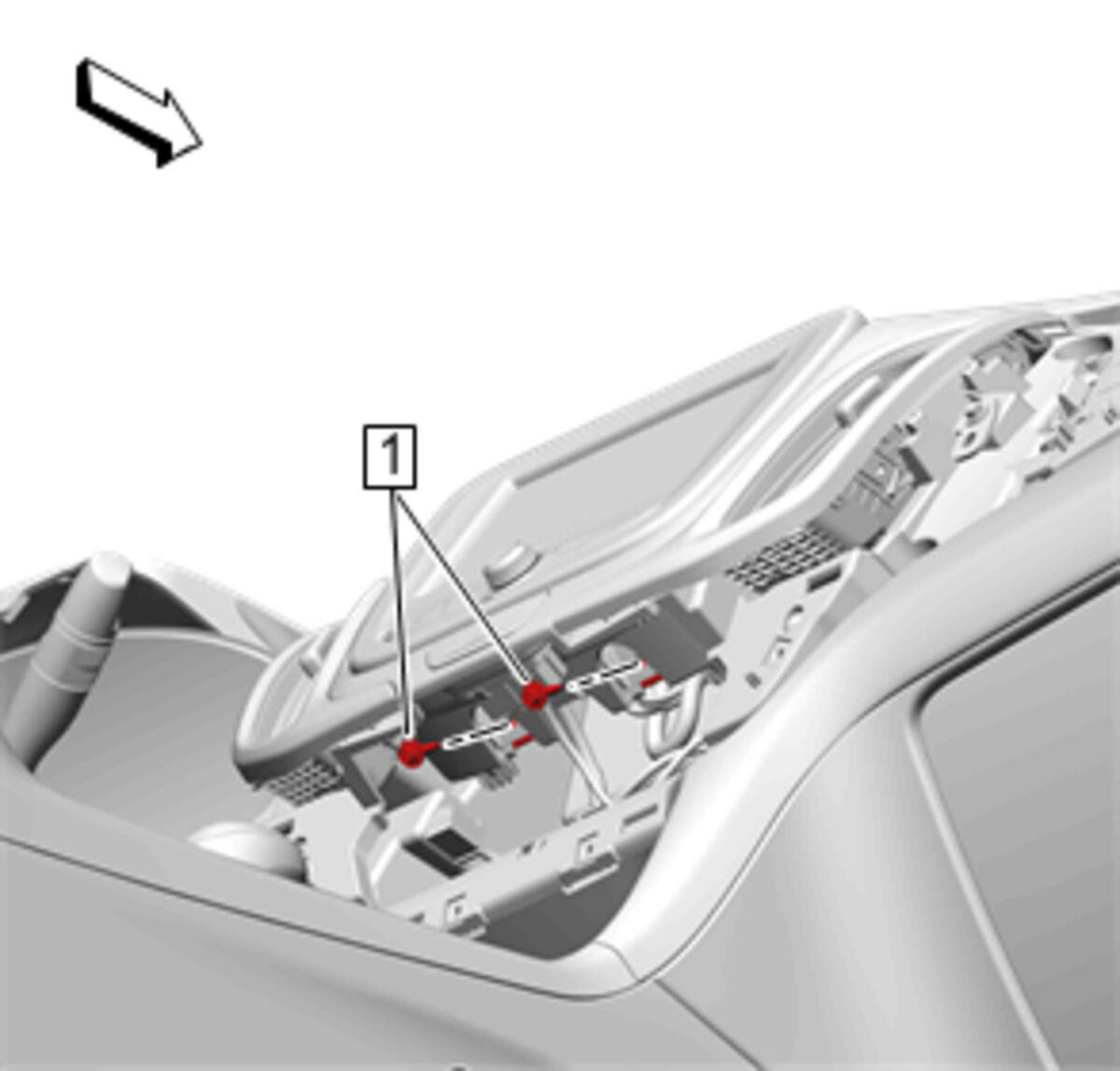 Courtesy of GENERAL MOTORS COMPANY
- Remove Radio Control Bracket Bolt (1)
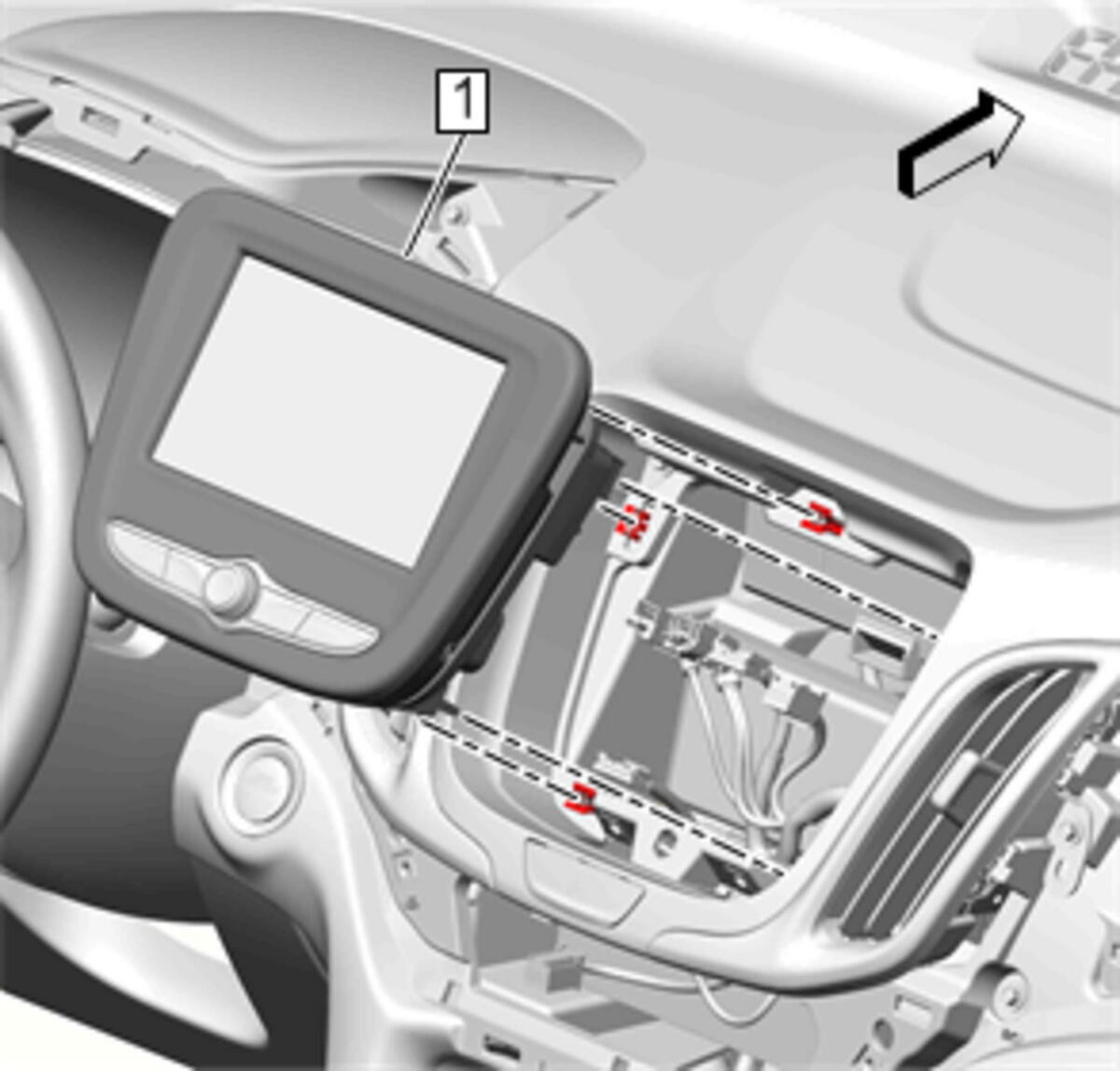 Courtesy of GENERAL MOTORS COMPANY
- Remove Radio Control Assembly (1)
- Use a plastic trim tool if necessary.
- Disconnect all electrical connectors.
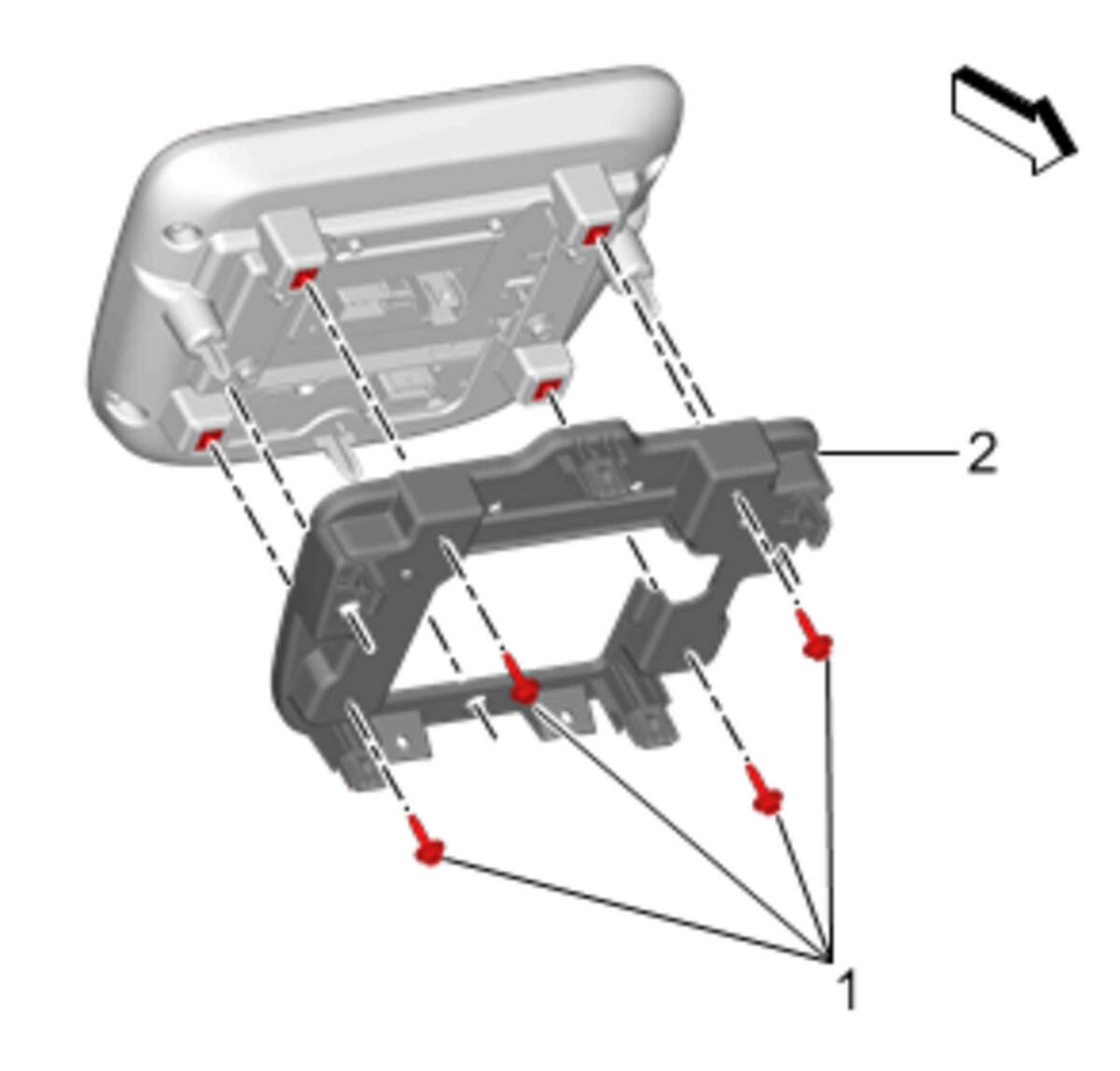 Courtesy of GENERAL MOTORS COMPANY
- Remove Radio Control Bracket Bolt (1)
- Remove Radio Control Bracket (2)
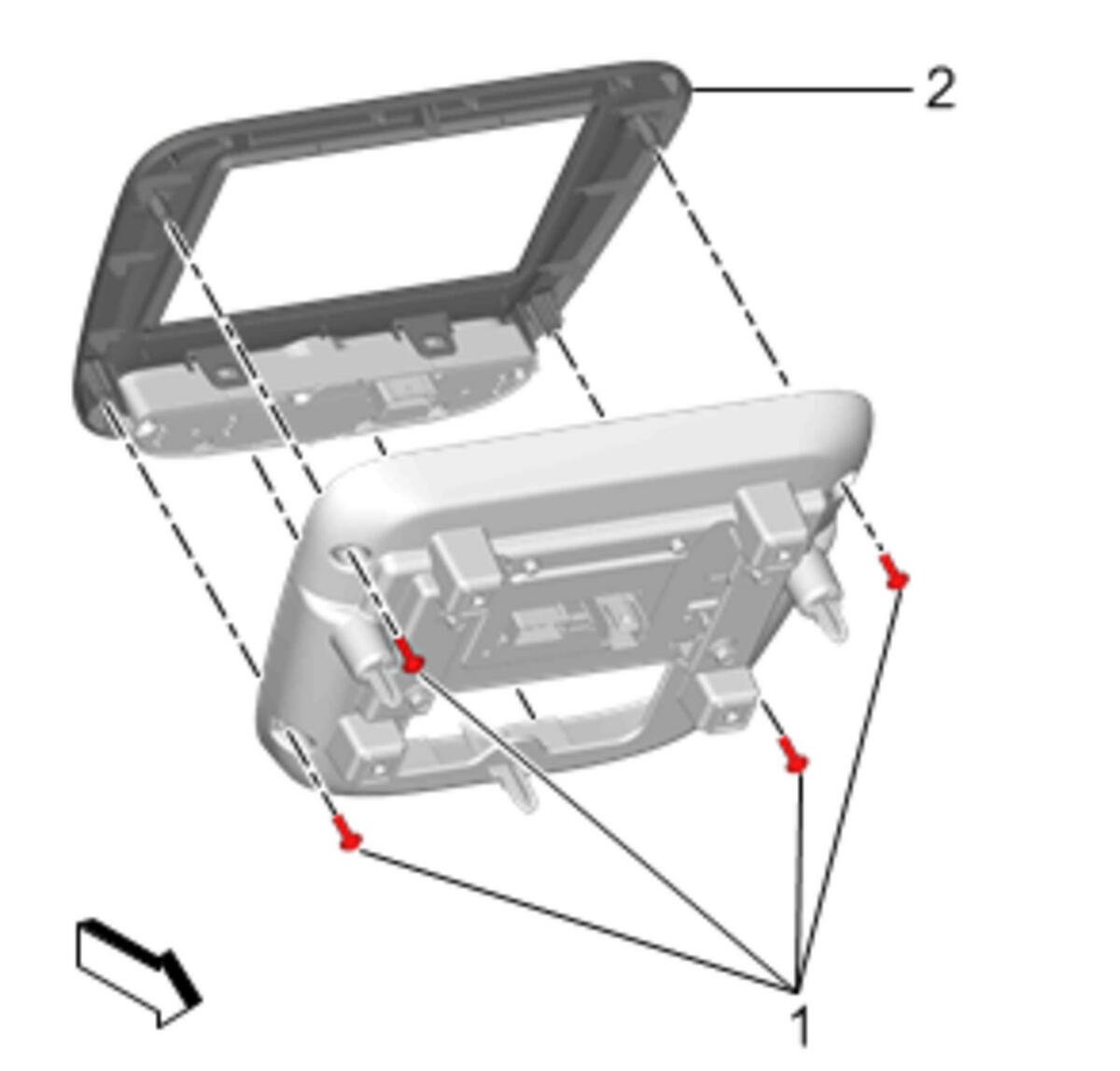 Courtesy of GENERAL MOTORS COMPANY
- Remove Instrument Panel Upper Compartment Bolt (1)
- Release the retaining tabs.
- Remove Instrument Panel Radio Front Trim Plate (2)
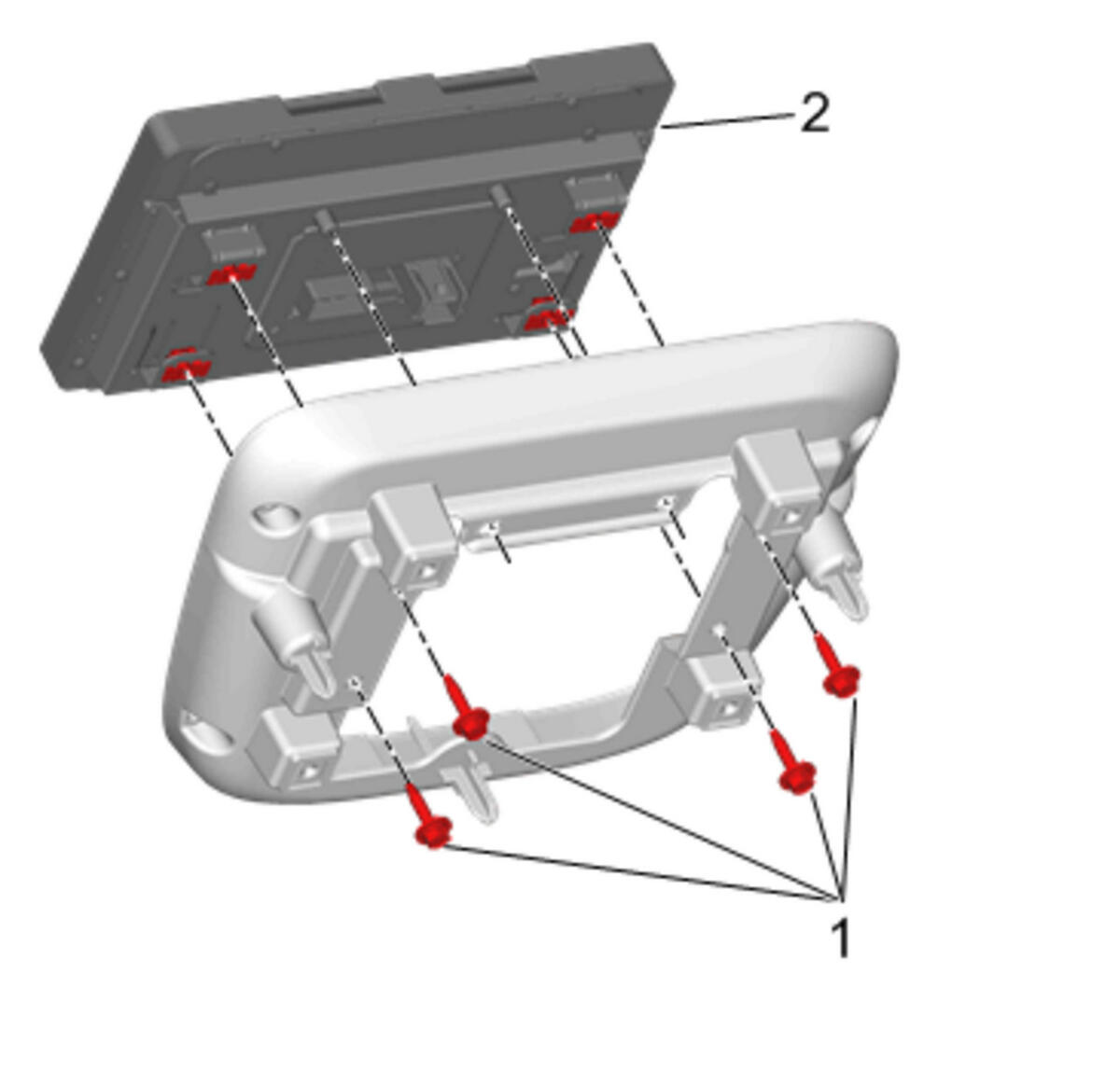 Courtesy of GENERAL MOTORS COMPANY
- Remove Radio Control Bolt (1)
- Remove Driver Information Display (2)