Terminal Removal Procedure
- Pull out the slider on the connector position assurance (CPA) until it is at the end of its travel.
- Disconnect the connector from the component.
- Remove the wire dress cover, if necessary.
- Push the wire side of the terminal that is being removed toward the connector and hold it in position.
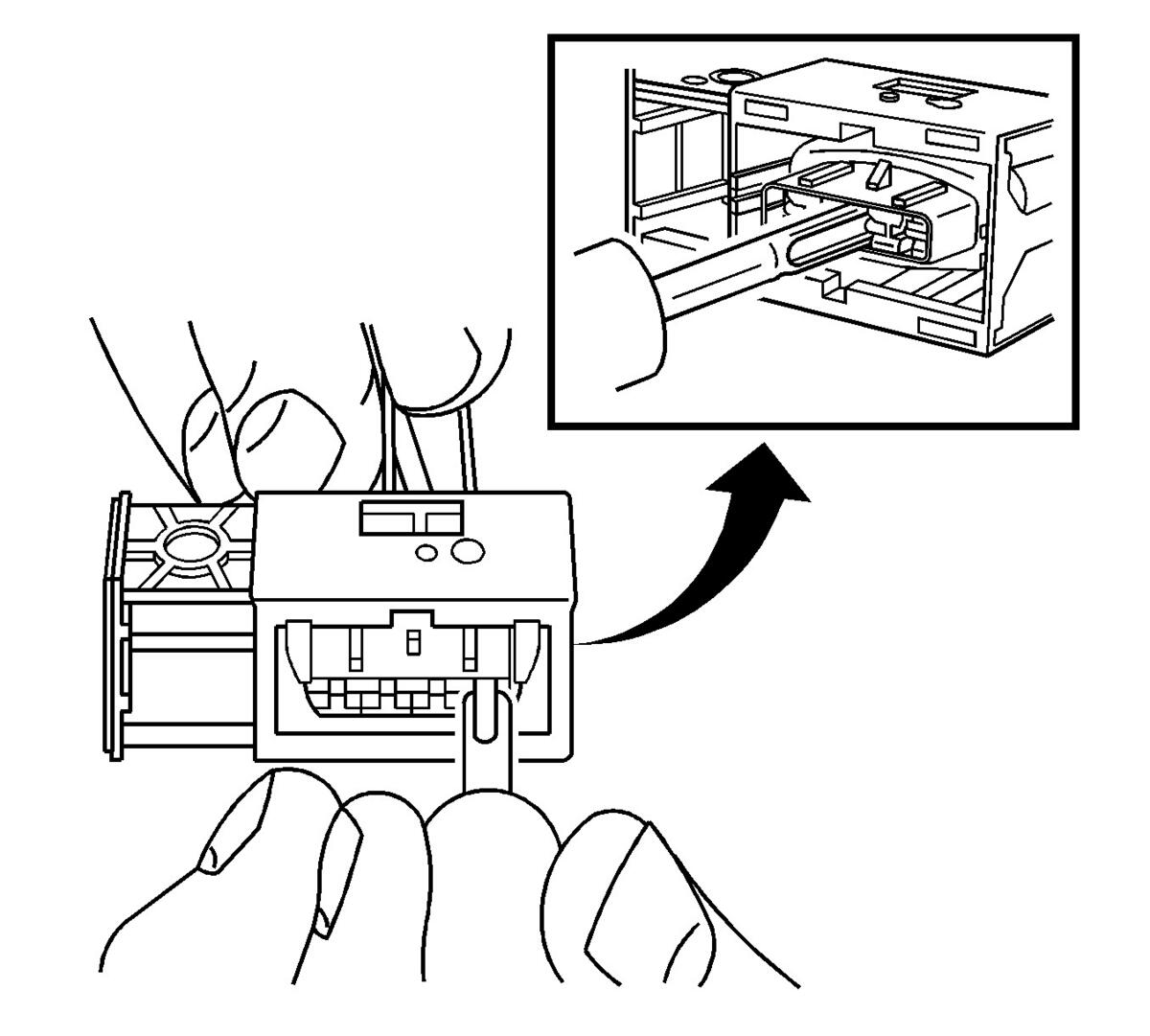 Courtesy of GENERAL MOTORS COMPANY
- Insert the J-38125-557 into the 2 cavities on each side of the terminal at the front of the connector and push until you feel the tool disengage the terminal retainers.
- Carefully pull the terminal out of the connector. Always remember never use force when pulling a terminal out of a connector. If the terminal is difficult to remove, repeat the entire procedure.
- Repair the terminal by following the Repairing Connector Terminals (Terminated Lead Repair) , Repairing Connector Terminals (Terminal Repair) procedure.
- Insert the repaired terminal back into the cavity. Repeat the diagnostic procedure to verify the repair and reconnect the connector bodies.