Removal Procedure
 Courtesy of GENERAL MOTORS CORP.
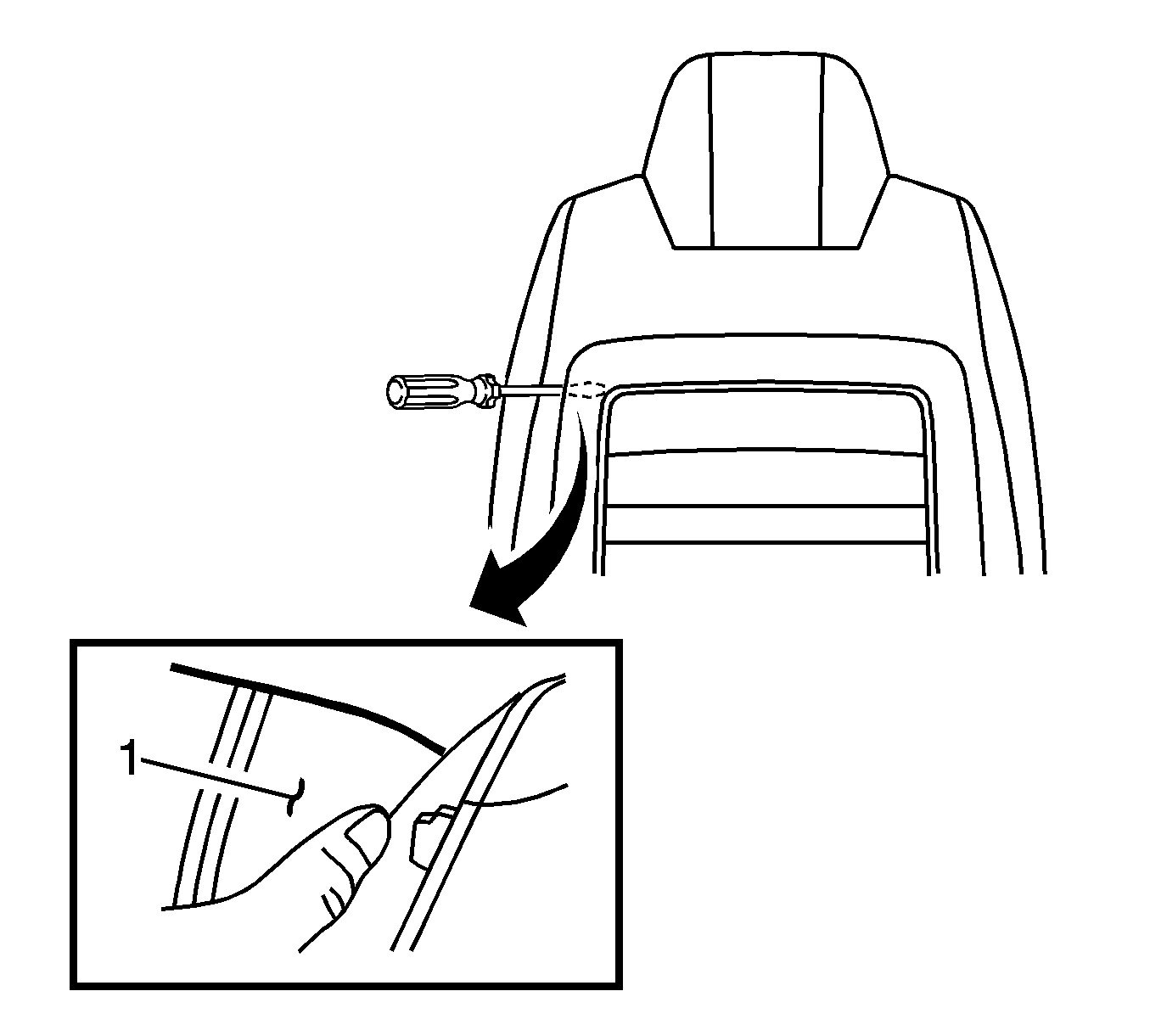
- Pull the seat back cushion cover and pad back (1) with your thumb to locate and gain access to the clip tower.
 Courtesy of GENERAL MOTORS CORP.
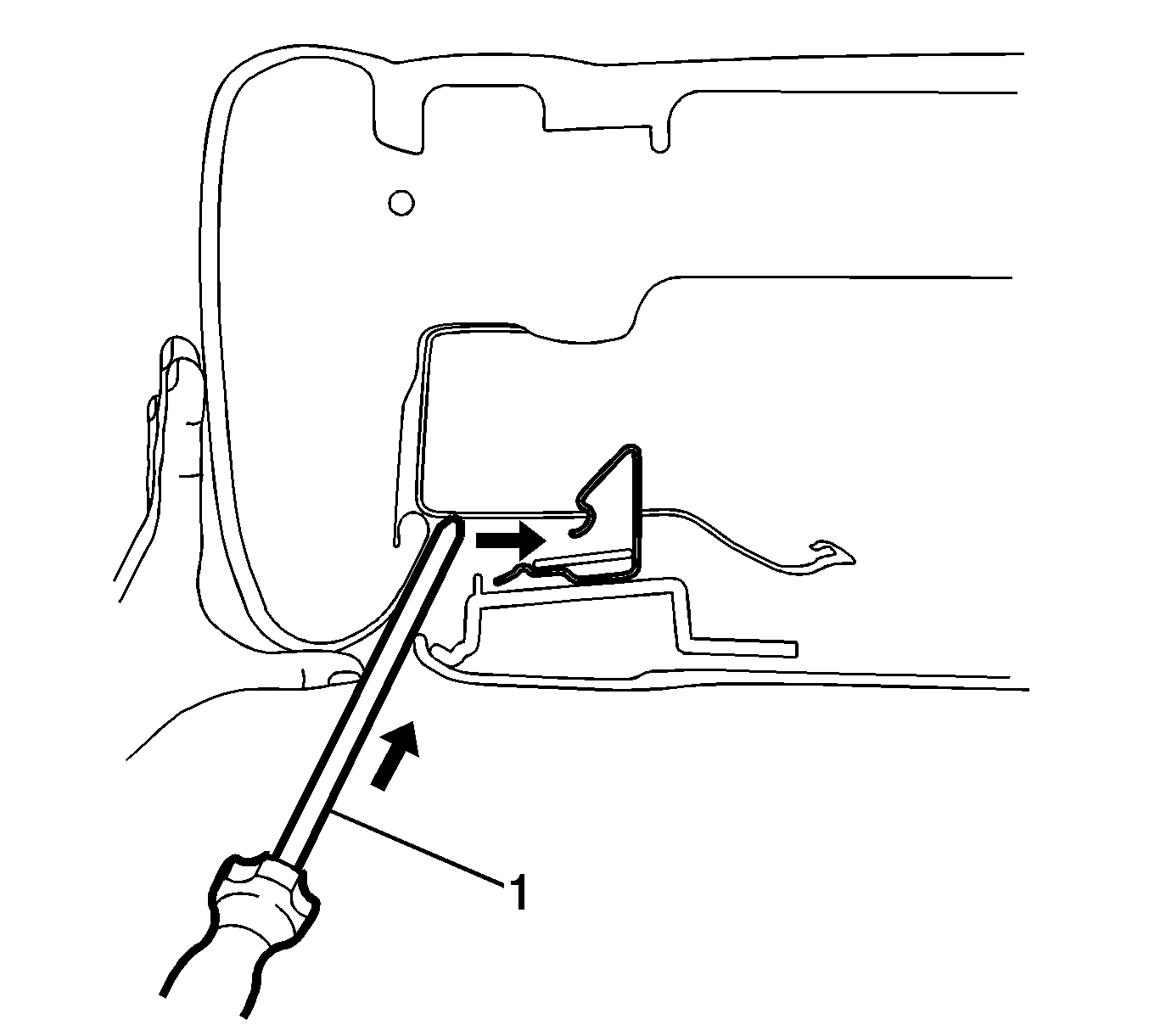
- Using a flat bladed tool (1) from one side of the seat, slide the tool inward and horizontally on the seat back frame until the clip is caught.
 Courtesy of GENERAL MOTORS CORP.
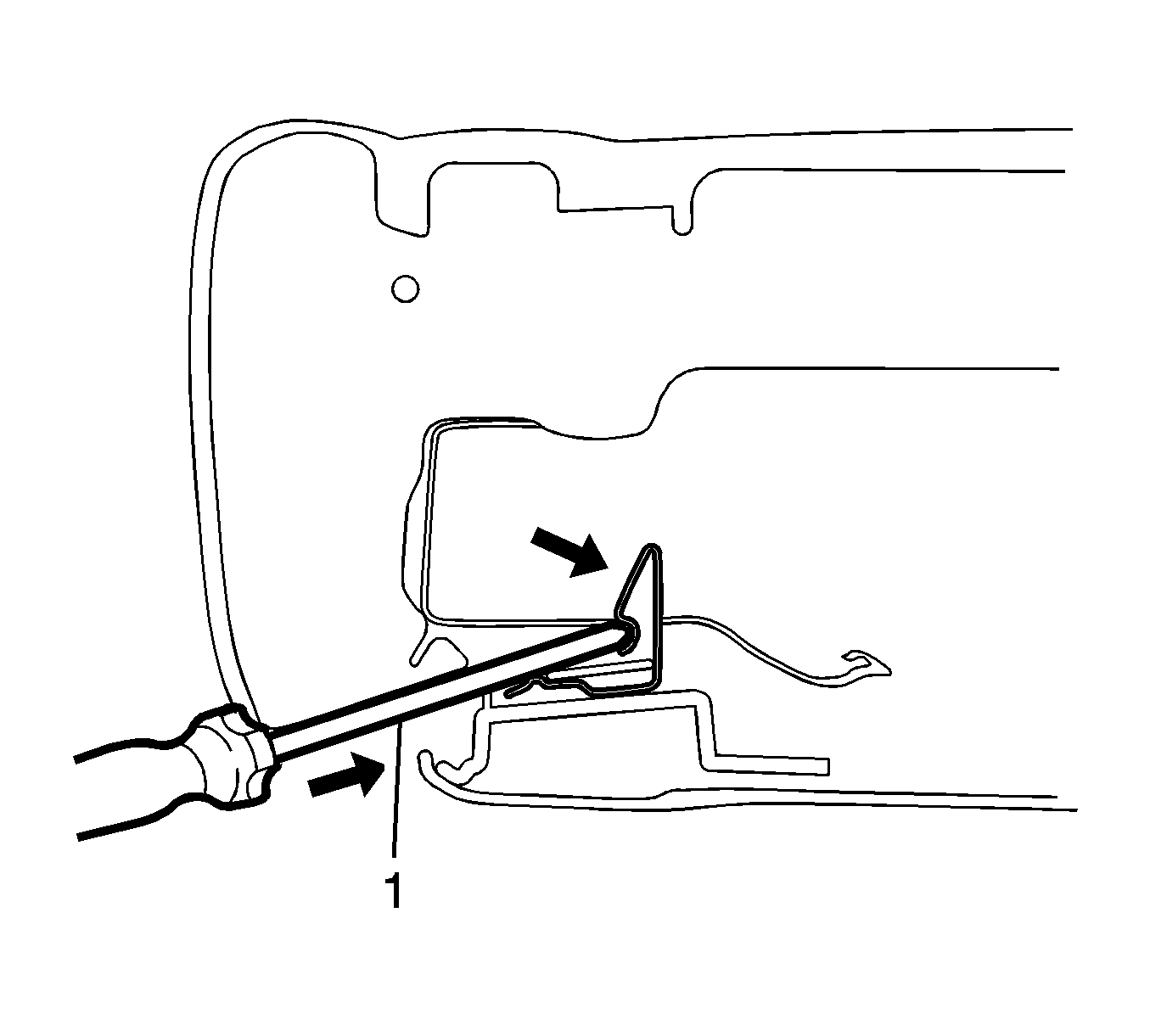
- Push the flat bladed tool (1) inward prying the clip out of the seat frame back, while gently pulling rearward at the top of the panel.
 Courtesy of GENERAL MOTORS CORP.
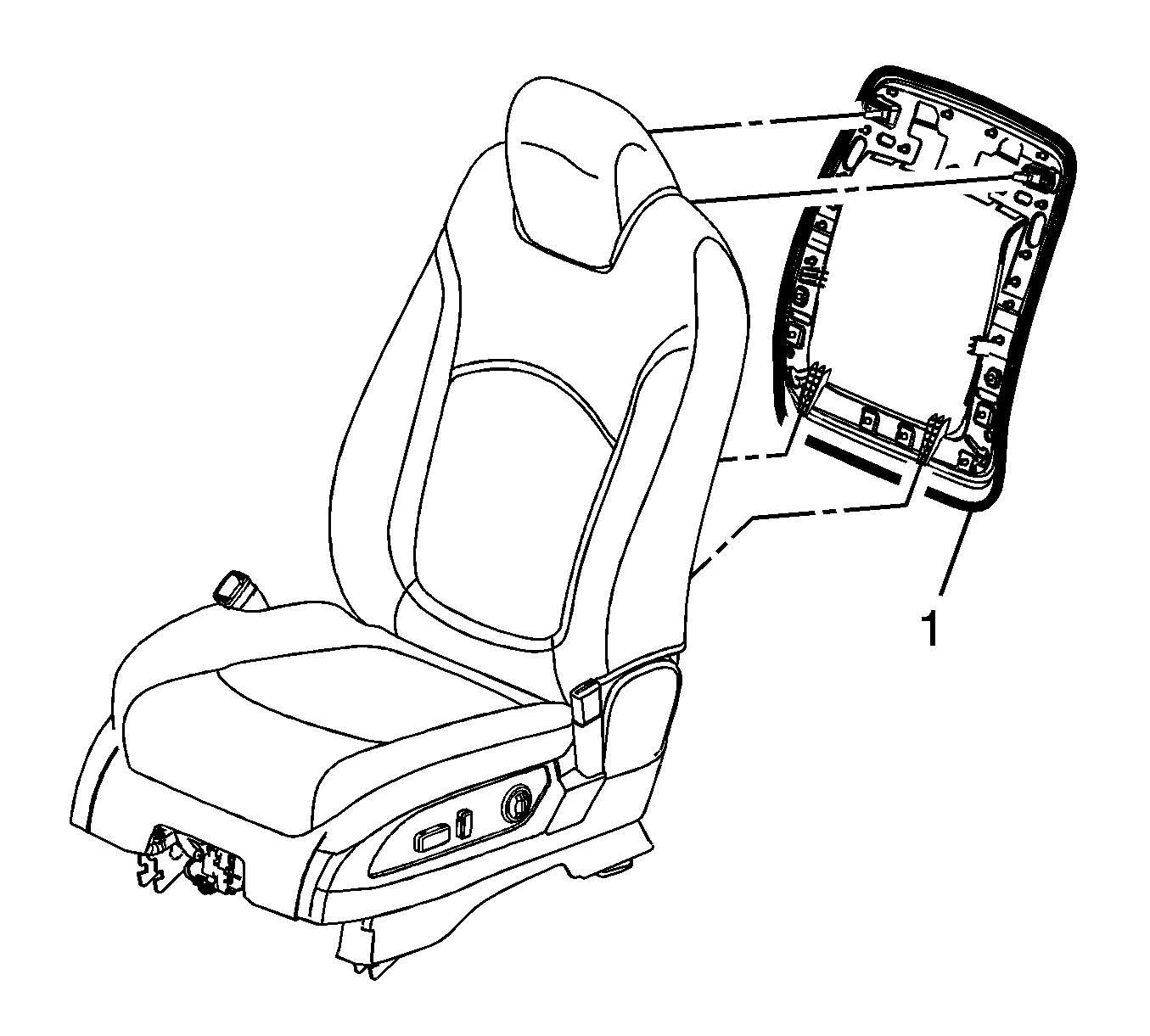
- Release the other clip retainer on the opposite side.
- Lift the panel (1) upward to remove it from the seat.