83. Crankshaft Rear Oil Seal Housing Installation
Crankshaft Rear Oil Seal and Housing Installation
Tools Required
J 44219 Housing Alignment Pins
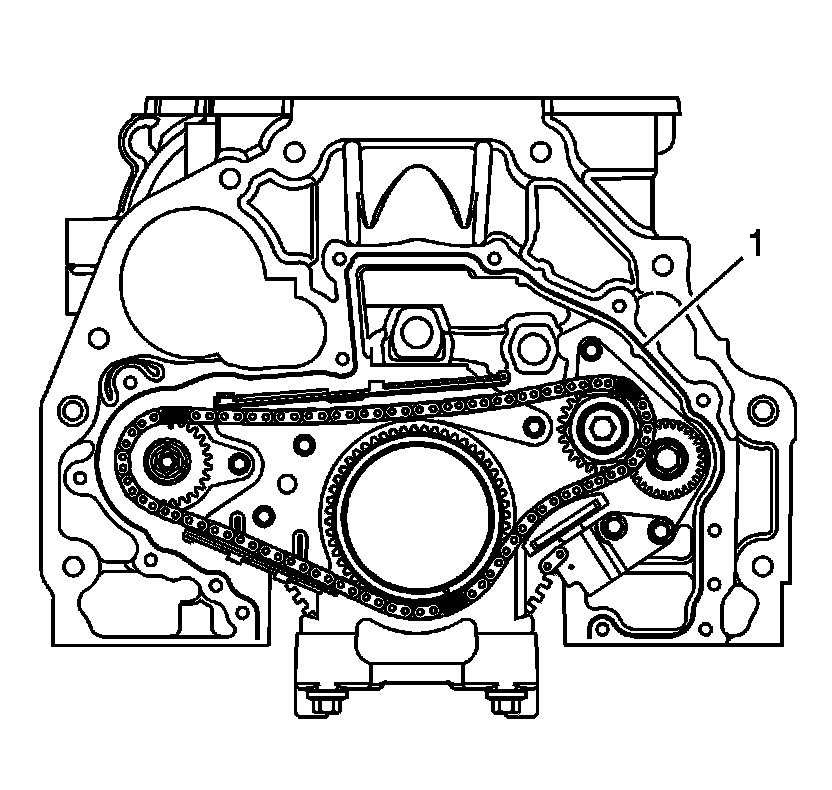
1. Apply a 3 mm (0.12 in) bead of GM P/N 12378521 (Canadian P/N 88901148) to the rear sealing surface of the block (1).
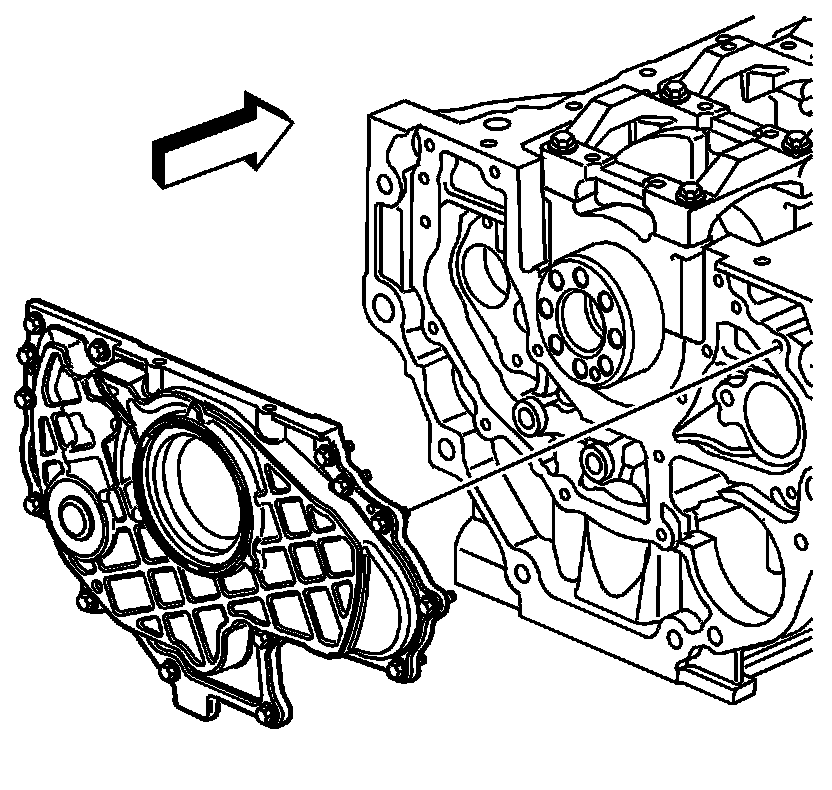
2. Install J 44219 into the block.
Important: With the help of the plastic installation aid (supplied with the new seal), be sure the lip of the seal faces inward.
3. Slide the crankshaft rear oil seal housing and bolts over the alignment pins J 44219 and crankshaft, except the 2 in place of the guide pins.
4. Remove J 44219 .
5. Snug the crankshaft rear oil seal housing bolts.
Notice: Refer to Fastener Notice .
6. Install the remaining two crankshaft rear oil seal housing bolts.
Tighten the crankshaft rear oil seal housing bolts to 10 N.m (89 lb in).
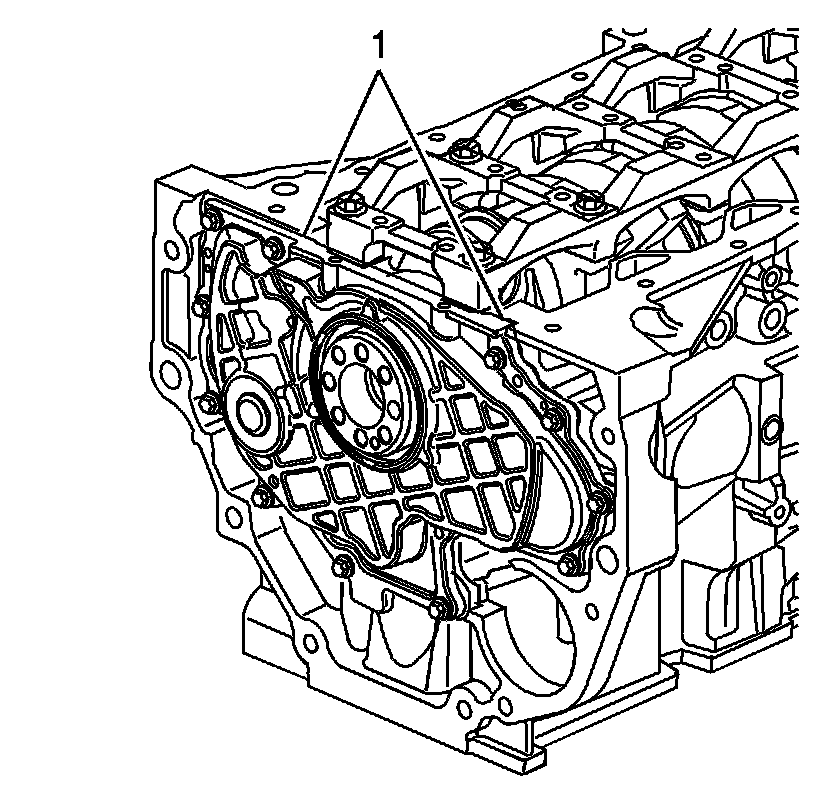
7. Wipe off any excess material from the bottom of the oil pan sealing area (1).