Forward Flush
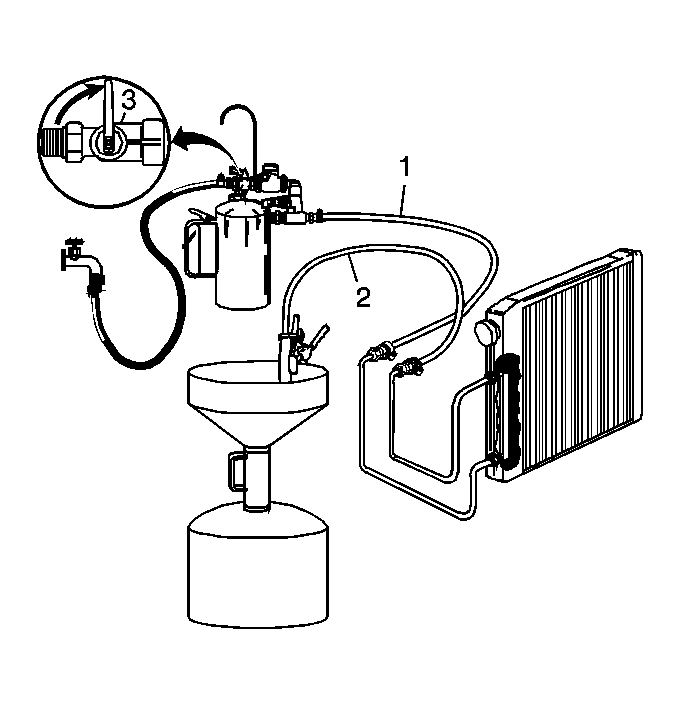 Courtesy of GENERAL MOTORS CORP.
- Disconnect both hoses (1 and 2) from the oil cooler lines and connect them to the opposite oil cooler line. This will allow the oil cooler and lines to be flushed in the normal flow direction.
- Repeat Step 6 and 7 of the Back Flush.
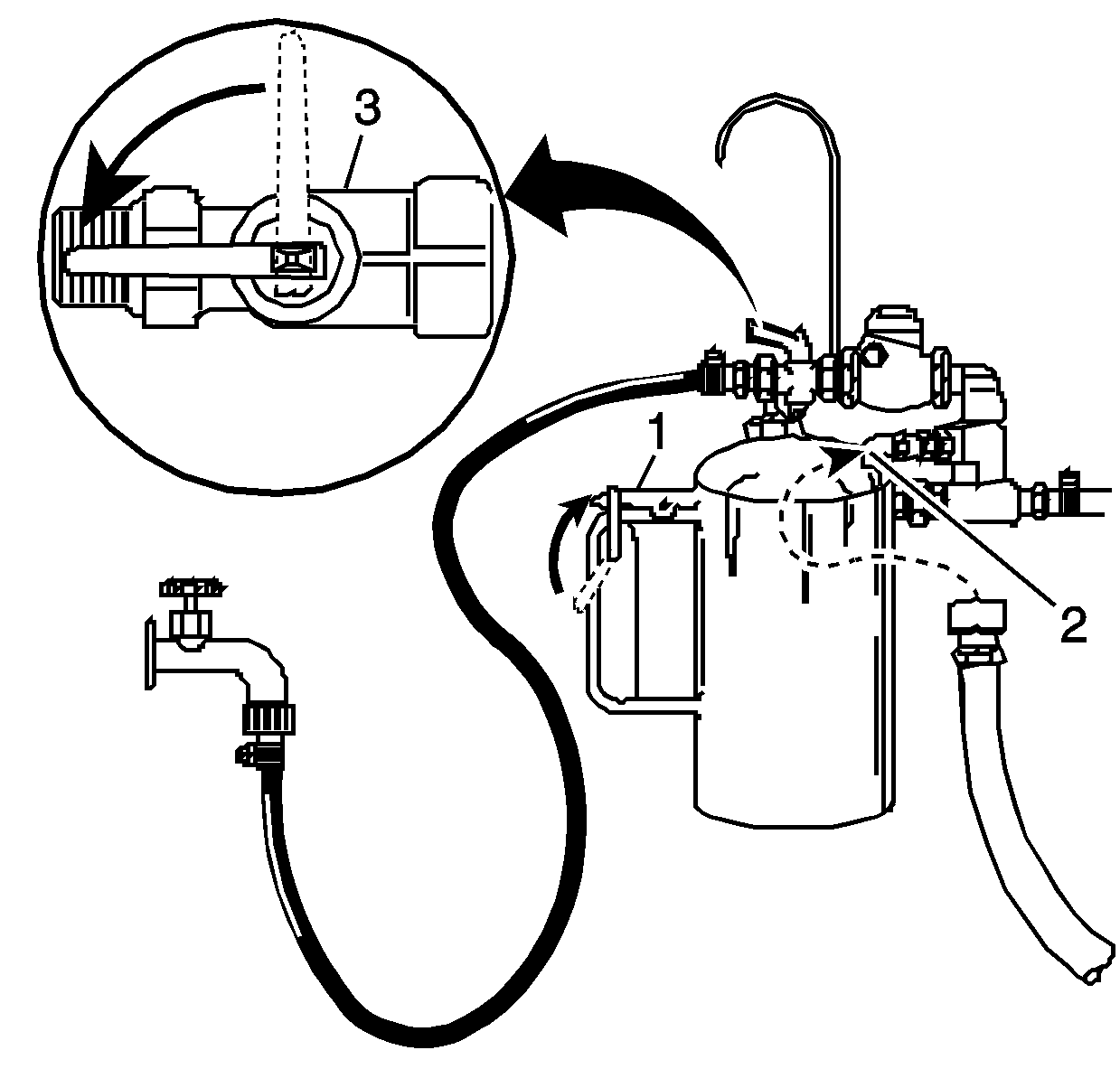 Courtesy of GENERAL MOTORS CORP.
- Release the trigger (1) of the SA9165T
and allow water only to rinse the oil cooler and lines for 1 minute. See Special Tools .
- Turn the SA9165T
water supply valve (3) to the OFF position and turn OFF the water supply at the faucet. See Special Tools .
- Attach the shop air supply to the flushing system feed air valve (2) on the SA9165T
and blow out the water from the oil cooler and lines. See Special Tools . Continue, until no water comes out of the discharge hose.