Front Side Door Emblem/Nameplate Replacement (GMC Allison Duramax)
WARNING: This page is about a different car, the 2009 GMC Sierra, 2009 GMC Cab & Chassis Sierra, 2009 Chevrolet Silverado, and 2009 Chevrolet Cab & Chassis Silverado. However, it is still accessible from the selected car via links, so may be relevant.
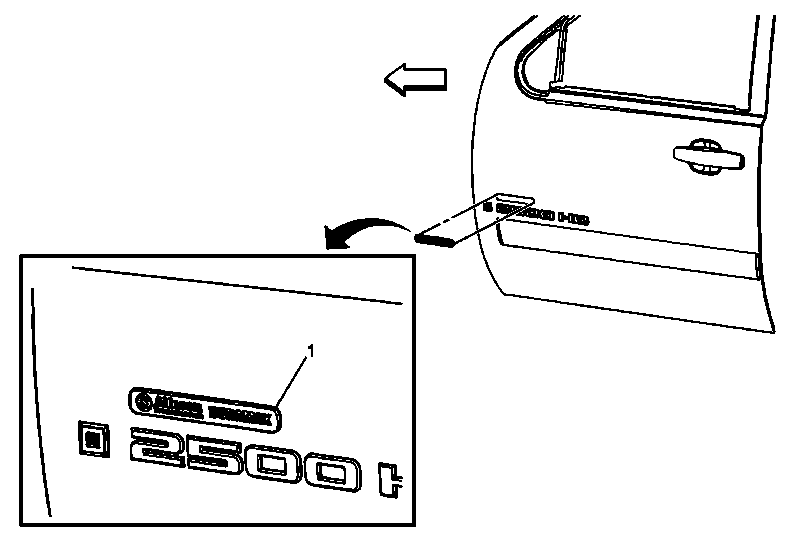 Courtesy of GENERAL MOTORS CORP.
| Callout |
Component Name |
| 1 |
Front Side Door Nameplate/Emblem (Allison Duramax)
Procedure
- The part and surface should be 21°C (70°F) prior to installation. The vehicle should remain 21°C (70°F) for one hour after assembly to allow adhesive to develop sufficient bond strength.
- Use a J 25070
Heat Gun or equivalent to remove the old emblem/nameplate. Clean all the adhesive residue from the door and wipe the surface dry with a clean lint-free towel prior to installing new emblem/nameplate.
- When removing protective liners from adhesive backed emblem/nameplates, be careful not to touch the tape with hands and do not allow the tape to come in contact with dirt or any foreign matter prior to adhesion.
- Close the door prior to installing the new emblem/nameplate to the door.
- Remove the protective liner from the back side of the adhesive tape.
- Align the emblem/nameplate to the door and press to ensure full adhesion is made to the door.
|