Removal Procedure
- Block the wheels to prevent the vehicle from moving.
- Remove the floor shift control boot from the floor console. Refer to Floor Shift Control Knob Replacement
in Automatic Transmission.
- Adjust the shift lever fully rearward.
- Remove the console storage bin. Refer to Console Storage Bin Replacement .
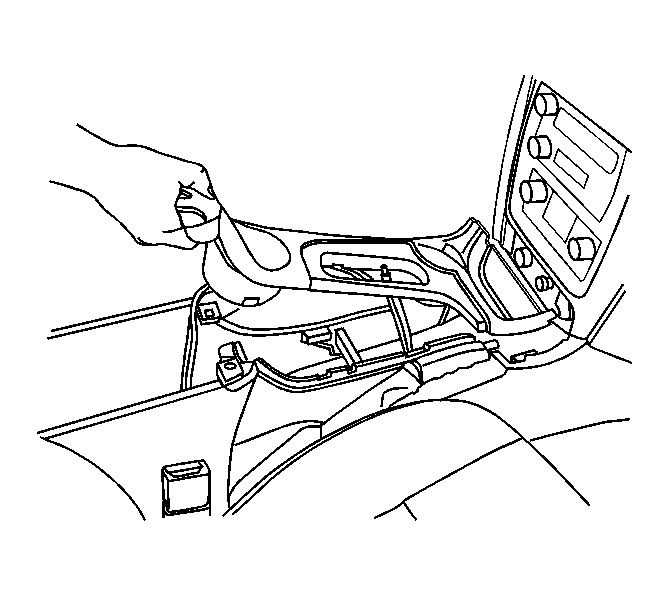 Courtesy of GENERAL MOTORS CORP.
- Starting at the rear of the bezel, lift the bezel to release the retaining clips.
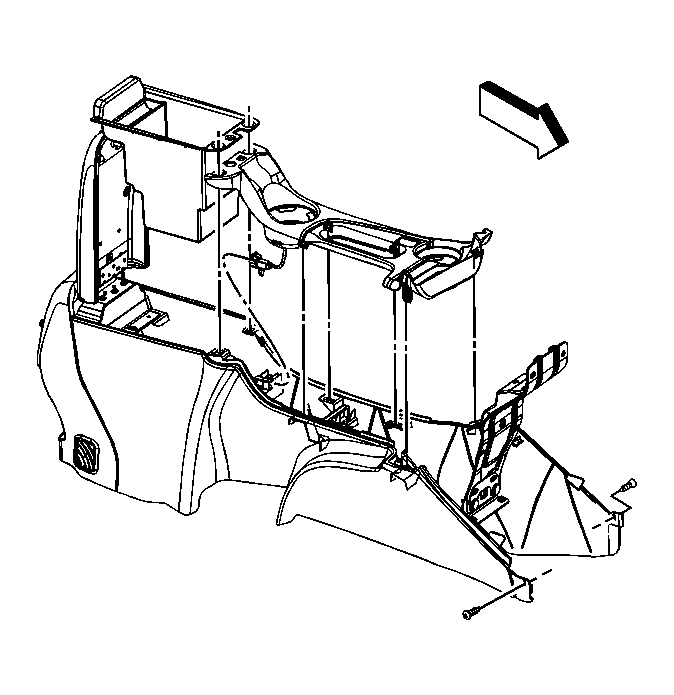 Courtesy of GENERAL MOTORS CORP.
- Partialy remove the bezel from the console.
- Disconnect the in-line electrical connector to the traction control switch.
- Remove the bezel from the vehicle.
- If replacing the bezel, and if the vehicle is equipped with traction control, remove the traction control switch and electrical harness and retain for transfer. Refer to Traction Control Switch Replacement (GMC, Chevrolet)
or Traction Control Switch Replacement (Oldsmobile, Buick)
in Antilock Brake System.