Removal Procedure
- Block the wheels to prevent the vehicle from moving.
- Remove the rubber ash tray inserts and rubber mat from the console.
- Remove the floor shift control knob. Refer to Floor Shift Control Knob Replacement
in Automatic Transmission.
- Remove the center console shift lever bezel, Oldsmobile only. Refer to Console Shift Lever Bezel Replacement (Oldsmobile, Buick) .
- Remove the console storage compartment. Refer to Console Storage Bin Replacement .
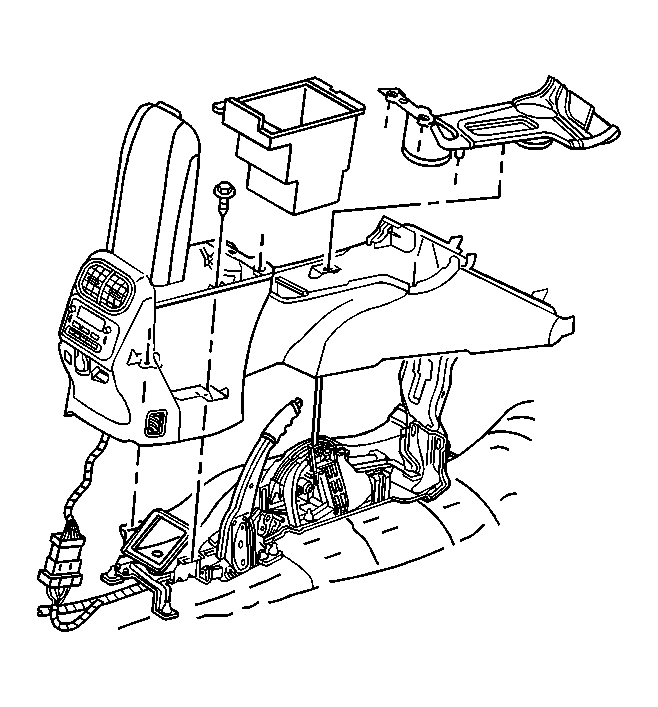 Courtesy of GENERAL MOTORS CORP.
- Remove the center console retaining screws.
- Adjust the parking brake to the full-up, or fully engaged position.
- Release the 2 forward trim extensions ears attached to the lower IP-Oldsmobile only.
- Slide the console rearward and raise the rear of the console in order to expose the electrical connectors.
- Disconnect the electrical connectors as necessary.
- Adjust the parking brake to approximately the halfway position.
- Remove the center console from the vehicle.
- If replacing the floor console base, remove the following and retain for transfer:
- Remove the HVAC control module (if equipped).
- Remove the armrest.
- Remove the HVAC module and duct assembly.
- Remove the cupholder.
- Remove the HVAC upper duct.