Disc Brake Backing Plate - Rear: Installation
- Install the backing plate to the axle housing flange. See Fig 1.
- Install the backing plate nuts. Tighten the backing plate bolts to specification. See TORQUE SPECIFICATIONS .
- Install the park brake shoe. See PARK BRAKE SHOE REPLACEMENT .
- Install the axle shaft. See appropriate AXLE SHAFT article in DRIVELINE/AXLES.
- Adjust the park brake shoe. See PARK BRAKE ADJUSTMENT under ADJUSTMENTS & INSPECTION.
- Install the brake rotor. See BRAKE ROTOR - REAR .
- Install the tire and wheel assembly. See TORQUE SPECIFICATIONS .
- Lower vehicle.
- With the engine OFF, gradually apply the brake pedal to approximately 2/3 of its travel distance.
- Slowly release the brake pedal.
- Wait 15 seconds, then repeat steps 9- 10 until a firm brake pedal is obtained. This will properly seat the brake caliper pistons and brake pads.
- Adjust park brake cable. See PARK BRAKE ADJUSTMENT under ADJUSTMENTS & INSPECTION.
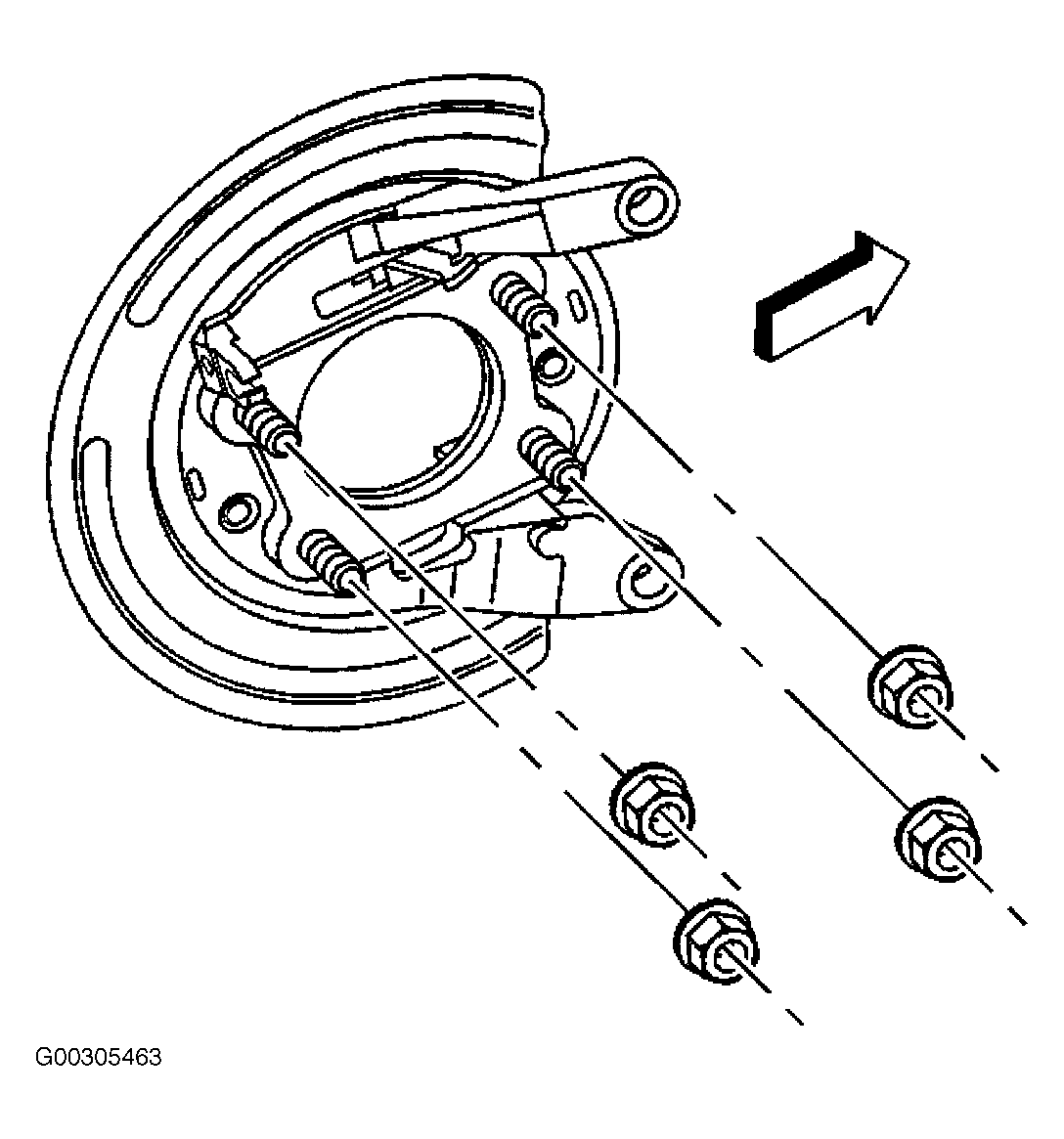 Courtesy of GENERAL MOTORS CORP.