Test L: Driver Information Center Temperature Display Always Reads OC
- Review Driver Information Center (DIC) operation. See DRIVER INFORMATION CENTER
under OPERATION. When review of DIC operation is complete, go to next step.
- Turn ignition switch to OFF position. Disconnect outside temperature sensor electrical connector. Connect Signal Generator and Instrument Panel Tester (J33431-C) between air temperature sensor connector terminals. Turn ignition switch to ON position. Vary resistance on J33431-C while observing DIC temperature indication. With resistance at 2500 ohms, indicated temperature should read near 140°F (60°C). With resistance at 11,200 ohms, indicated temperature should read 81°F (27°F). If DIC display is as specified, go to step 5
. If display is not as specified, go to next step.
- Check Light Green/Black wire between outside temperature sensor and DIC connector terminal No. 10. See Fig 1
. See WIRING DIAGRAMS
. Check circuit for open or high resistance. Repair circuit as necessary, then go to step 9
. If no problem is found, go to next step.
- Check Black/White wire between outside temperature sensor and ground for open or high resistance. See WIRING DIAGRAMS
. Repair wiring as necessary, then go to step 9
. If no problems are found, go to step 6
.
- Check outside temperature sensor connector for poor connection or corroded terminals. Repair connector as necessary, then go to step 9
. If no problems are found, go to step 7
.
- Check DIC connector for poor connection or corroded terminals. Repair connection as necessary, then go to step 9
. If no problem is found, go to step 8
.
- Replace outside temperature sensor. When repair is complete, go to step 9
.
- Replace DIC. See DRIVER INFORMATION CENTER
under REMOVAL & INSTALLATION. When repair is complete, go to next step.
- Operate DIC system to verify proper operation of outside temperature sensor. If temperature sensor operates normally, system is functioning properly at this time. If outside temperature sensor is not operating properly, go to step 2
.
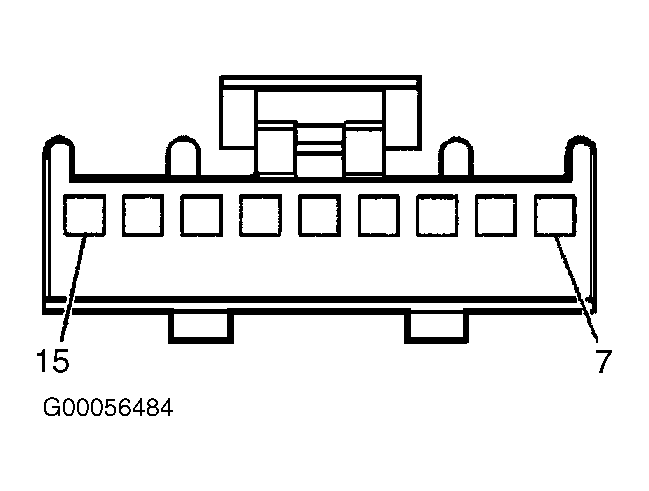 Courtesy of GENERAL MOTORS CORP.