Compass Magnetic Variation Adjustment
- Locate current geographic location on map. See Fig 1
. When location is established, go to next step.
- Turn ignition switch to ON position, then go to next step.
- Depress MODE switch on Driver Information Center and advance to COMP/TEMP mode. When specified mode is selected, go to next step.
- Simultaneously depress US/MET and MODE buttons on DIC for approximately 5 seconds. When VAR CAL is displayed on DIC, go to next step.
- Release US/MET and MODE buttons, then go to next step.
- Depress US/MET button in order to select proper zone number, then go to next step.
- Depress MODE button to enter zone number into memory. Variation adjustment is complete.
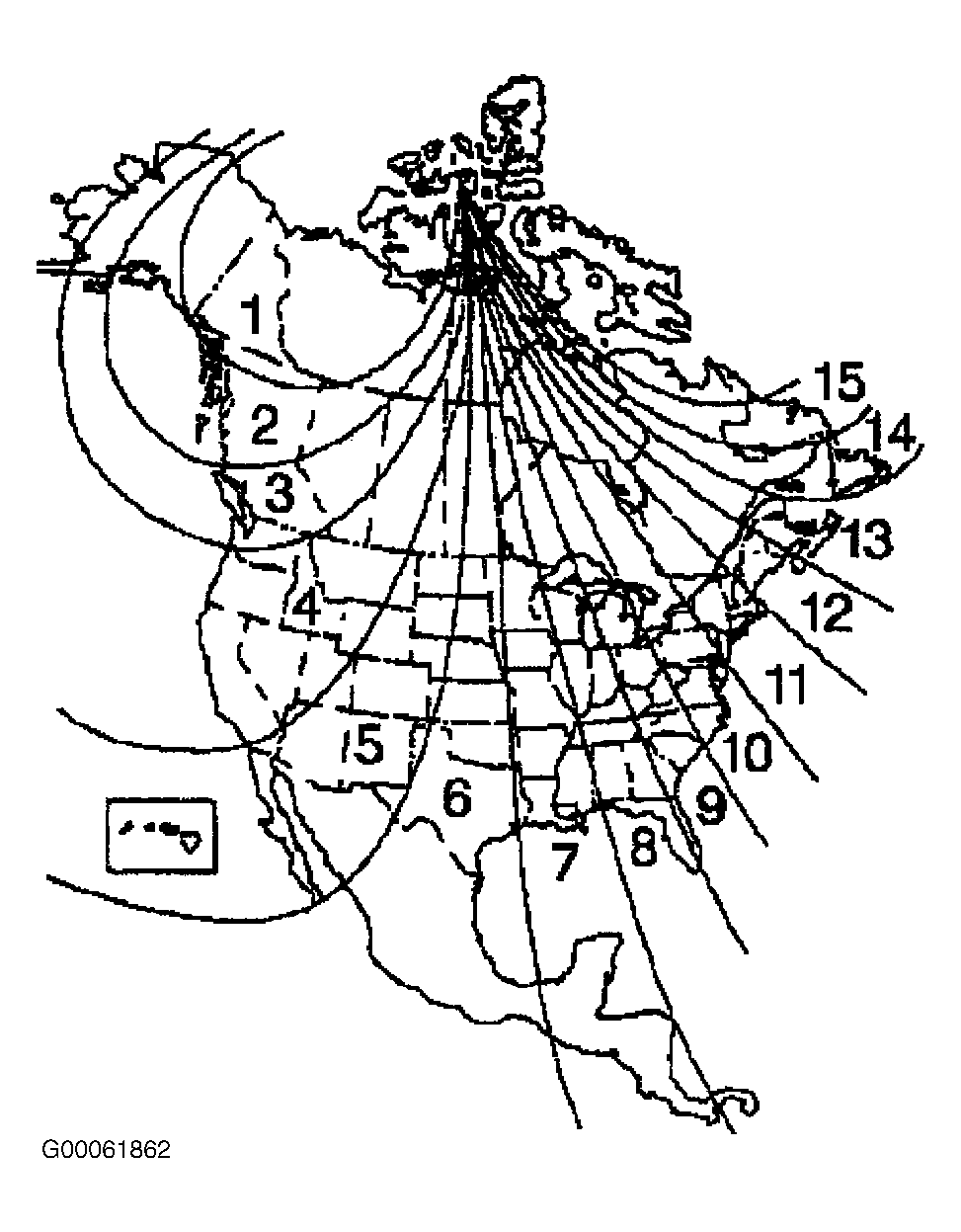 Courtesy of GENERAL MOTORS CORP.