Side Parking Aid Camera: Removal
WARNING: This page is about a different car, the 2015 Ford F-150. However, it is still accessible from the selected car via links, so may be relevant.
Vehicles with short arm mirrors
- 1.
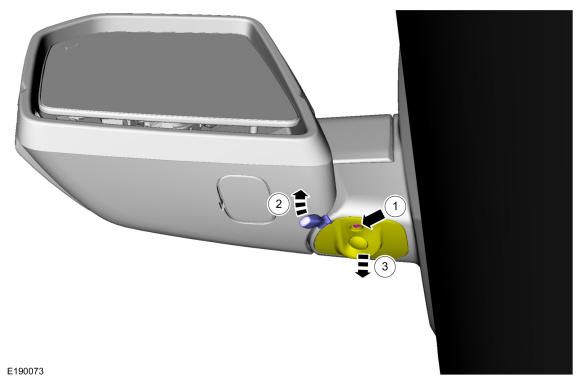
Position the side view camera down.
- 1.
Remove the screw.
- 2.
Using a small flat headed screw driver, release the tab. Use the General Equipment: Flat Headed Screw Driver
- 3.
Lower the side view camera.
 Courtesy of FORD MOTOR COMPANY Courtesy of FORD MOTOR COMPANY
|
- 2.
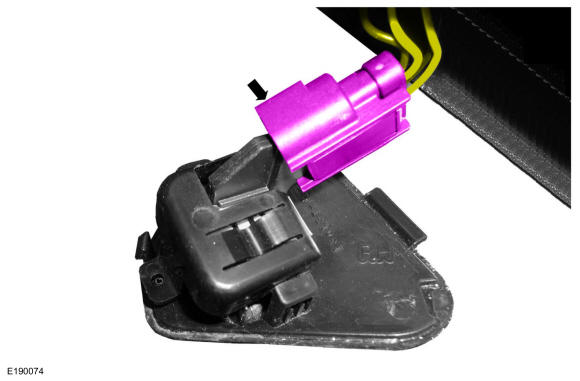
Disconnect the side camera electrical connector.
 Courtesy of FORD MOTOR COMPANY Courtesy of FORD MOTOR COMPANY
|
- 3.
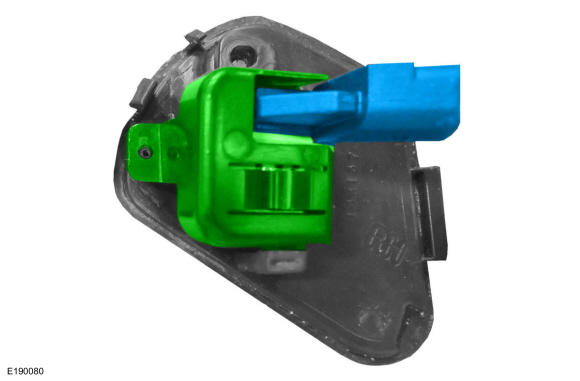
Remove the side camera bracket and the side camera.
 Courtesy of FORD MOTOR COMPANY Courtesy of FORD MOTOR COMPANY
|
Vehicles with long arm mirrors
- 4.
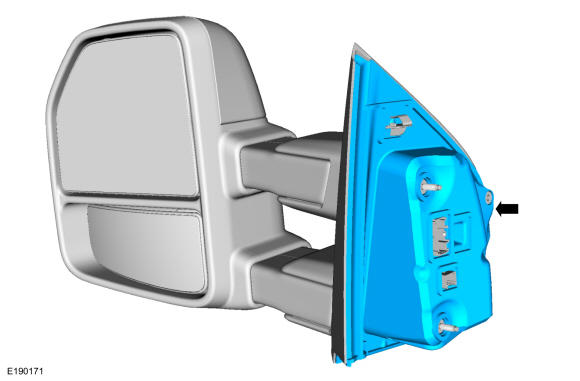
Remove the exterior mirror assembly.
- 5.
Remove the exterior mirror gasket.
 Courtesy of FORD MOTOR COMPANY Courtesy of FORD MOTOR COMPANY
|
- 6.
Remove the exterior mirror base-to-arm cover screws.
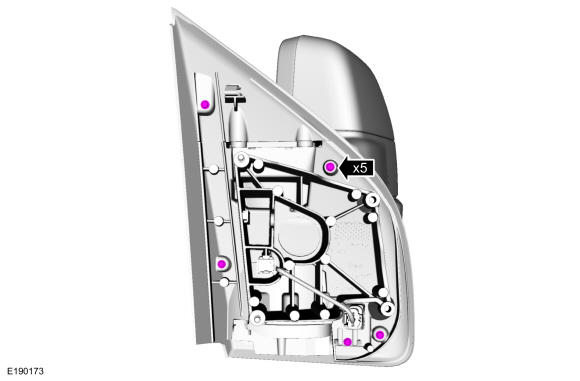 Courtesy of FORD MOTOR COMPANY Courtesy of FORD MOTOR COMPANY
|
- 7.
Disconnect the side view camera electrical connector.
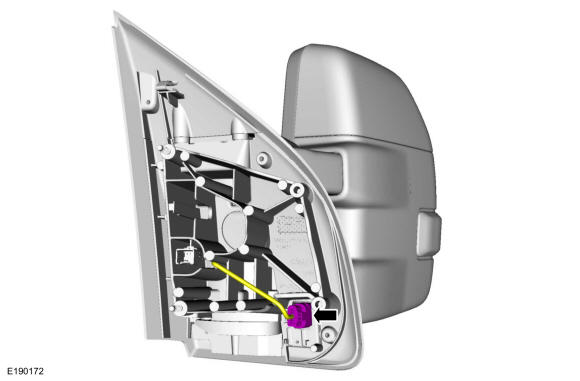 Courtesy of FORD MOTOR COMPANY Courtesy of FORD MOTOR COMPANY
|
- 8.
Rotate the mirror head forward 30 degrees on the exterior mirror base.
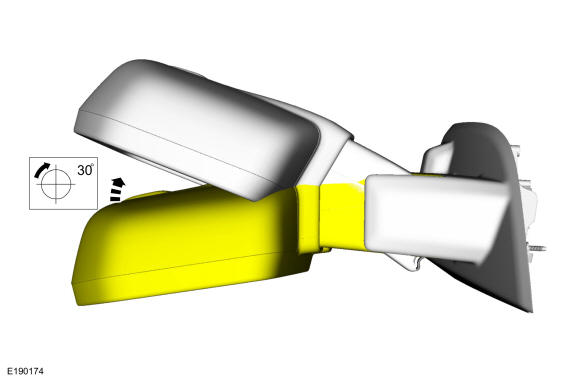 Courtesy of FORD MOTOR COMPANY Courtesy of FORD MOTOR COMPANY
|
- 9.
Slide the mirror base cover outward.
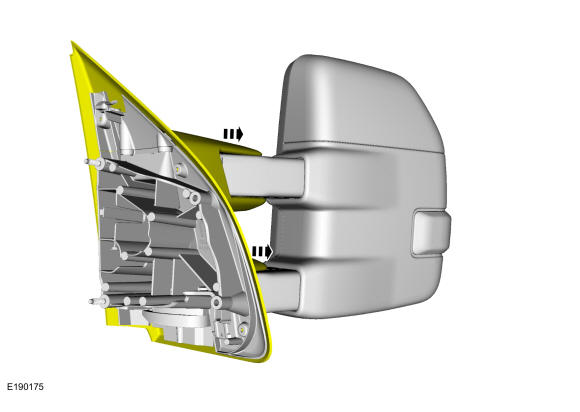 Courtesy of FORD MOTOR COMPANY Courtesy of FORD MOTOR COMPANY
|
- 10.
Remove the side view camera.
- 1.
Release the side view camera bracket tabs.
- 2.
Remove the side view camera and bracket as an assembly.
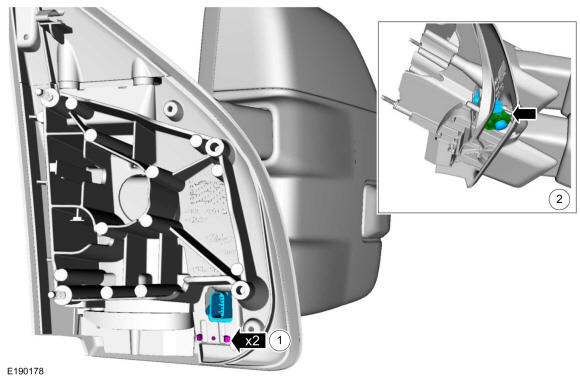 Courtesy of FORD MOTOR COMPANY Courtesy of FORD MOTOR COMPANY
|