Removal and Replacement
Bumper Cover - Rear
Removal and Installation
1. With the vehicle in NEUTRAL, position it on a hoist. Refer to Maintenance/Service and Repair.
2. Remove the rear tail lamps.
3. Remove the 6 rear bumper cover wheelhouse screws (3 each side).
- To install, tighten to 2 Nm (18 lb-in).
4. Remove the 2 rear bumper cover scrivets located behind the license plate.
5. Remove the 5 rear bumper cover scrivets located along the lower luggage opening.
6. Release the bumper cover from the LH and RH bumper cover mounting reinforcement.
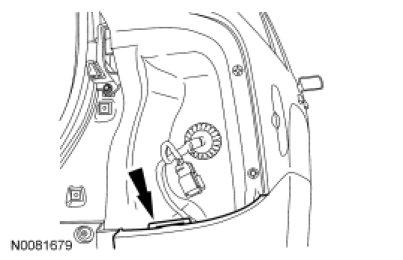
7. NOTE: The upper rearward portion of the bumper cover must be pulled outward to release it from the bumper cover mounting reinforcement.
NOTE: The rear parking aid sensors and license plate lamps will stay attached to the rear bumper cover.
Disconnect the rear parking aid electrical connector harness from the rear bumper cover.
8. Remove the rear bumper cover.
9. Inspect the bumper cover mounting reinforcements for damage. If necessary, install new bumper cover mounting reinforcements.
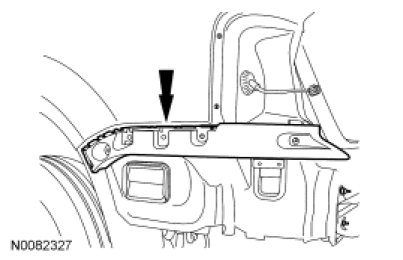
10. To install, reverse the removal procedure.