Antenna - Satellite Radio
Antenna - Satellite Radio
Removal and Installation
1. Remove the RH A-pillar trim panel.
2. Remove the 3 screws, the RH sun visor retaining clip, and the RH sun visor.
- If equipped, disconnect the electrical connector.
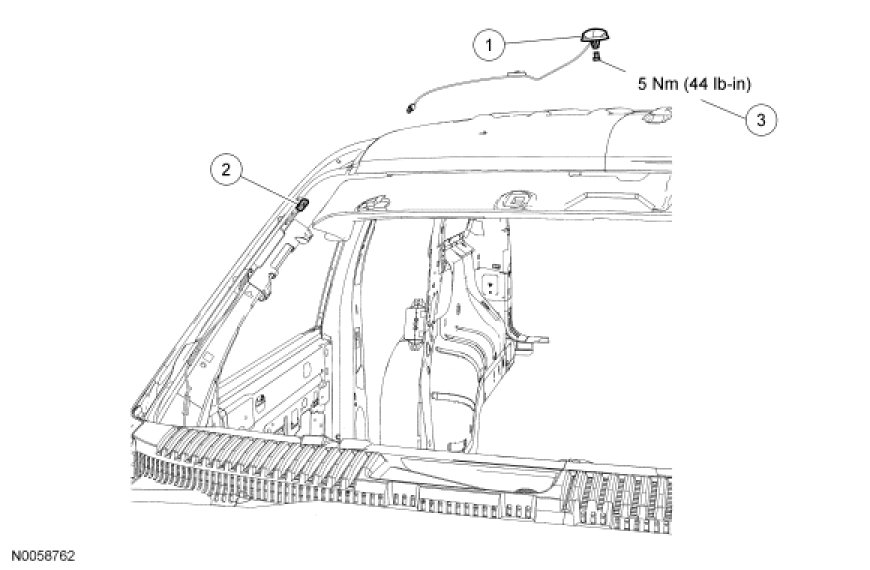
3. Lower the front of the headliner enough to gain access to the satellite radio antenna electrical connector.
4. NOTE: Remove the satellite antenna and pigtail through the mounting opening in the roof panel.
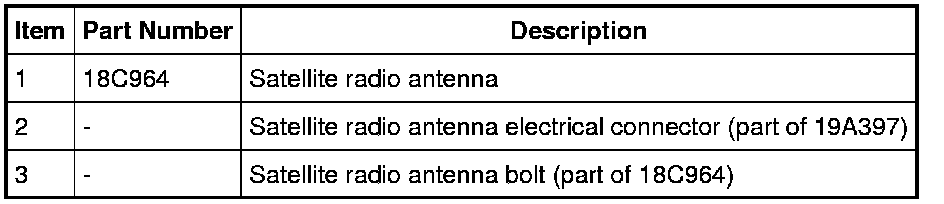
Remove the satellite antenna.
- Disconnect the electrical connector.
- Loosen the antenna bolt.
- To install, tighten to 5 Nm (44 lb-in).
- Compress the tabs and release the satellite antenna from the roof panel.
5. To install, reverse the removal procedure.