Rear Backing Plate (E150 & E250)
- Remove the rear brake shoes. See BRAKE SHOES (E150 & E250) .
- Remove the axle shaft or the axle shaft and rear hub. See appropriate DIFFERENTIALS article in DRIVELINE/AXLES.
- Compress the cable retainer and pull the parking brake rear cable and conduit from the brake backing plate. See Fig 1.
- Remove the rear wheel cylinder. See WHEEL CYLINDERS .
- Remove the four backing plate-to-axle flange nuts and bolts and the brake backing plate. See Fig 2.
- To install, reverse removal procedure.
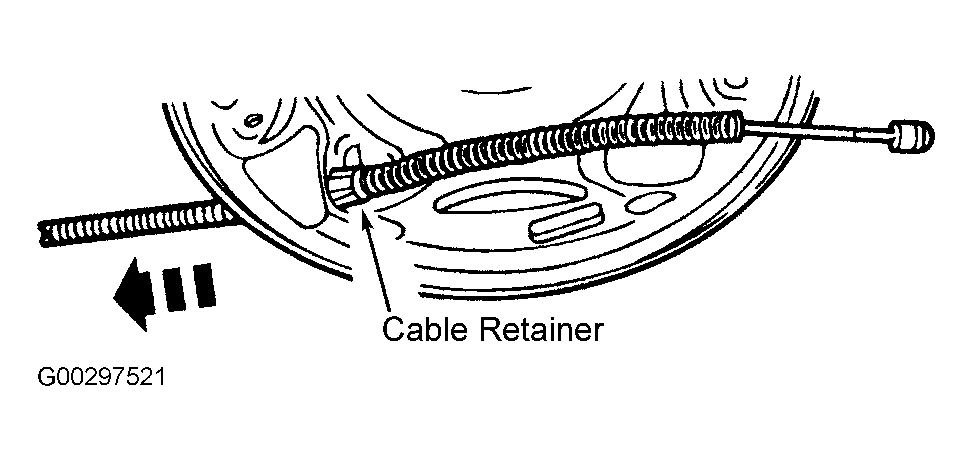 Courtesy of FORD MOTOR CO.
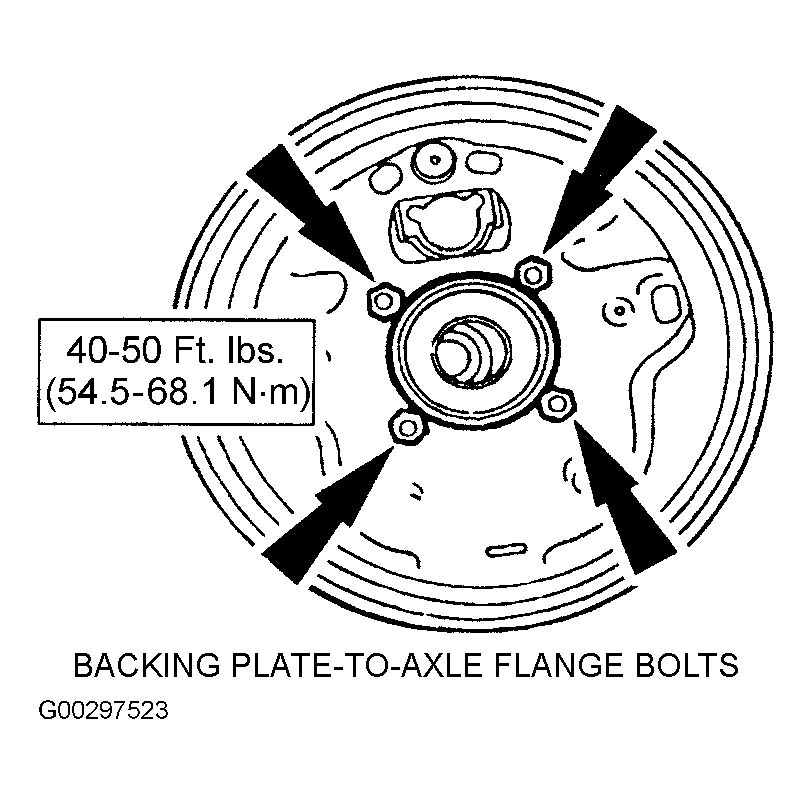 Courtesy of FORD MOTOR CO.