Front Brake Rotor: Removal
- Raise and support vehicle. Remove wheel.
- Remove caliper pin bolts or anchor plate bolts and remove and position caliper assembly aside. See Figure-Figure
.
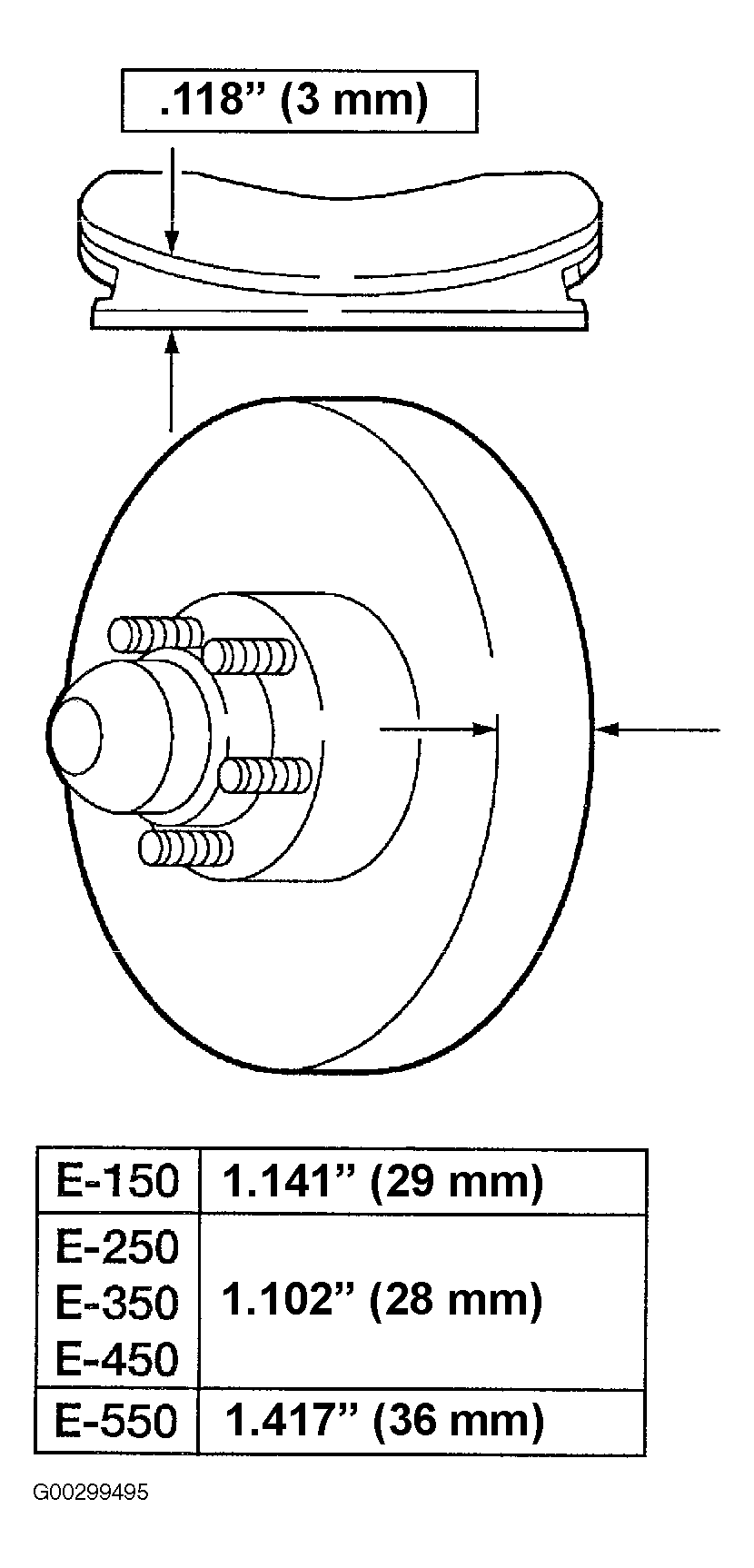
- Inspect the brake disc and hub for minimum thickness. See Fig 1. Install a new brake disc and hub if worn to or below minimum thickness. See DISC BRAKE SPECIFICATIONS .
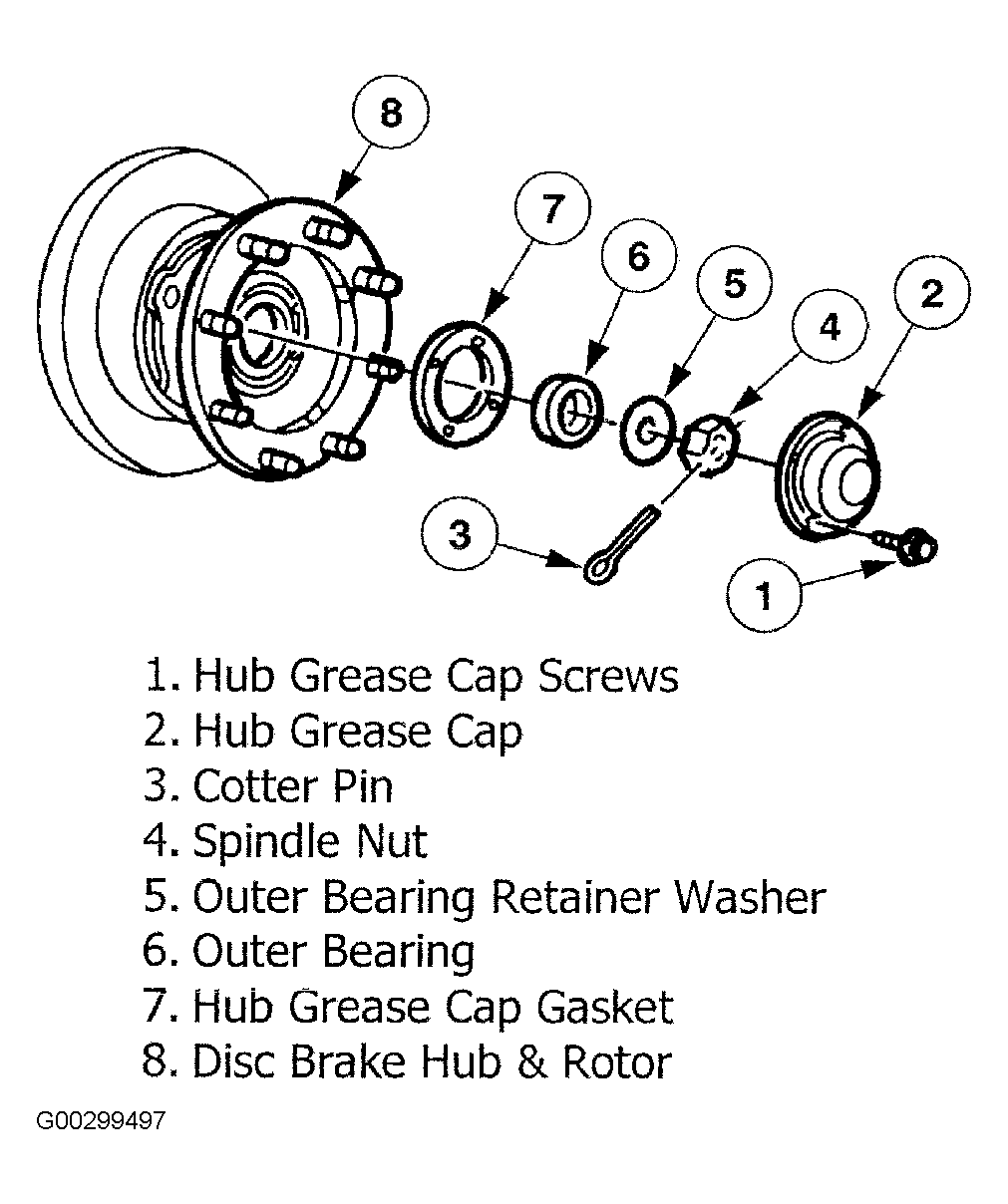
- On 2WD models, remove grease cap, cotter pin, nut, washer and outer bearing. See Figure-Figure
. E550 grease cap is held on with screws and has a gasket between grease cap and hub. See Fig 2. Remove rotor. Remove inner bearing and grease seal.
- On 4WD models, remove rotor.
 Courtesy of FORD MOTOR CO.
 Courtesy of FORD MOTOR CO.