Removal & Installation
- Raise and support vehicle. Remove rear wheels.
- Remove the brake drum. If brake drum will not come off, remove brakeline-to-axle retaining bracket to access adjuster hole and back adjustment off.
- Disconnect the parking brake cable. See Fig 1.
- Remove the wheel cylinder. See WHEEL CYLINDER .
- Unclip the parking brake cable and conduit from the brake backing plate and route the cable and conduit out of the backing plate. See Fig 2.
- Remove the bolt and the ABS sensor. See Fig 3. Discard the bolt.
- Remove the bolts and the backing plate. See Fig 4. Discard the bolts.
- To install, reverse the removal procedure. Use NEW backing plate bolts.
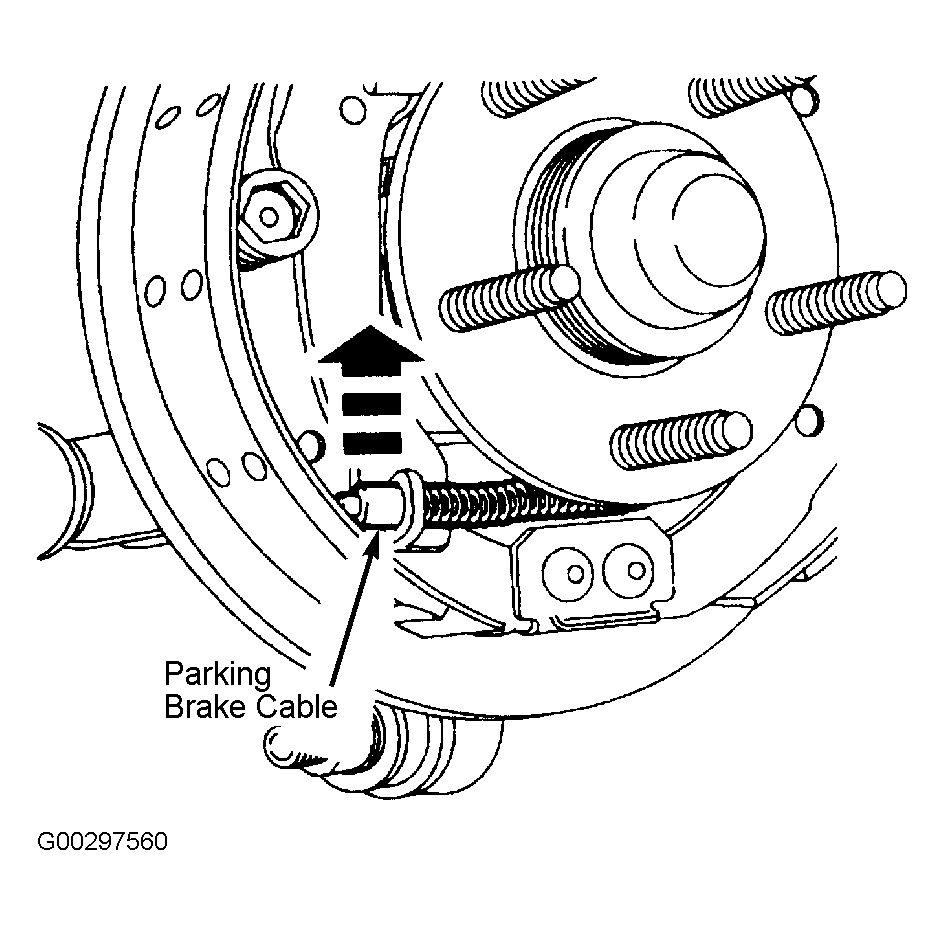 Courtesy of FORD MOTOR CO.
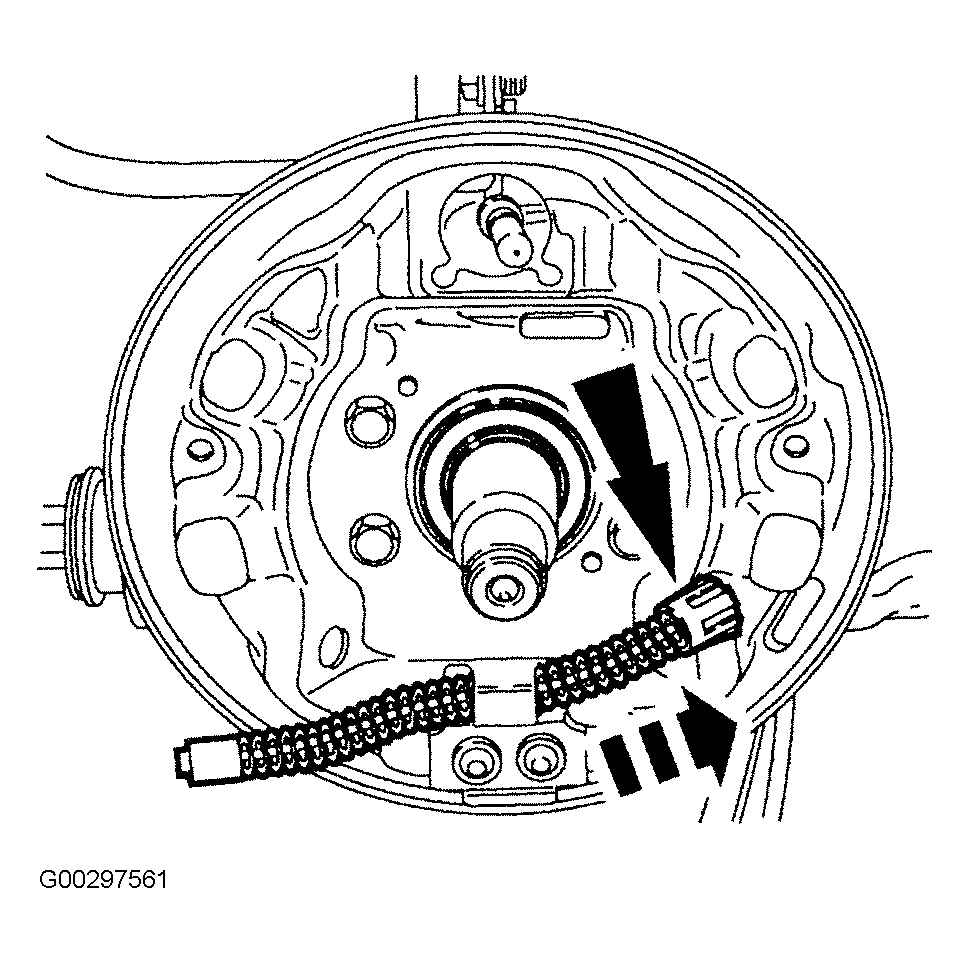 Courtesy of FORD MOTOR CO.
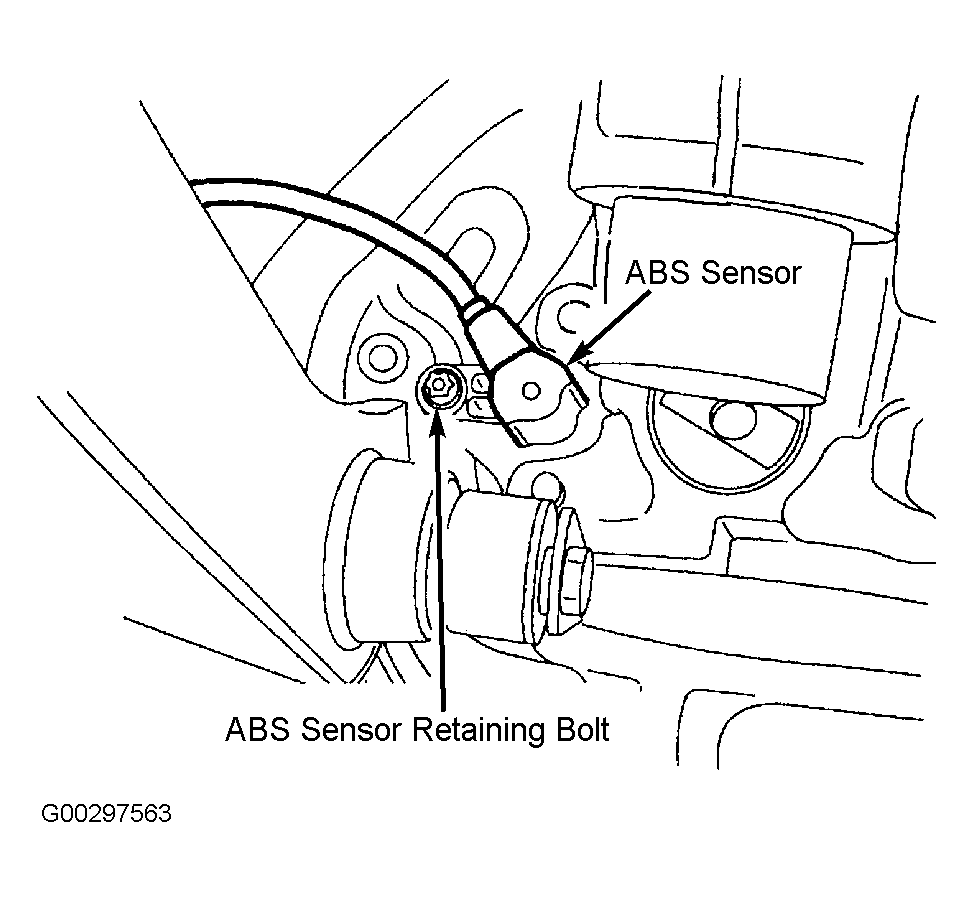 Courtesy of FORD MOTOR CO.
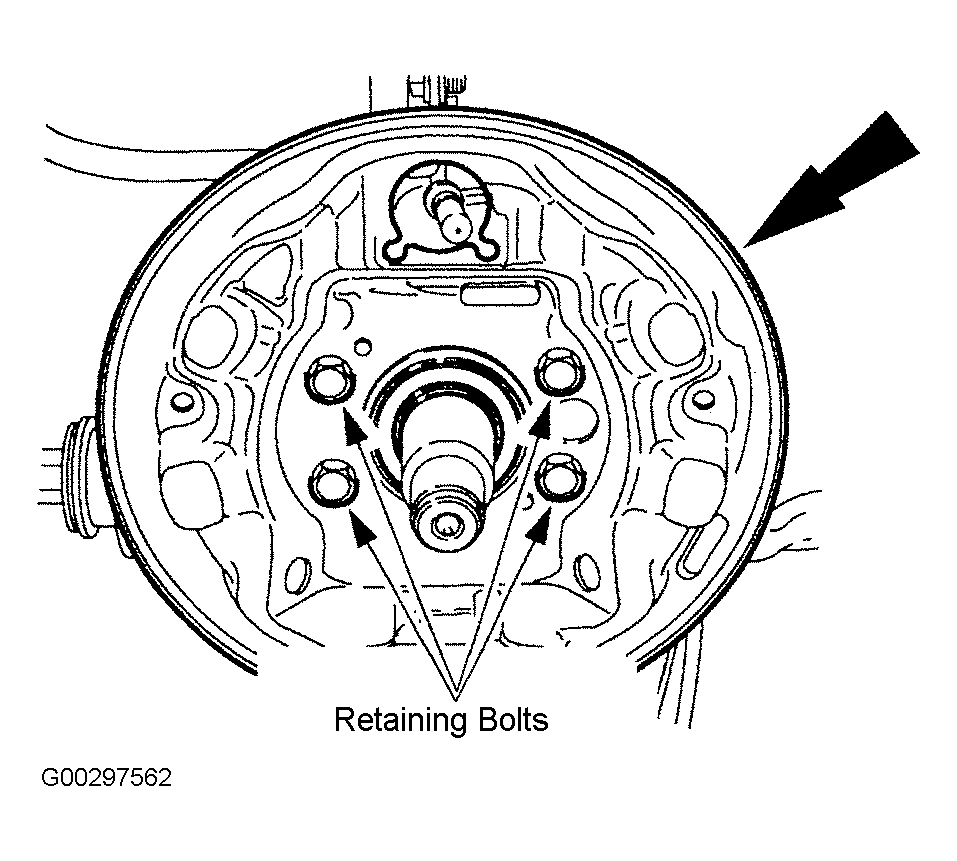 Courtesy of FORD MOTOR CO.