Auxiliary Port
 Courtesy of CHRYSLER GROUP, LLC
- Disconnect and isolate the negative battery cable. If equipped with an Intelligent Battery Sensor (IBS), disconnect the IBS connector first before disconnecting the negative battery cable.
- Remove the navigation unit mounting cradle from the auxiliary port on the top of the instrument panel. Refer to
NAVIGATION UNIT, REMOVAL .
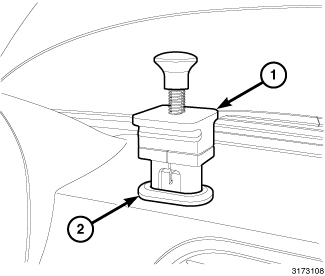
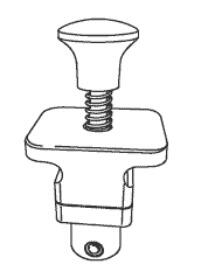
- Firmly insert the navigation pod remover tool (special tool #10313, Remover, Navigation Pod) (1) into the auxiliary port (2) on the top of the instrument panel.
 Courtesy of CHRYSLER GROUP, LLC
 Courtesy of CHRYSLER GROUP, LLC
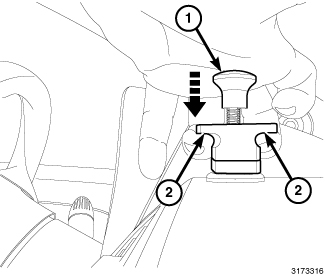
- Firmly push the plunger (1) of the removal tool down until it is fully compressed.
- With the plunger held firmly and fully depressed, wrap your fingers under the grips (2) on each side of the removal tool.
 Courtesy of CHRYSLER GROUP, LLC
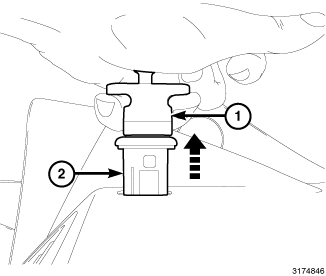
- Use a slight back and forth wiggling action while pulling the removal tool (1) and the auxiliary port (2) out of the top of the instrument panel.
- Release the plunger and disengage the removal tool from the auxiliary port.
- Pull the auxiliary port out of the instrument panel far enough to access and disconnect the instrument panel wire harness connector from the auxiliary port.