Removal & Installation
- Pry outward on radio trim panel and remove. Pry off trim panel cover between left and right cluster trim panels and remove retaining screws. See Fig 1
.
- Insert flat-blade screwdriver into center air outlet to pry retaining pawls inward. Remove outlet using screwdriver and plastic trim tool. See Fig 2
.
- Remove right cluster trim panel retaining screws located inside center air outlet cavity. To remove 3 control knobs, pull knobs straight outward. Pry off lower trim panel between right cluster trim panel and console. Remove right cluster trim panel lower retaining screws.
- Pull right cluster trim panel outward enough to remove switch holder screws from rear of panel. Remove right cluster trim panel. See Fig 1
. Pry desired switch outward from switch holder enough to depress retaining tabs on switch and remove switch.
- Remove left cluster trim panel retaining screws. Pull cluster trim panel outward enough to remove switch holder screws from rear of panel. Remove left cluster trim panel. See Fig 1
. Pry desired switch outward from switch holder enough to depress retaining tabs on switch and remove switch. To install, reverse removal procedure.
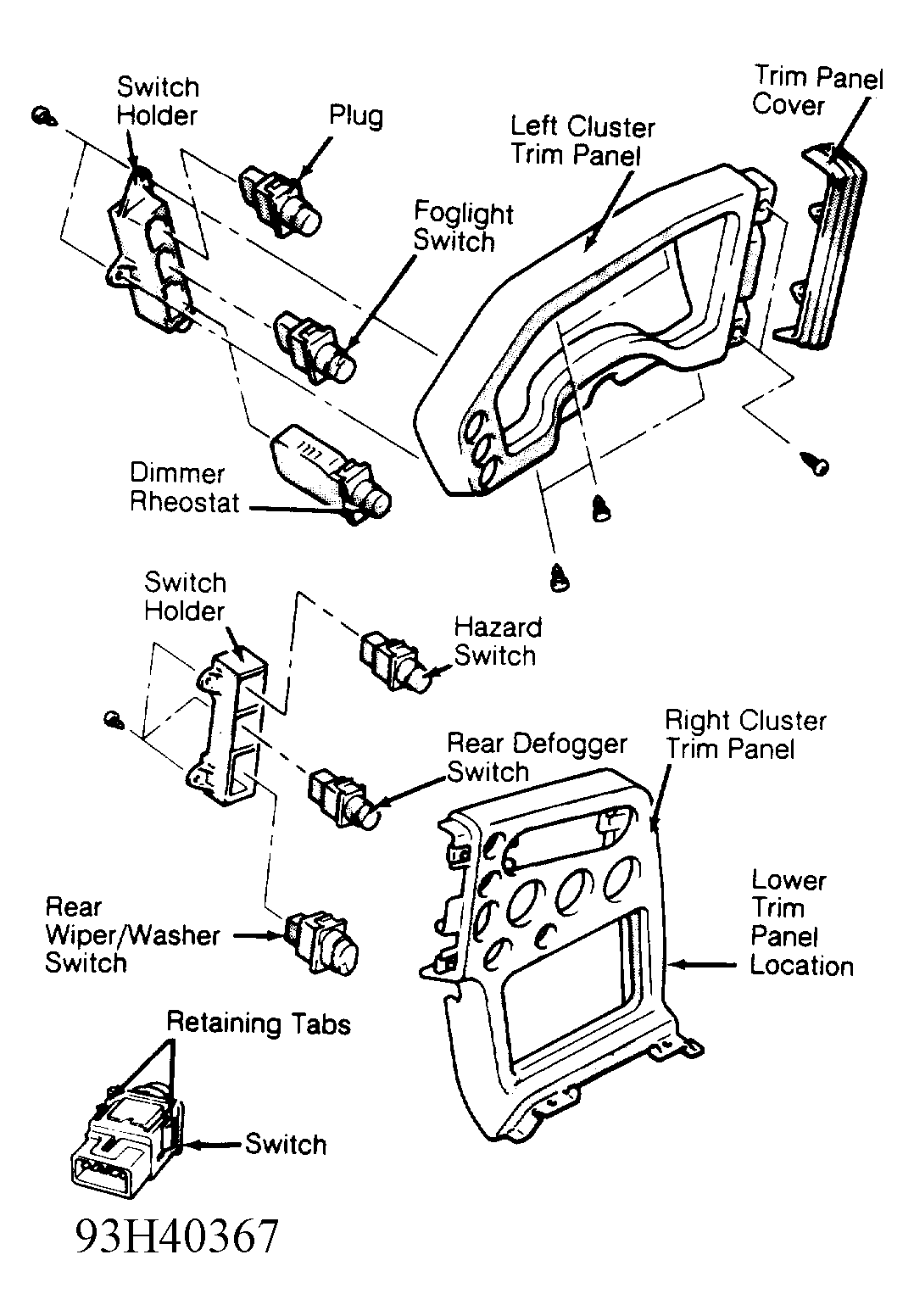 Courtesy of CHRYSLER CORP.
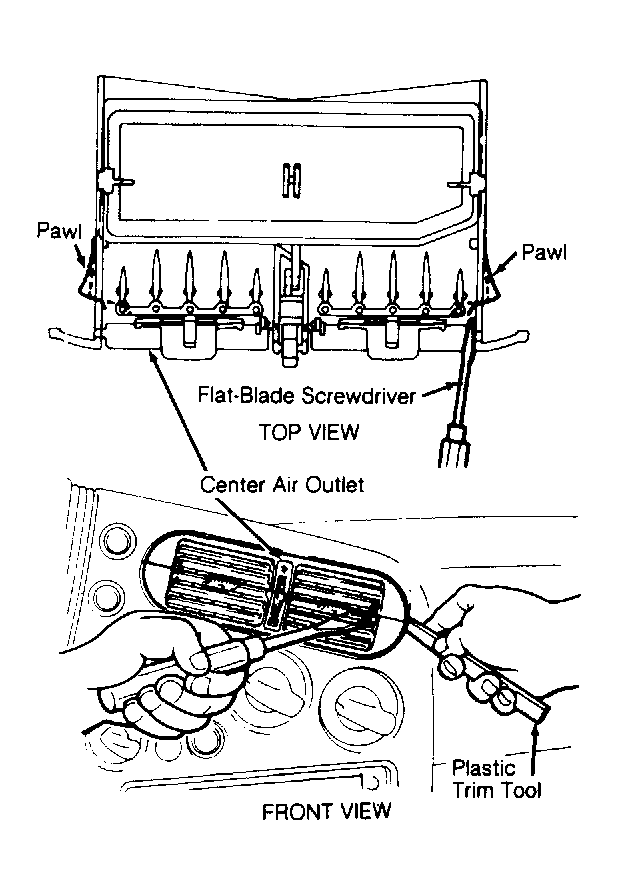 Courtesy of CHRYSLER CORP.