CUPHOLDER, Instrument Panel: Removal: Removal
 Courtesy of CHRYSLER GROUP, LLC
- Disconnect and isolate the negative battery cable.
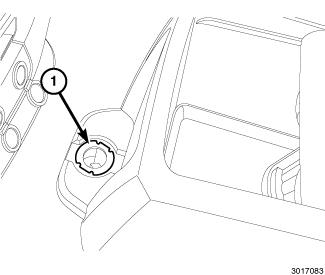
- Remove the fastener (1) from the front of the floor console.
 Courtesy of CHRYSLER GROUP, LLC
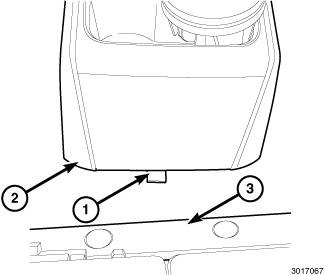
- Pull the floor console (2) forward to disengage the retaining tab (1) from the floor bracket (3).
- Remove the front floor console.
 Courtesy of CHRYSLER GROUP, LLC
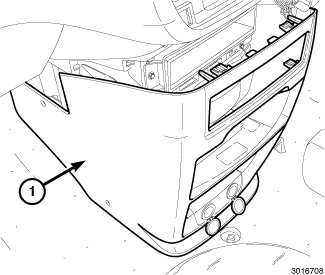
- Remove the four plastic retainers that secure the instrument panel bin (1) to the instrument panel.
- Disconnect and remove the instrument panel bin cover (1).
 Courtesy of CHRYSLER GROUP, LLC
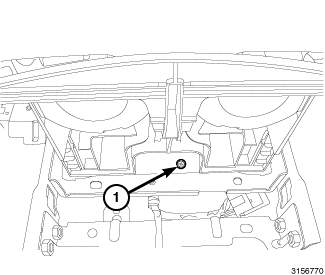
- Open the cupholder to the fully open position.
- Remove the screw (1) located under the cupholder.
 Courtesy of CHRYSLER GROUP, LLC
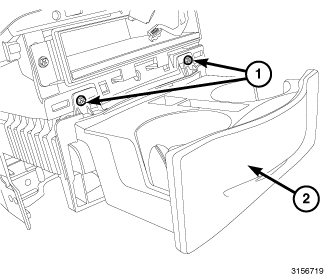
- Remove the two screws (1) located on the top edge of the cupholder (2).
- Remove the cupholder (2) for the instrument panel by pulling straight out.