Removal (Durango)
- Raise and support vehicle.
- Remove the rear wheel and tire assemblies.
- Loosen tensioner adjuster nut.
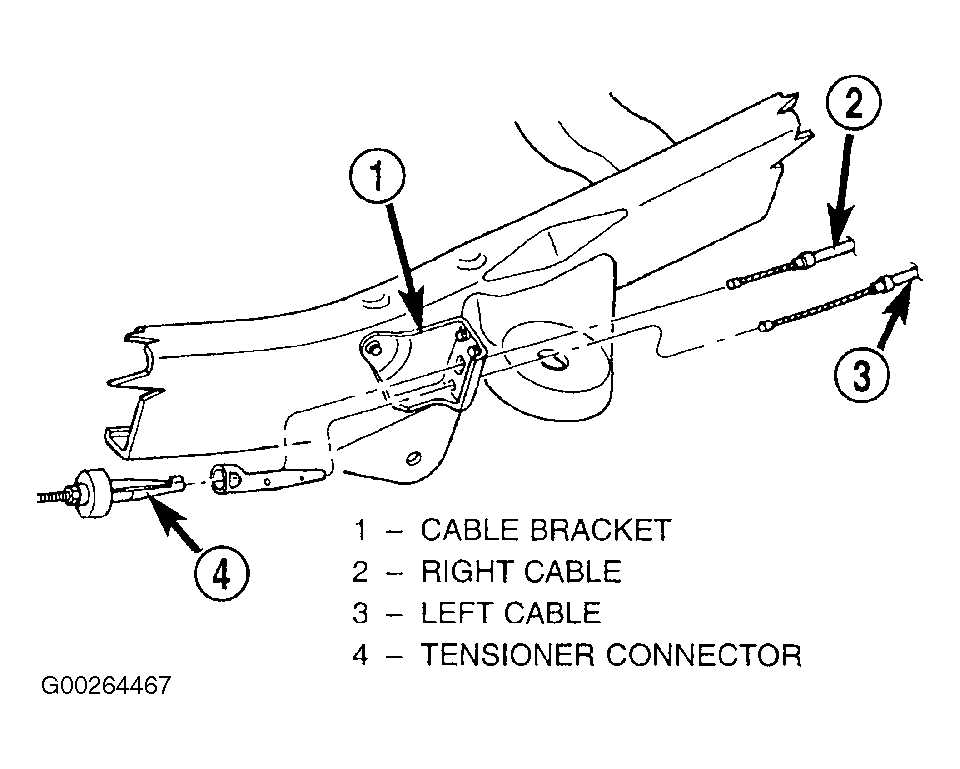
- Remove the right cable from the tensioner and pull the cable housing through the left cable connector. See Fig 1.
- Remove the left cable connector.
- Pull both cables through the cable bracket.
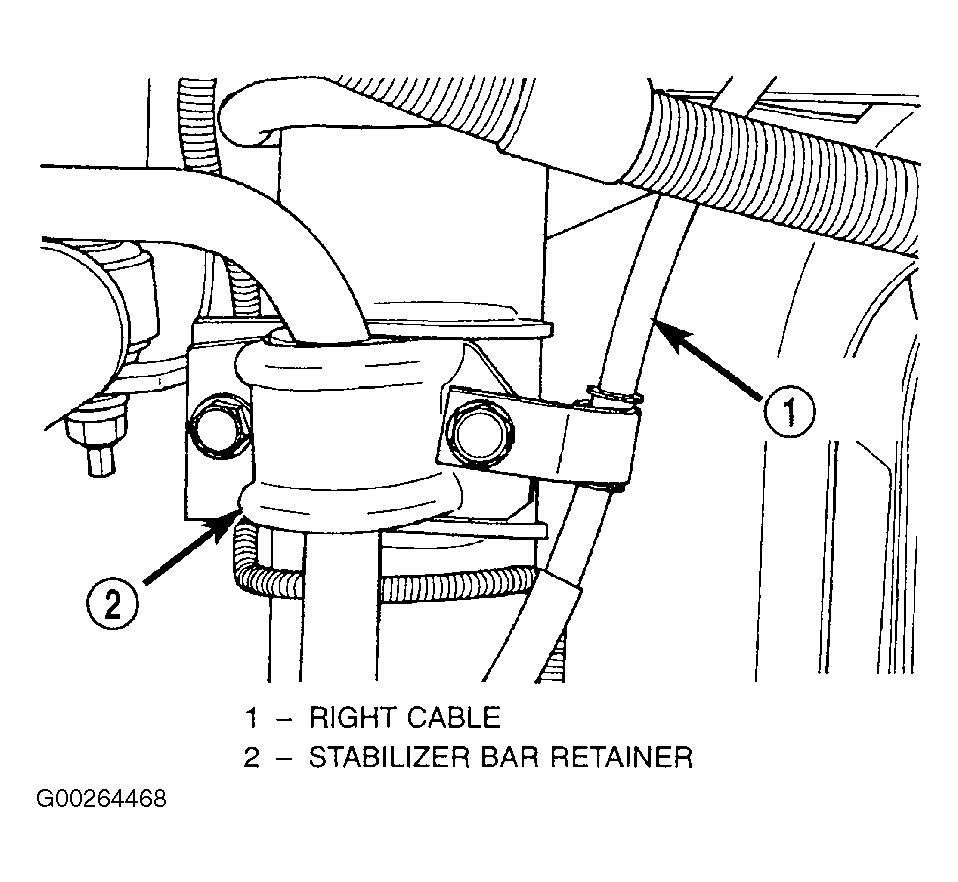
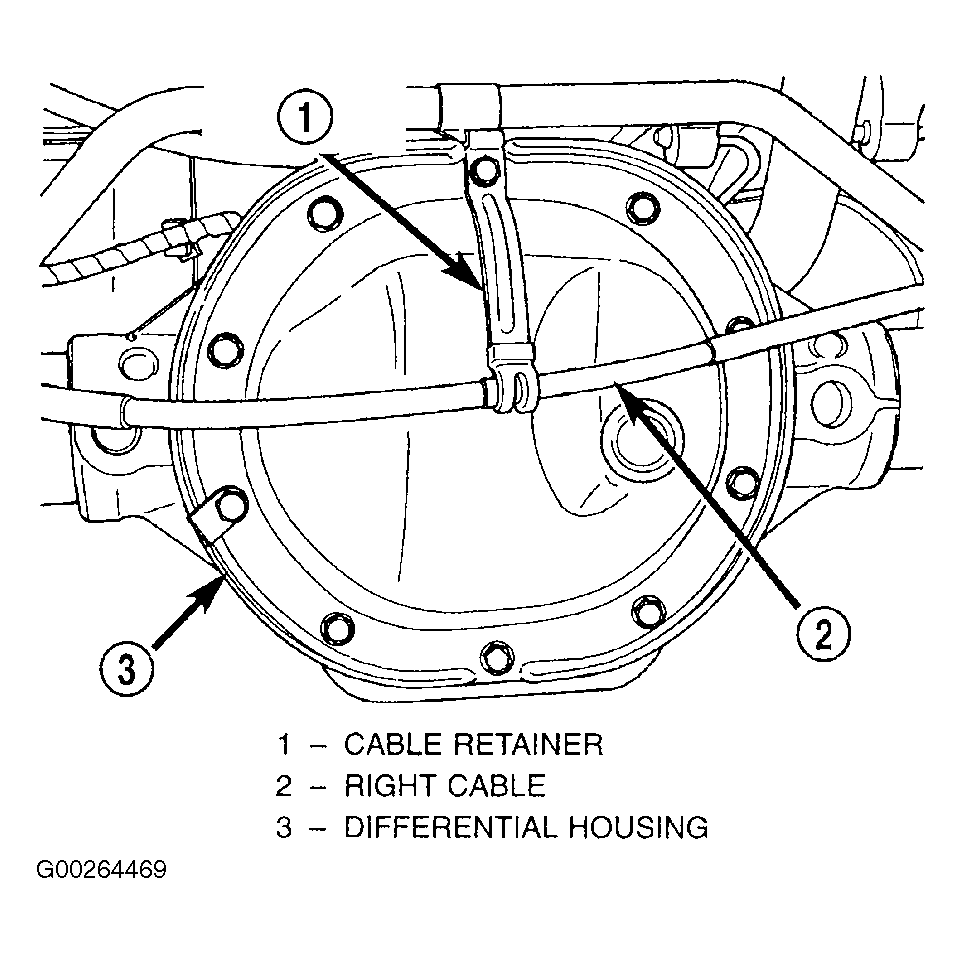
- Remove the right cable mounting retainers from the stabilizer bar retainers. See Fig 2 and Fig 3
.
- Remove brake drums.
- Disconnect each cable from parking brake lever.
- Compress tabs on each cable housing retainer at the brake support plates.
- Remove the cables from the brake support plates.
 Courtesy of CHRYSLER CORP.
 Courtesy of CHRYSLER CORP.
 Courtesy of CHRYSLER CORP.