Bezel, Instrument Panel, Center: Removal: Removal
 Courtesy of CHRYSLER LLC
- Before proceeding with the following repair procedure, review all warnings and cautions.
- Disconnect the negative battery cable.
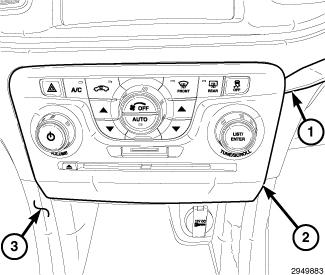
- Remove the AC/heater control faceplate (2) from the I/P. Refer to POD, Switch Bank, Removal
.
 Courtesy of CHRYSLER LLC
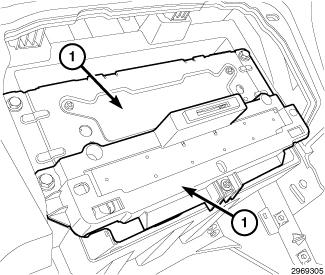
- Remove and disconnect the telematics gateway assembly (1). Refer to MODULE, Telematics Gateway, Removal
.
 Courtesy of CHRYSLER LLC
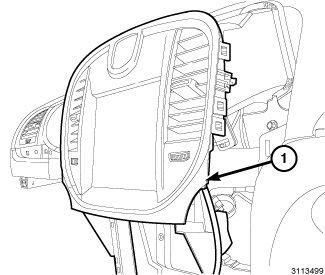
- Using (special tool #C-4755, Trim Stick) or equivalent, remove the center bezel (1) from the instrument panel by releasing the snap retainers from the instrument panel.
 Courtesy of CHRYSLER LLC
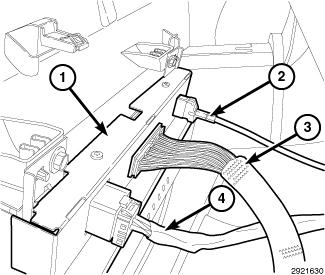
- Disconnect the harness connectors (2, 3 & 4) from the rear of the display screen (1).
- Disconnect the clock harness and remove the center trim bezel.