Installation
INSTALLATION
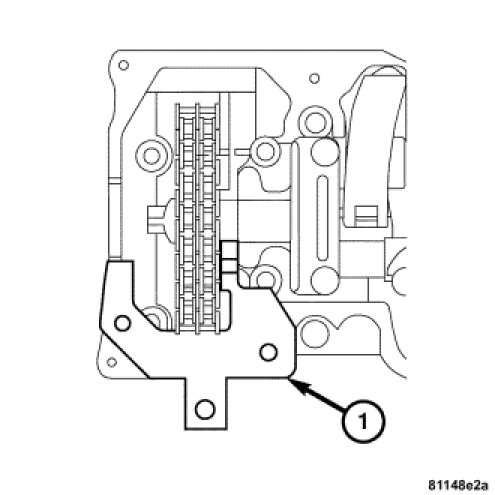
1. Make sure the engine is at 40° ATDC.
2. Position the camshaft bearing bridge on the camshaft.
3. Using Special Tools 9104 (1) and 9105 Camshaft Locating Plates, lock the camshafts by placing the tool flush on the cylinder head, and inserting it into the groove in the camshaft.
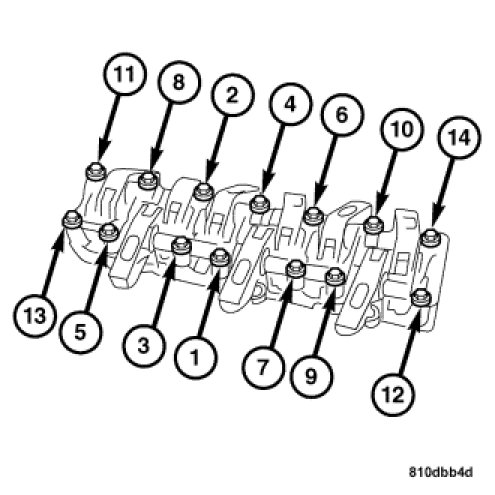
4. Install, but do not tighten the bearing bridge bolts.
5. Tighten the M7 45 (short) bolts to 15 Nm (11 ft. lbs) and the M7 84 (long) bolts to 10 Nm (8 ft. lbs) in the sequence shown above.
6. Continue to tighten only the M7 84 (long) bolts in the sequence shown an additional 90° clockwise. Skipping M7 45 bolts (short bolts) this time.
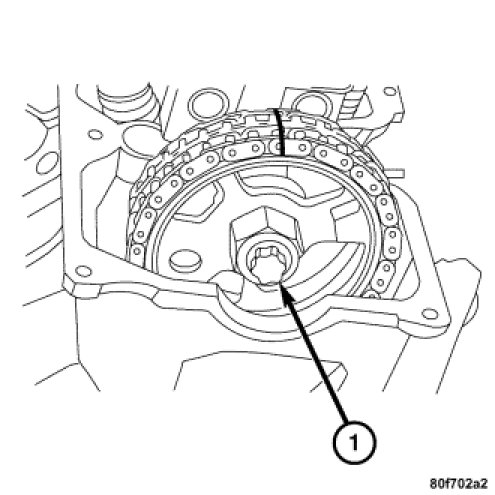
7. Install the camshaft sprockets and bolts (1). Tighten the bolts to 50 Nm (37 ft. lbs.).
8. Tighten the camshaft sprocket bolts and additional 90° clockwise.
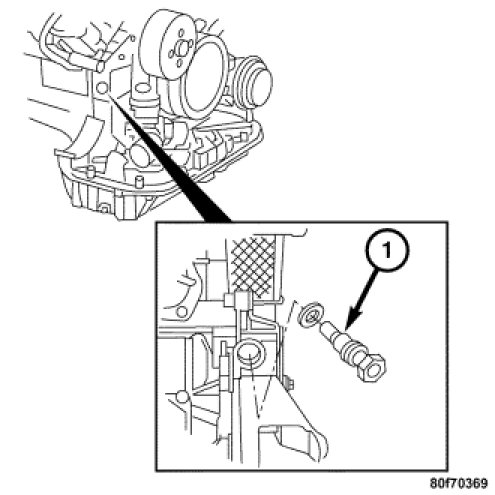
9. Install the timing chain tensioner (1). Tighten the tensioner to 80 Nm (59 ft. lbs.).
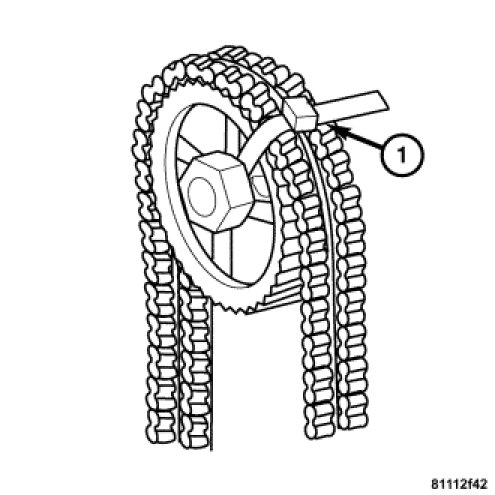
10. Remove the cable tie.
11. Remove the Special Tools 9104 and 9105 Camshaft Locating Plates.
12. Install the cylinder head covers. Cylinder Head Cover - Installation.
13. Install the air cleaner housing. Air Cleaner Housing - Installation.