Resetting The FSS Maintenance Indicator After Oil Change Procedure
 Courtesy of CHRYSLER LLC
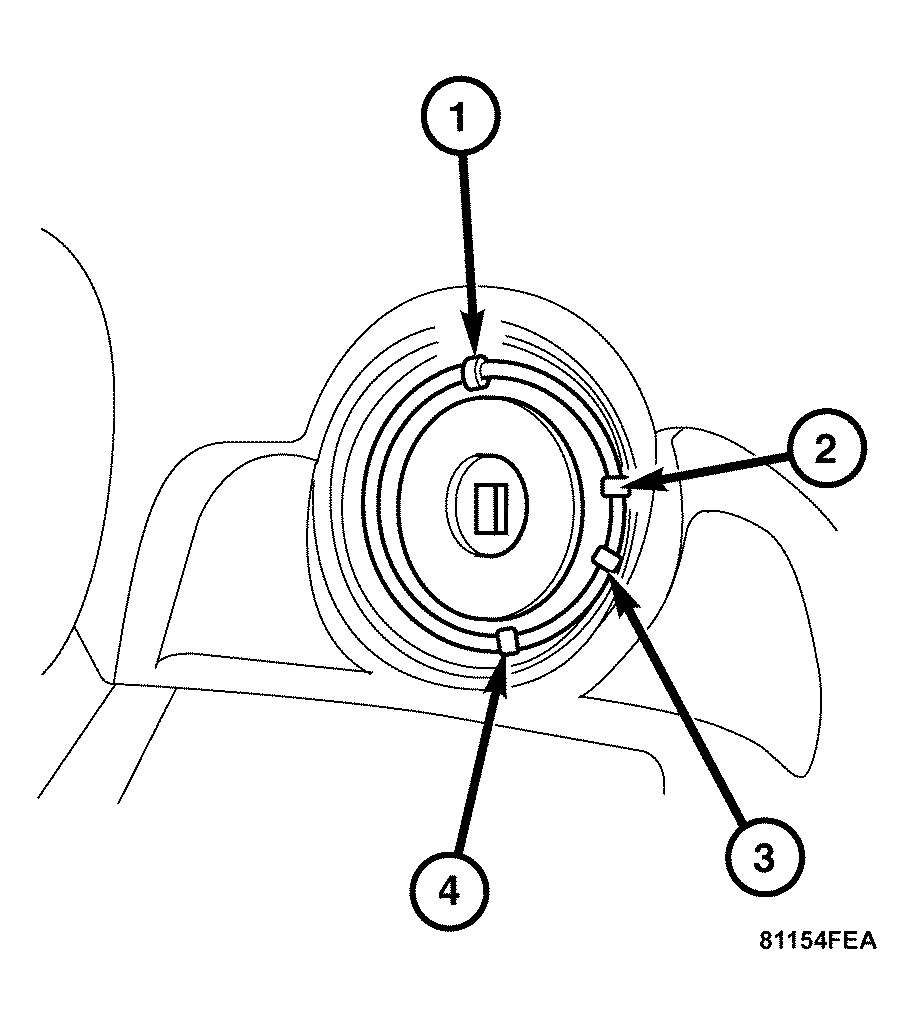
- Move the ignition switch to the "RUN" position (3).
 Courtesy of CHRYSLER LLC
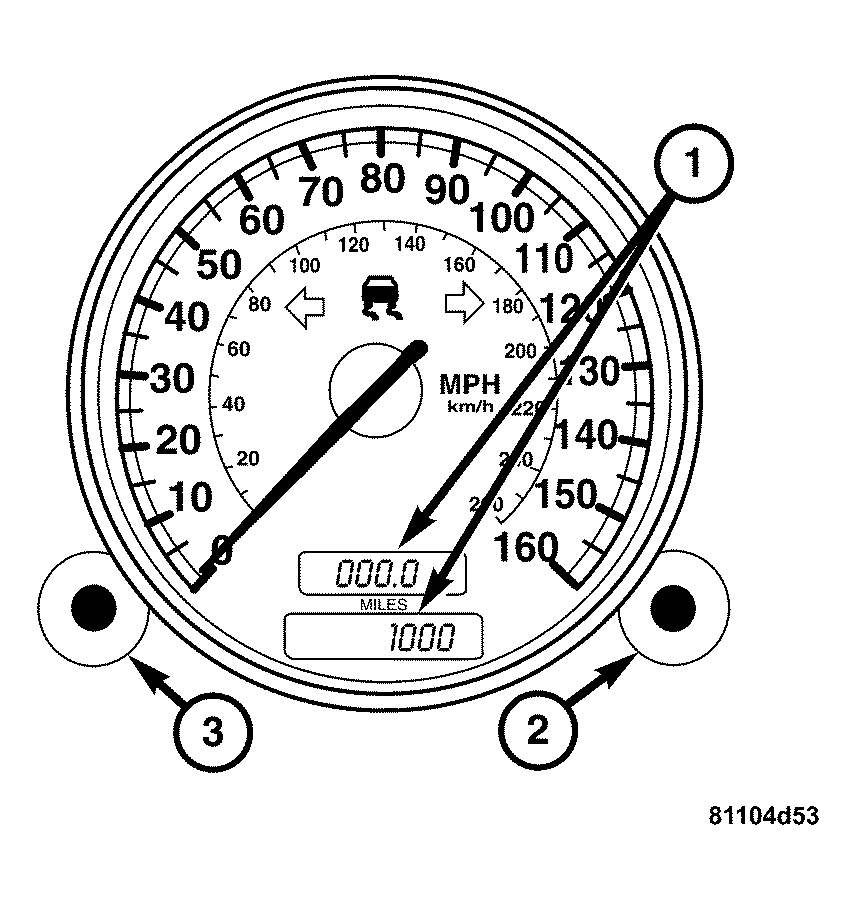
- Within 4 seconds of moving the ignition switch into the "RUN" position, press the reset button for the trip odometer (3) twice within one second. The display for the FSS service request (1) is activated for 10 seconds.
Courtesy of CHRYSLER LLC
- During the 10 seconds the FSS service request is displayed, move the ignition switch to the "OFF" position (1). The FSS service request will continue to be displayed.
Courtesy of CHRYSLER LLC
- Press the reset button (3) for the trip odometer (1) and hold.
Courtesy of CHRYSLER LLC
- Move the ignition switch to the "RUN" position (3).
 Courtesy of CHRYSLER LLC
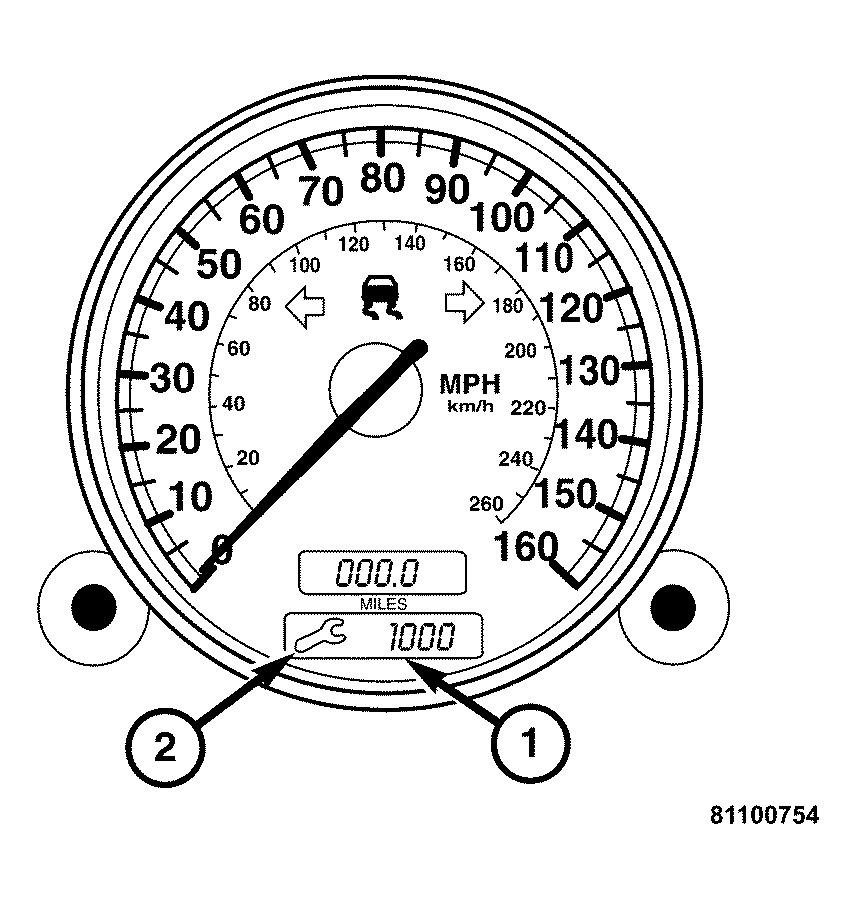
- Continue to press and hold the reset button for the trip odometer (about 10 seconds) until the audible signal sounds and the new start distance appears (1) in the display.
- The tool symbol (2) should disappear at this time.