Rear Disc Brake Shoes: Removal
- Raise vehicle.
- Remove rear wheels and tires from vehicle.
- Remove the 2 guide pin bolts mounting the caliper to the adapter. See Fig 1.
- Remove caliper from adapter and rotor by first rotating the top of the caliper away from adapter, and then lifting the caliper off the lower machined abutment on adapter. See Fig 2.
- Support caliper from rear strut to prevent weight of caliper from damaging the flexible brake hose. See Fig 3.
- Remove rear rotor from hub/bearing. See Fig 4. Then inspect drum-in-hat parking brake shoes and parking brake braking surface on rotor for any signs of excessive wear or damage. Replace parking brake shoes if required.
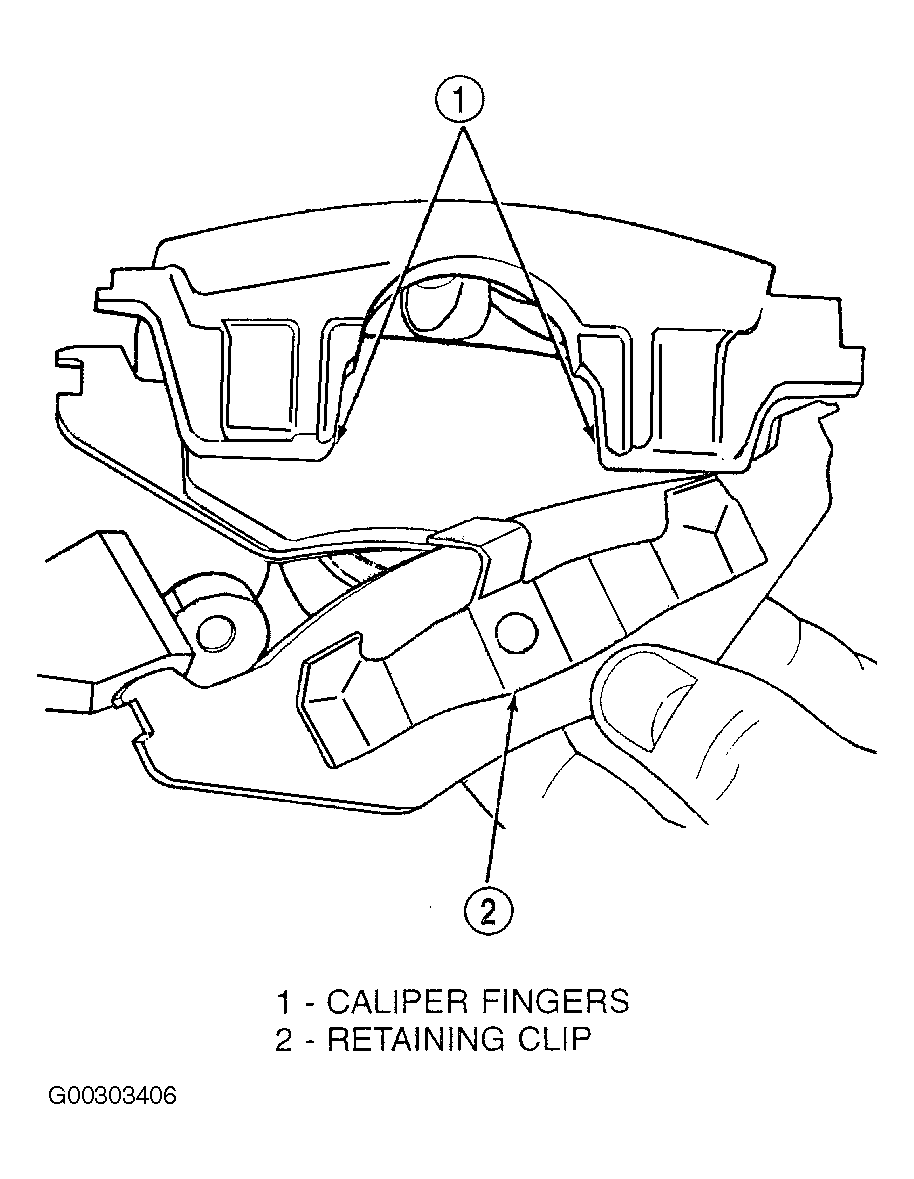
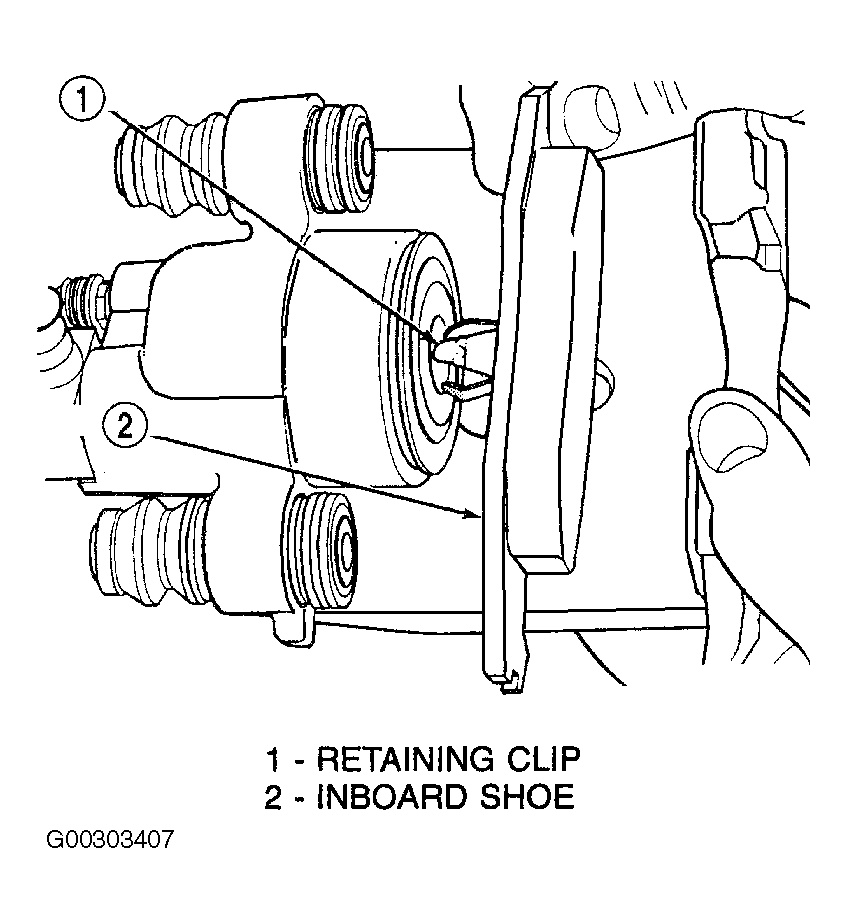
- Remove outboard brake pad from caliper by prying brake pad retaining clip over raised area on caliper. Then slide brake pad down and off the caliper. See Fig 5. Pull inboard brake pad away from caliper piston until retaining clip is free from cavity in piston. See Fig 6.
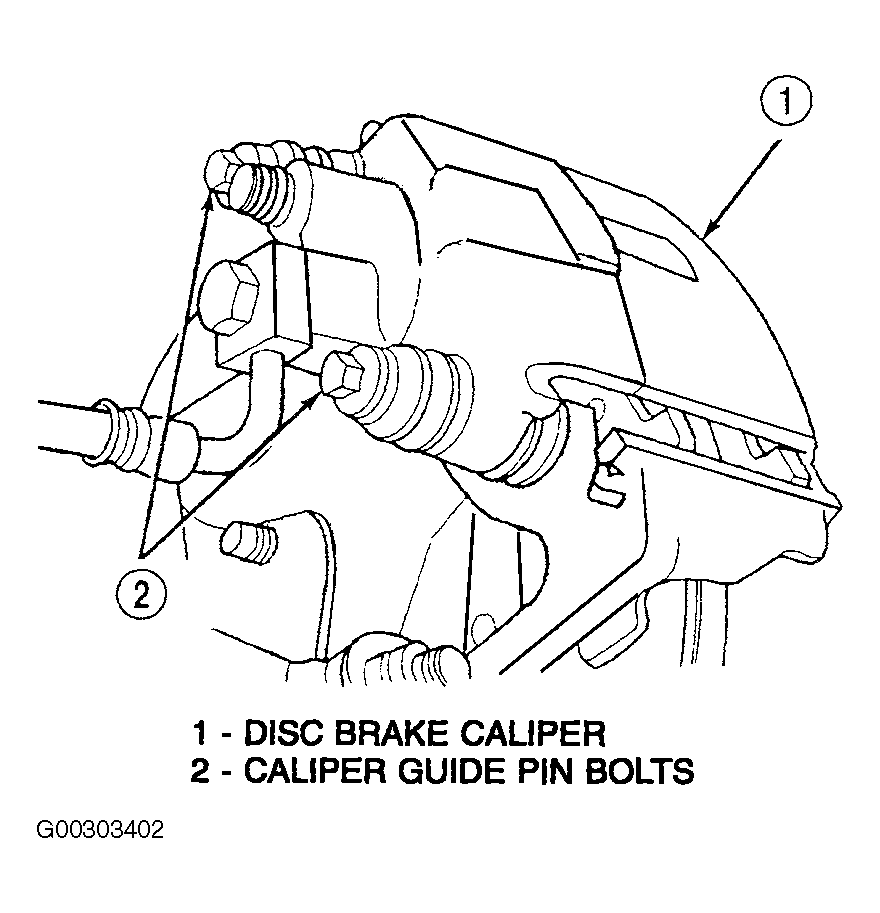 Courtesy of CHRYSLER CORP.
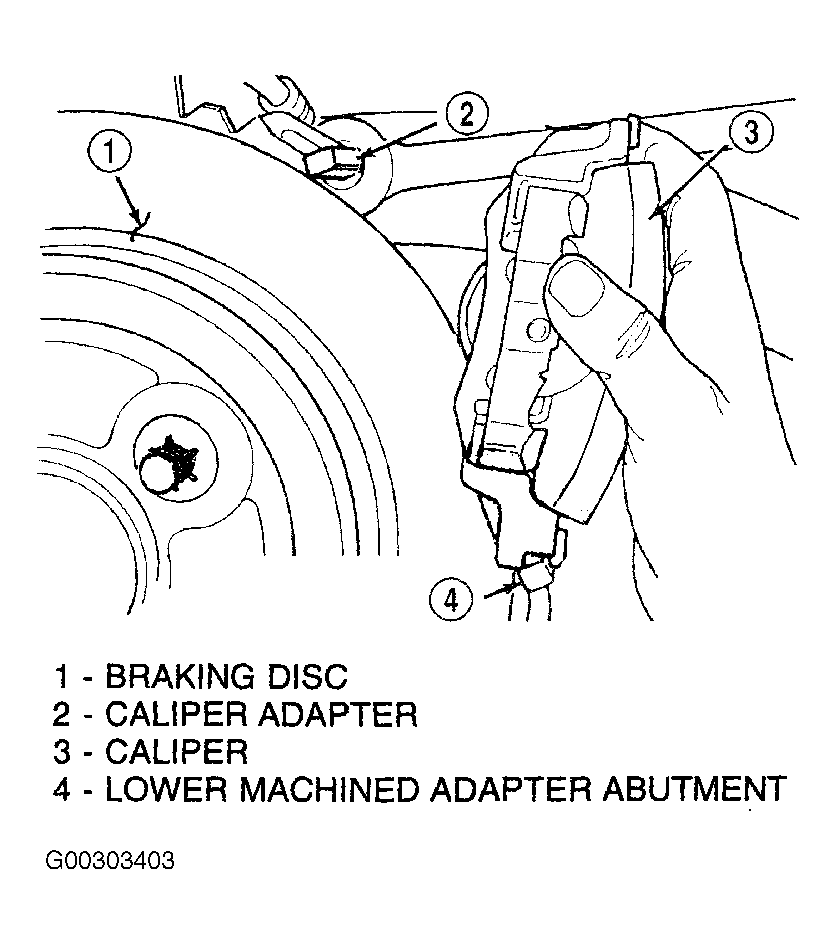 Courtesy of CHRYSLER CORP.
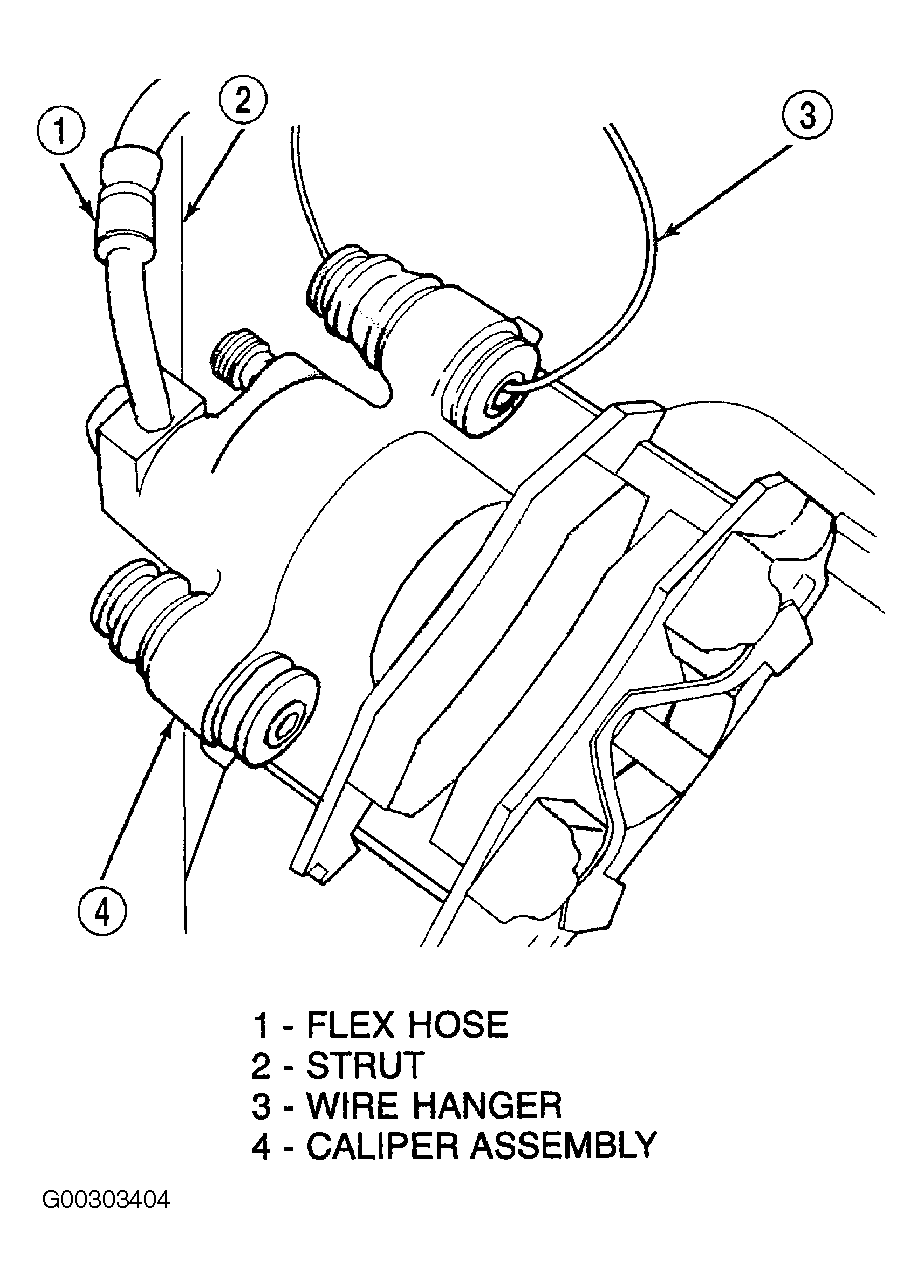 Courtesy of CHRYSLER CORP.
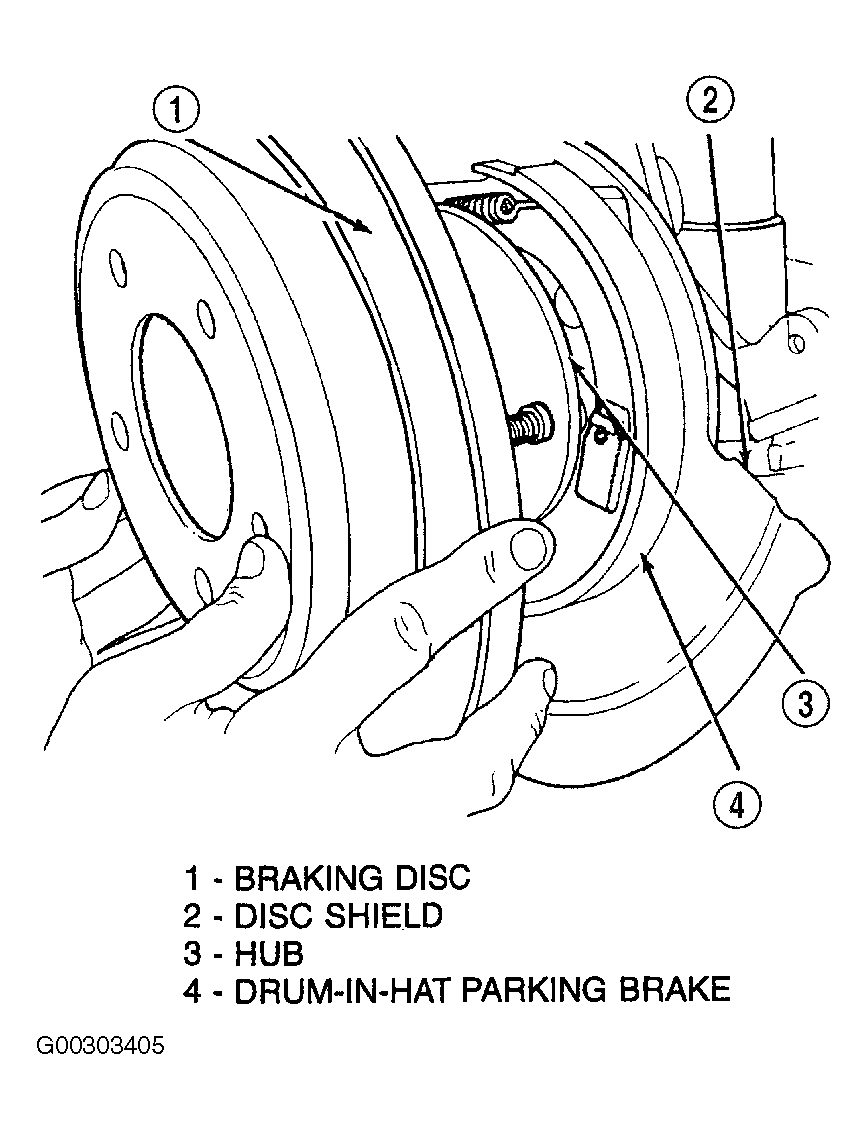 Courtesy of CHRYSLER CORP.
 Courtesy of CHRYSLER CORP.
 Courtesy of CHRYSLER CORP.