Removal Procedure
- Inspect the fluid level in the brake master cylinder reservoir.
- If the brake fluid level is midway between the maximum-full point and the minimum allowable level, no brake fluid needs to be removed from the reservoir before proceeding.
- If the brake fluid level is higher than midway between the maximum-full point and the minimum allowable level, remove brake fluid to the midway point before proceeding.
- Raise and support the vehicle. Refer to Lifting and Jacking the Vehicle
.
- Remove the tire and wheel assembly. Refer to Tire and Wheel Removal and Installation
.
- Without disconnecting the hydraulic brake system, remove the rear brake caliper. Refer to Rear Brake Caliper Replacement .
- Remove the brake pads (1) from the caliper mounting bracket (2).
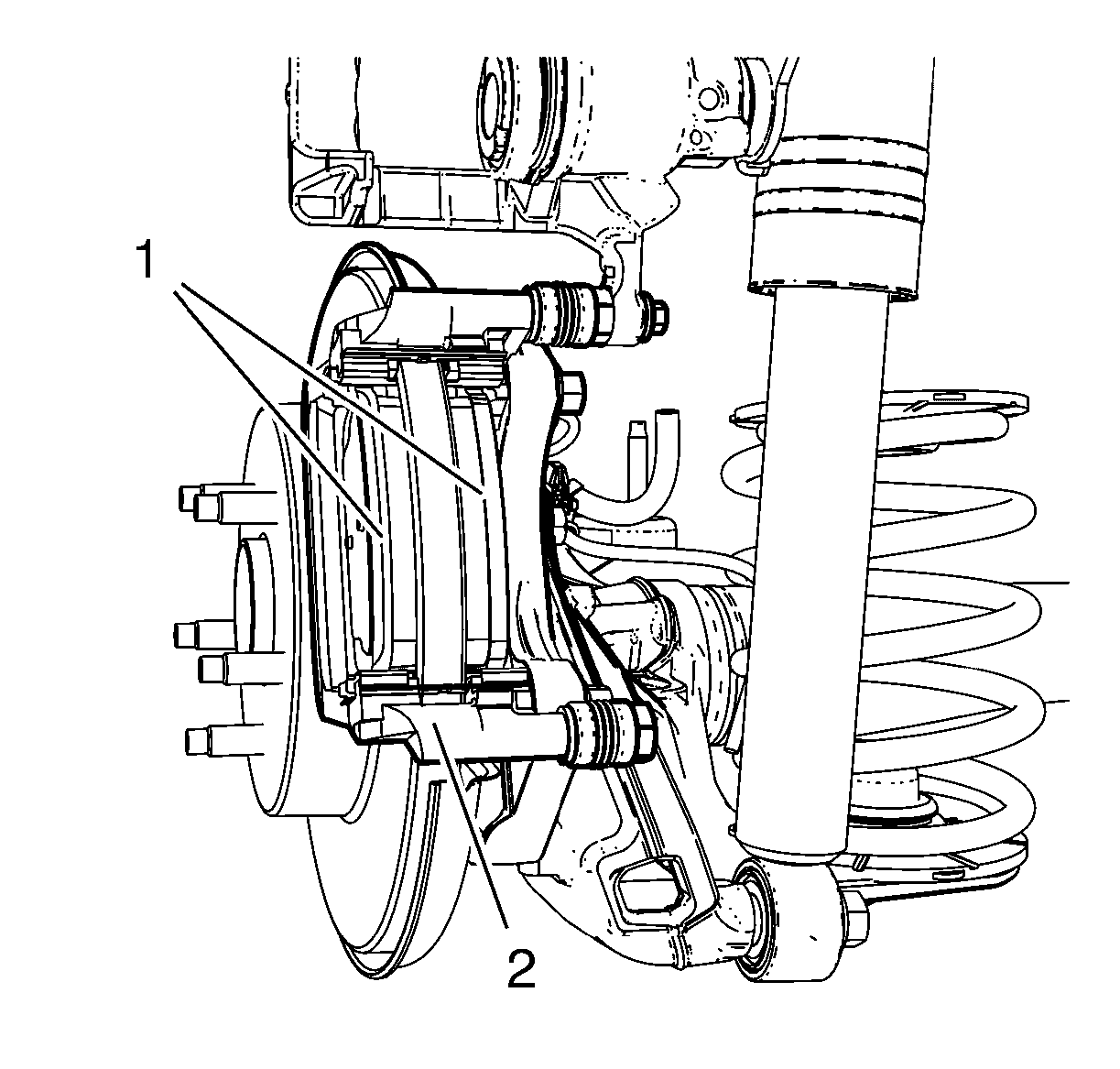 Courtesy of GENERAL MOTORS COMPANY
- Remove the brake pad retainer springs (1) from the caliper bracket (2).
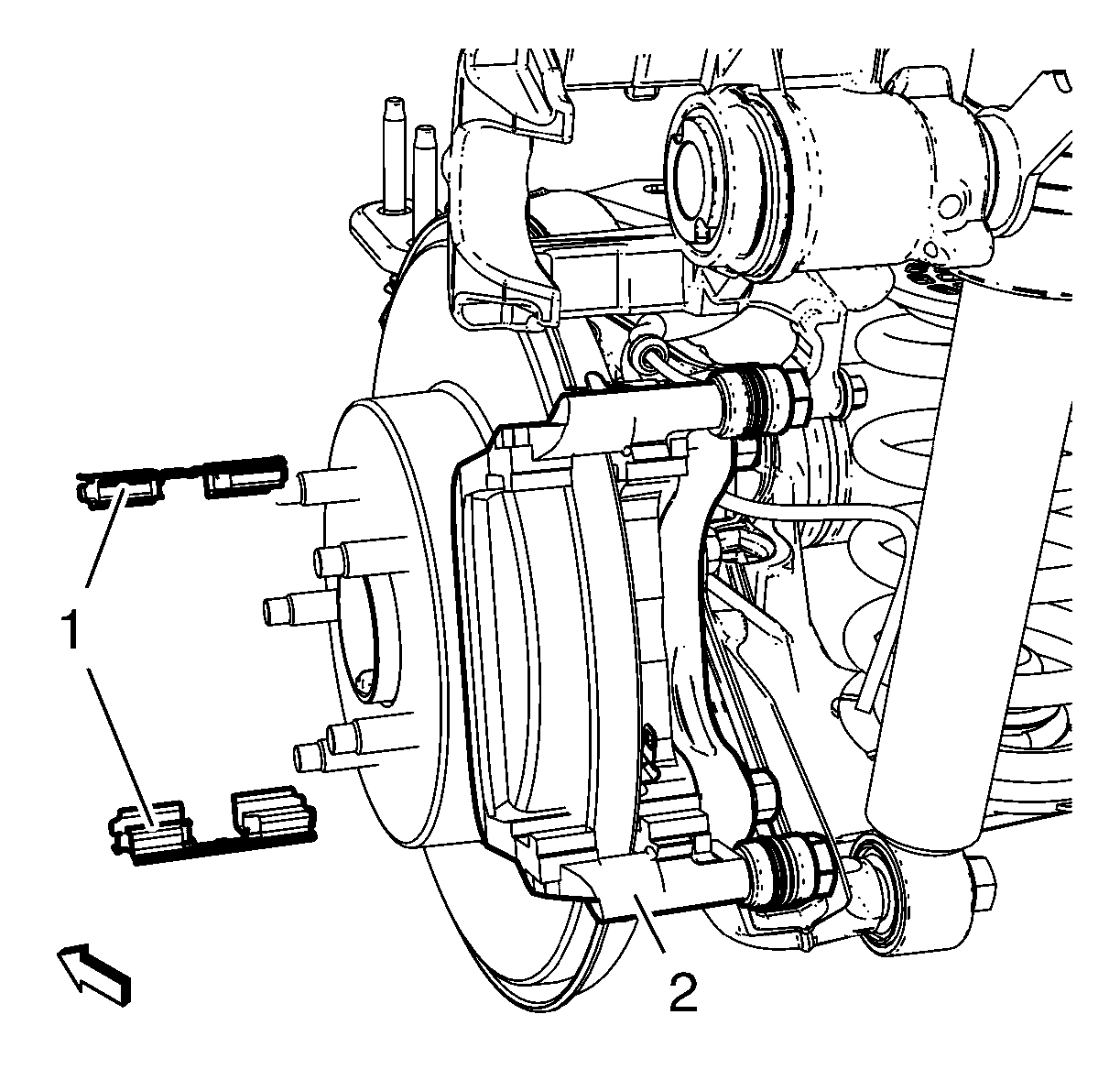 Courtesy of GENERAL MOTORS COMPANY
- Remove the brake caliper guide pins (3) from the brake caliper mounting bracket (1).
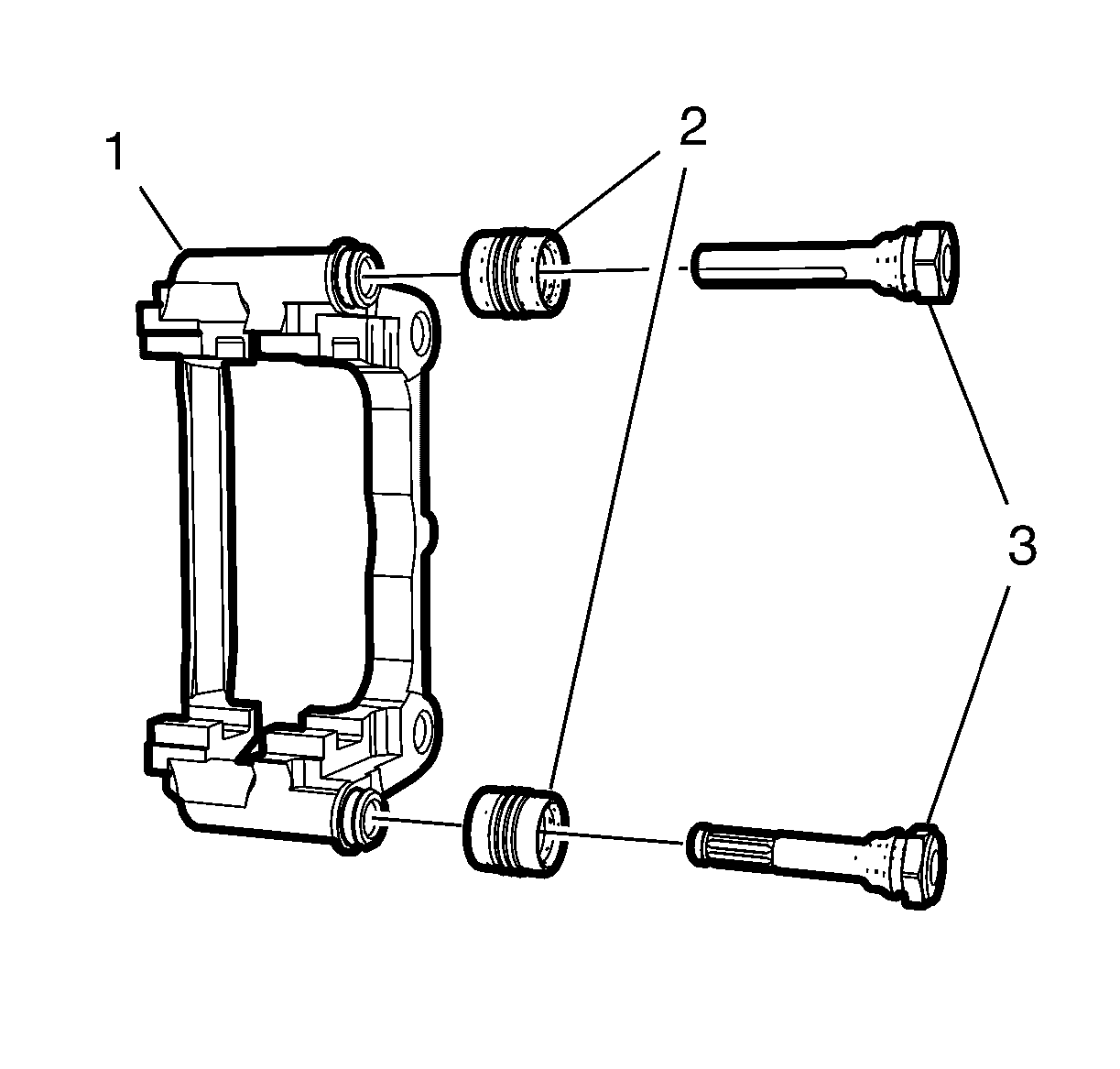 Courtesy of GENERAL MOTORS COMPANY
- Remove the brake caliper pin boots (2) from the brake caliper mounting bracket (1).