Engine Mount Bracket Replacement - Right
Engine Mount Bracket Replacement - Right Side
Removal Procedure
1. Remove the engine mount. Refer to Engine Mount Replacement (Service and Repair) .
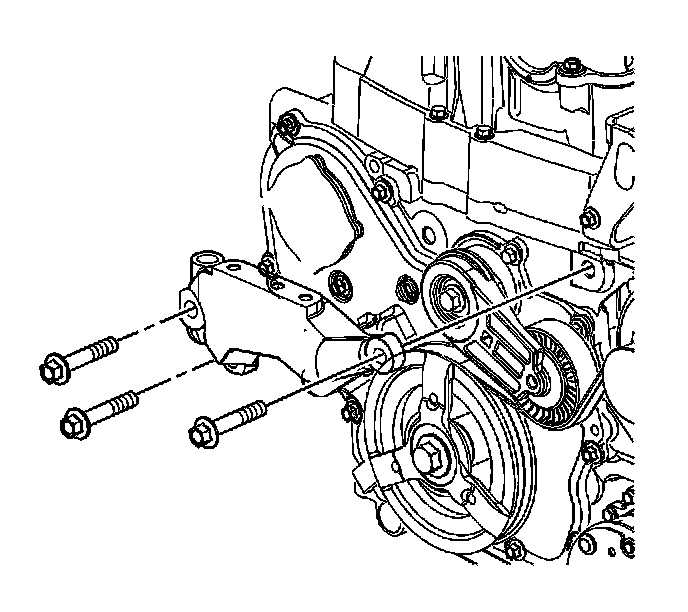
2. Remove the intermediate bracket to engine bolts.
3. Remove the intermediate bracket from the engine.
Installation Procedure
1. Install the intermediate bracket to the engine.
2. Hand tighten the engine mount intermediate bracket bolts in the following locations:
* The long bolts in the forward and front lower holes
* The short bolt in the rear upper hole
Notice: Refer to Fastener Notice .
3. Tighten the intermediate bracket bolts.
Tighten the bolts to 100 N.m (74 lb ft).
4. Install the engine mount. Refer to Engine Mount Replacement (Service and Repair) .