Removal Procedure
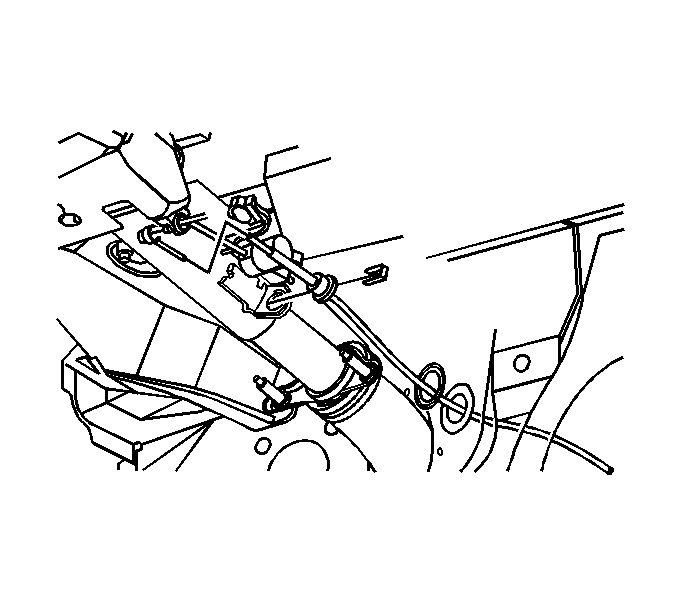 Courtesy of GENERAL MOTORS CORP.
- Apply the parking brake.
- Position the steering column shift lever to park.
- Remove the knee bolster trim panel. Refer to Driver Knee Bolster Replacement
.
- Remove the knee bolster bracket. Refer to Driver Knee Bolster Bracket Replacement
.
- Remove the clip securing the shift cable to the steering column bracket.
- Remove the shift cable from the steering column shift control.
- Remove the rubber grommet from the floor panel.
- Remove the air cleaner assembly.
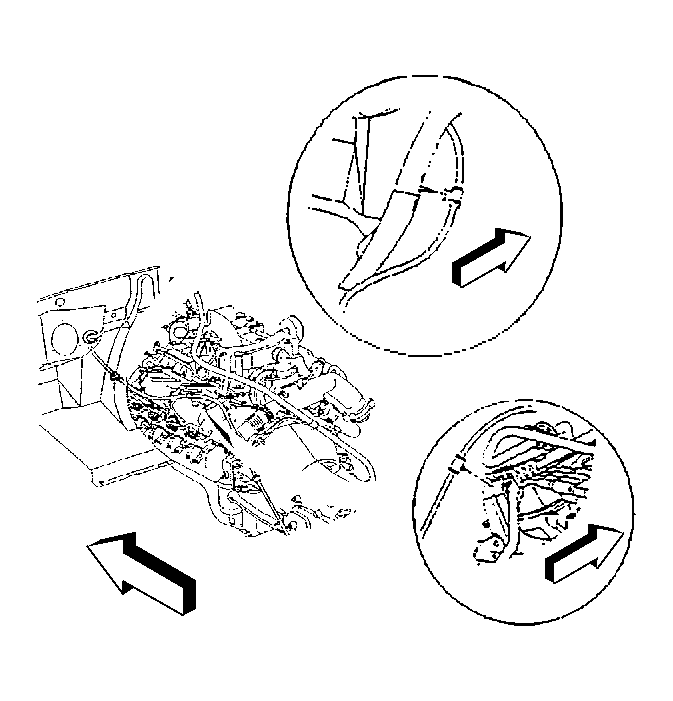 Courtesy of GENERAL MOTORS CORP.
- Remove the shift cable clips from the left front of the engine compartment.
- Raise the vehicle. Refer to Lifting and Jacking the Vehicle
.
- Remove the shift cable clips from the left rear engine bracket.
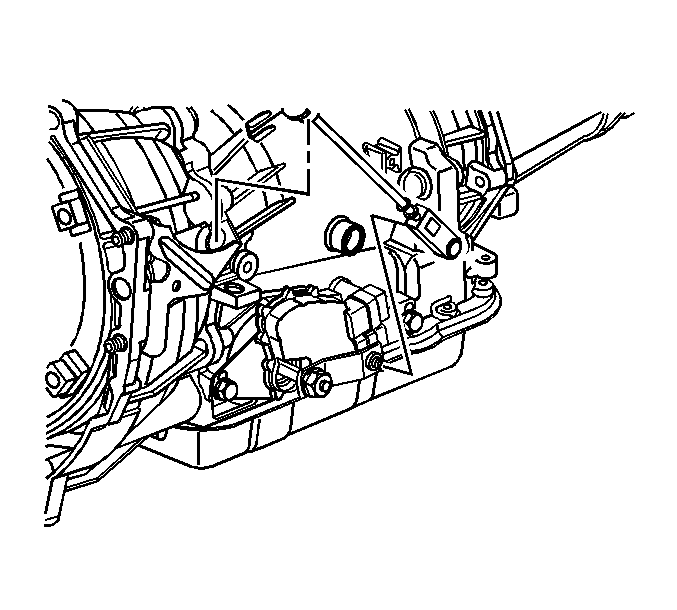 Courtesy of GENERAL MOTORS CORP.
- Remove the shift cable from the stud ball.
- Remove the locking clip from the cable at the bracket.
- Lower the vehicle.
- Remove the shift cable from the vehicle.