Brake Caliper: Installation
- Lubricate the caliper pins and the boots with high temperature silicone brake lubricant or equivalent. See Figure. Install the caliper pins and the boots to the caliper bracket.
- Install the caliper to the caliper bracket. See Fig 1.
- Install the caliper bolts through the caliper and into the caliper pins. Tighten the 2 caliper bolts to specification. See TORQUE SPECIFICATIONS .
- Install the brake hose to caliper bolt with 2 NEW copper washers and the brake hose to the caliper. See Figure. Tighten the brake hose to caliper bolt to specification. See TORQUE SPECIFICATIONS .
- Remove the 2 wheel lug nuts retaining the rotor to the hub. Install the wheel and tire assembly. Tighten to specification. See TORQUE SPECIFICATIONS . Lower the vehicle.
- Fill the master cylinder to the proper level with clean brake fluid. See MASTER CYLINDER RESERVOIR FILLING under BLEEDING, FILLING & FLUSHING BRAKE SYSTEM.
- Bleed the hydraulic brake system. See MANUAL BLEEDING or PRESSURE BLEEDING
under BLEEDING, FILLING & FLUSHING BRAKE SYSTEM.
- Inspect the hydraulic brake system for leaks.
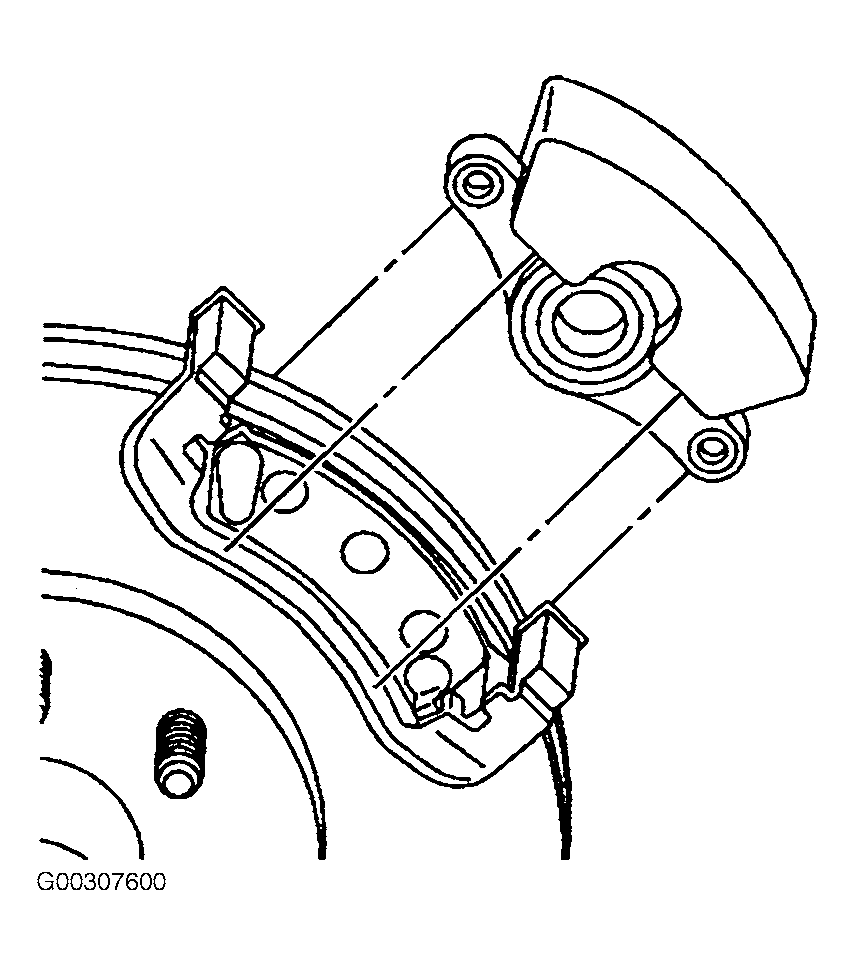 Courtesy of GENERAL MOTORS CORP.