Drum Brake Adjustment
- Release the tension from the park brake cable system. See DISABLING PARK BRAKE CABLE AUTOMATIC ADJUSTER
.
- Raise and support the vehicle. Remove the tire and wheel assembly.
- Remove the brake drum. See BRAKE DRUM
under REMOVAL & INSTALLATION.
- Measure the inside diameter of the drum using the Brake Drum/Shoe Clearance Gage (J-21177-A) as shown in part A of the illustration. See Fig 1
.
- Firmly hand tighten the set screw on the Brake Drum/Shoe Clearance Gage.
- Remove the Brake Drum/Shoe Clearance Gage from the brake drum and position it over the corresponding brake shoe assembly at its widest point.
- While holding the Brake Drum/Shoe Clearance Gage in position, insert a 0.025 in. (0.635 mm) feeler gage between one side of the Brake Drum/Shoe Clearance Gage, and the corresponding brake shoe.
- Rotate the brake shoe adjuster screw until the brake shoes contact the Brake Drum/Shoe Clearance Gage, and the feeler gage to a specification of 0.025 in. (0.635 mm).
- Repeat the above steps for the opposite brake drum and brake shoe assembly.
- Install the brake drums. See BRAKE DRUM
under REMOVAL & INSTALLATION.
- Restore the tension to the park brake cable system. See ENABLING PARK BRAKE CABLE AUTOMATIC ADJUSTER
.
- Adjust the park brake. See PARKING BRAKE ADJUSTMENT
.
- Install the rear tire and wheel assemblies. Lower the vehicle.
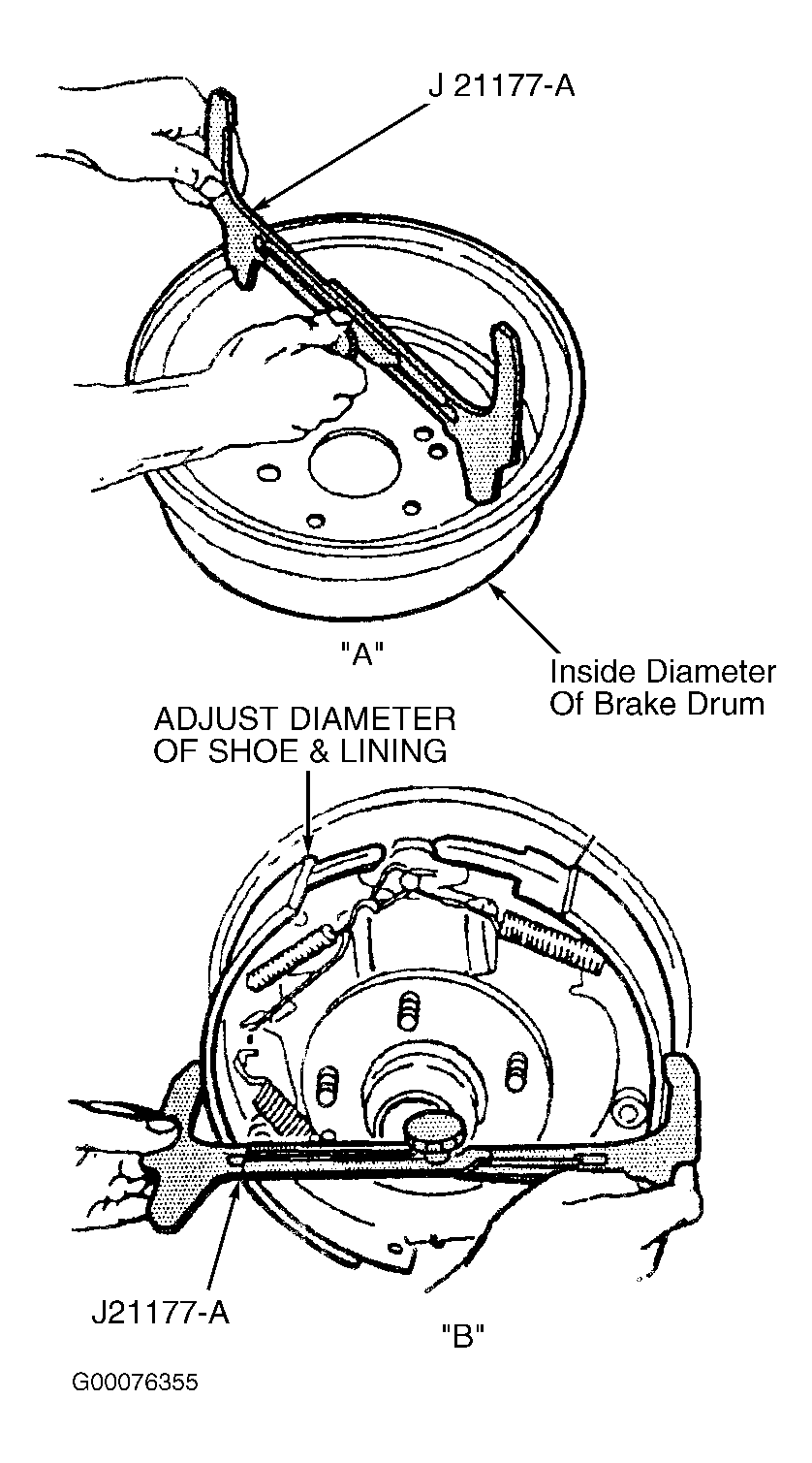 Courtesy of GENERAL MOTORS CORP.