Park Brake Adjustment
- Press the brake pedal 3 times with 30 kg (66 lbs) of force using the Brake Pedal Effort Gage (J-28662).
- Pull the park brake lever several times with approximately 40 lbs (20 kg) of force. Release the park brake.
- Remove the 4 screws, the 2 clips and lift up the console. See Fig 1
. Inspect the park brake lever notches. If the notches are damaged or worn, replace the park brake lever. See PARK BRAKE LEVER ASSEMBLY
under REMOVAL & INSTALLATION.
- If the vehicle has an automatic transmission, disconnect the power mode selector switch connector. If the vehicle has an auxiliary power outlet, disconnect the auxiliary power outlet connector.
- Disconnect the park brake switch connector. Loosen or tighten the park brake cable lock nut in order to adjust the park brake lever travel. See Fig 2
.
- Inspect the park brake lever travel. If the park brake lever travel is not within specification, adjust the drum brakes. See DRUM BRAKE ADJUSTMENT
under DRUM BRAKE SYSTEM. If a park brake cable is damaged, replace the park brake cable. See PARK BRAKE CABLE
under REMOVAL & INSTALLATION.
- Connect the park brake switch connector. Position the console over the shift knob. If the vehicle has an auxiliary power outlet, connect the auxiliary power outlet connector. If the vehicle has an automatic transmission, connect the power mode selector switch connector.
- Install the console. Install the 4 screws and the 2 clips. See Fig 1
.
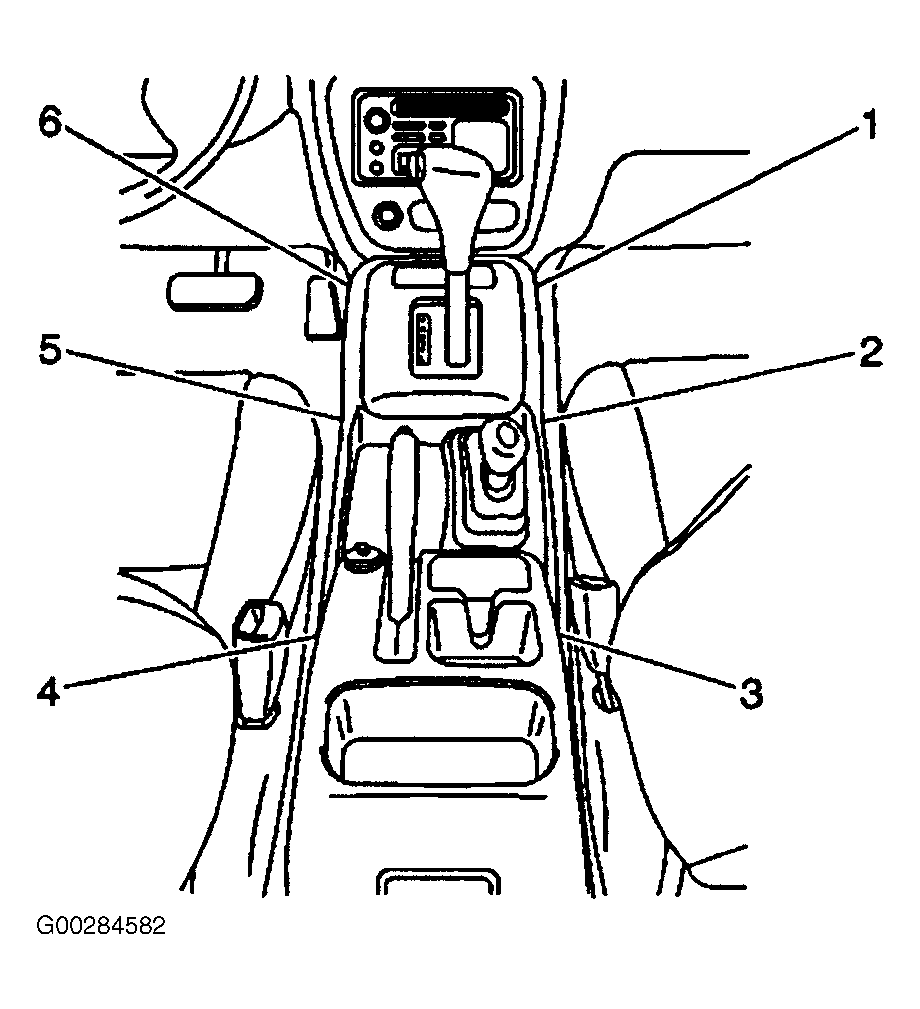 Courtesy of GENERAL MOTORS CORP.
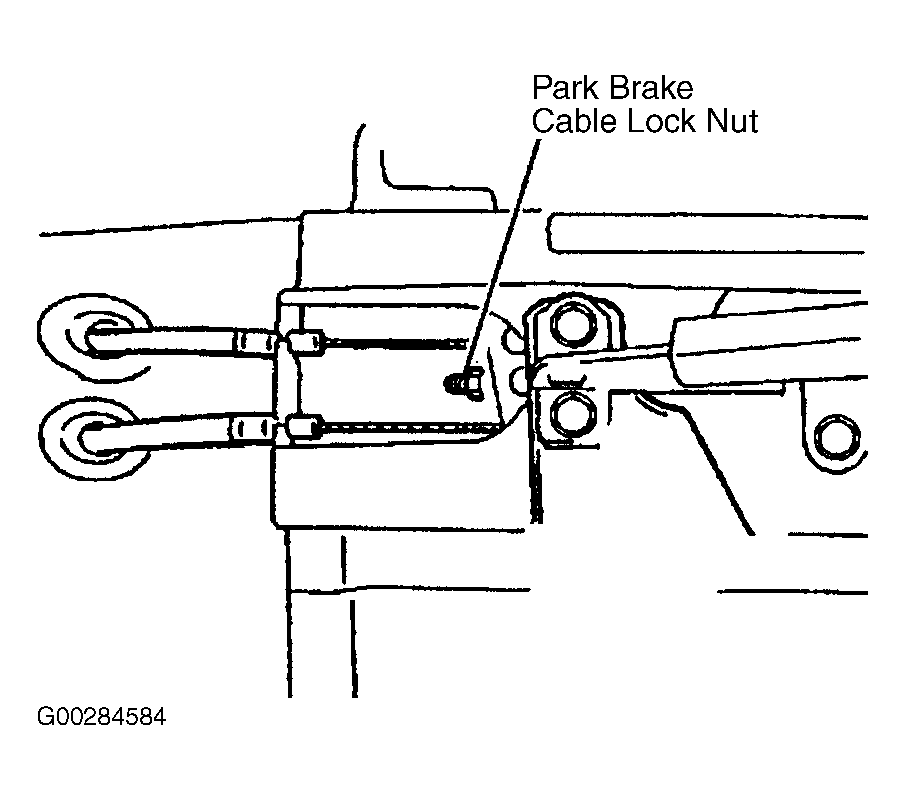 Courtesy of GENERAL MOTORS CORP.