Removal Procedure
 Courtesy of GENERAL MOTORS CORP.
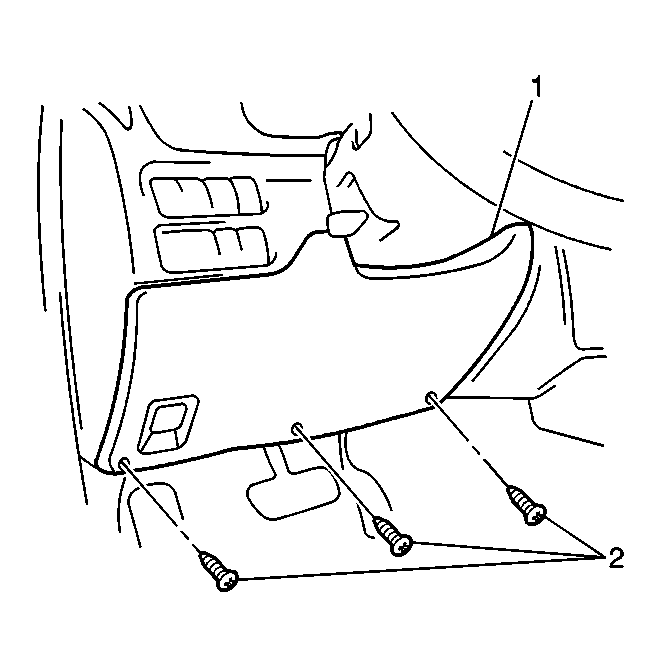
- Remove the following components from the instrument panel:
- The 3 screws (2)
- The IP steering column opening trim plate (1)
 Courtesy of GENERAL MOTORS CORP.
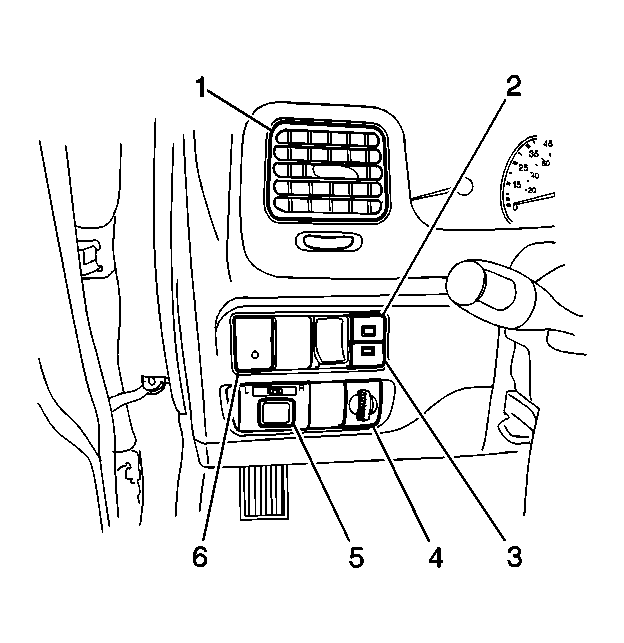
- Release the upper and lower retaining tabs behind the instrument panel which secure the IP lamp dimmer control (4).
- Slide the dimmer control (4) from the instrument panel in order to disconnect the electrical connector.
- Disconnect the dimmer control electrical connector.
- Remove the dimmer control (4) from the vehicle.