Removal (4WD)
- Raise and suitably support the vehicle.
- Install the transmission jack-to-transmission and support the transmission.
- Remove the transmission wiring harness from the transmission support, if necessary.
- Remove the transmission mount-to-transmission support stud nuts. See Fig 2.
- Remove the catalytic converter hanger bracket, if necessary, from the transmission support.
- Remove the transmission support to the frame nuts and bolts. See Fig 1.
- Remove the transmission support.
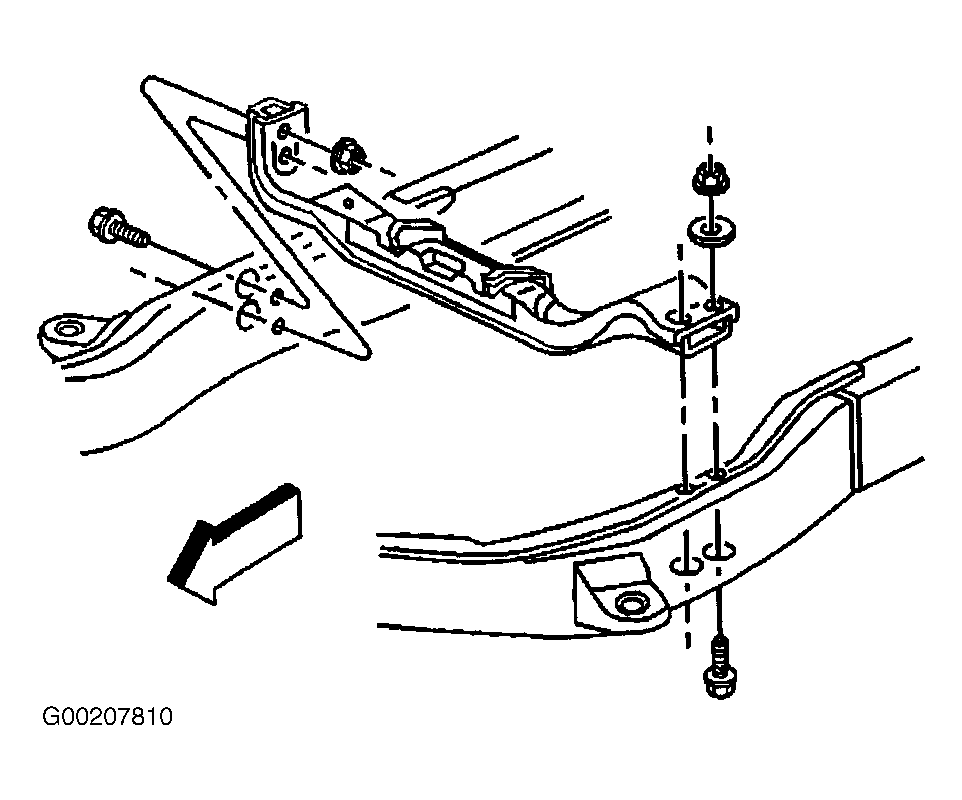 Courtesy of GENERAL MOTORS CORP.
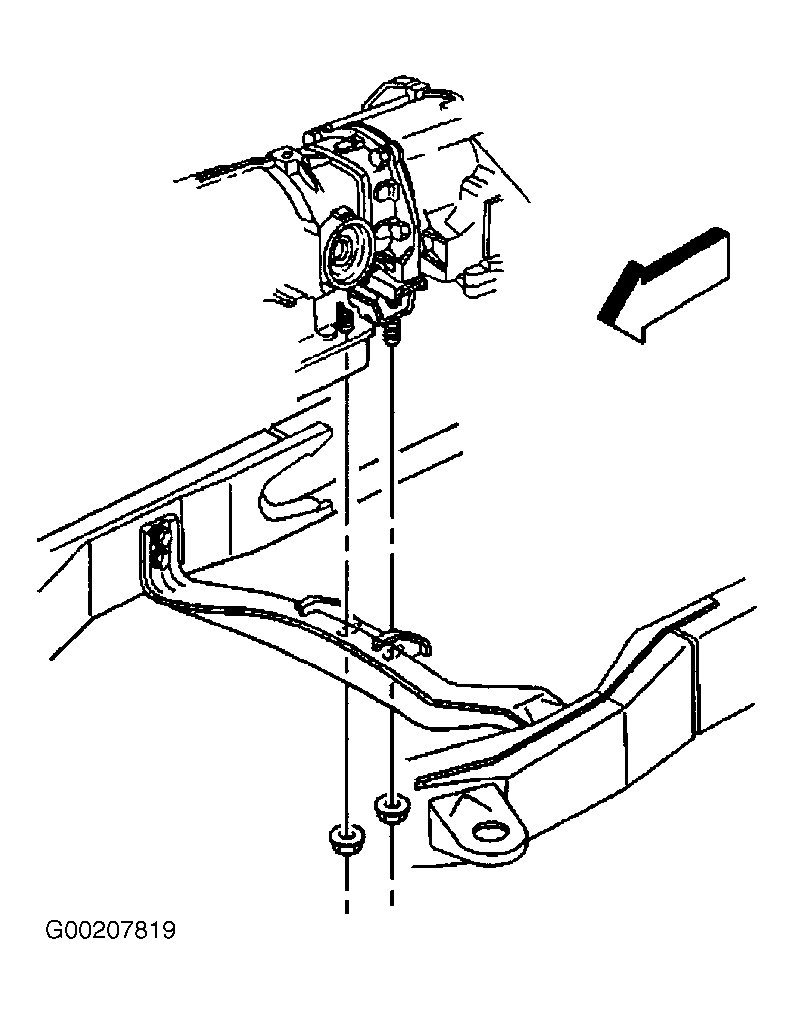 Courtesy of GENERAL MOTORS CORP.